


Affiliates Reports
The Affiliate Reports section provides affiliates with a detailed overview of their performance. From visits and referrals to commissions and conversion data, this dashboard helps affiliates understand how well their campaigns are performing in real time.
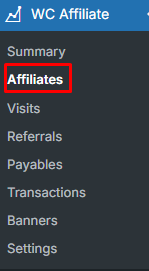
To access this report at first you have to go to Affiliates section from WC Affiliates → Affiliates
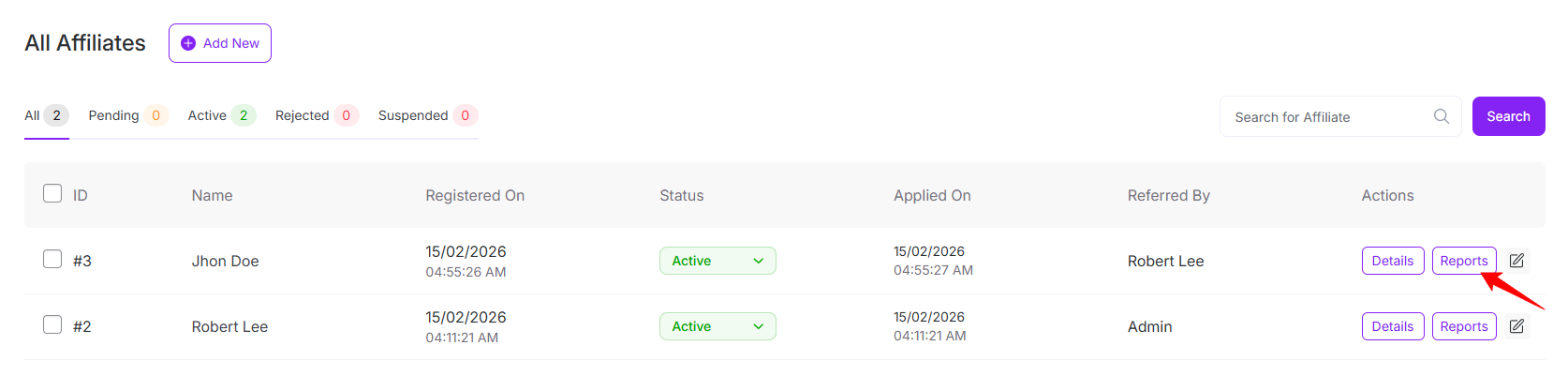
After clicking on affiliates, you will see all affiliates list. And then click on Reports button to view each affiliates report
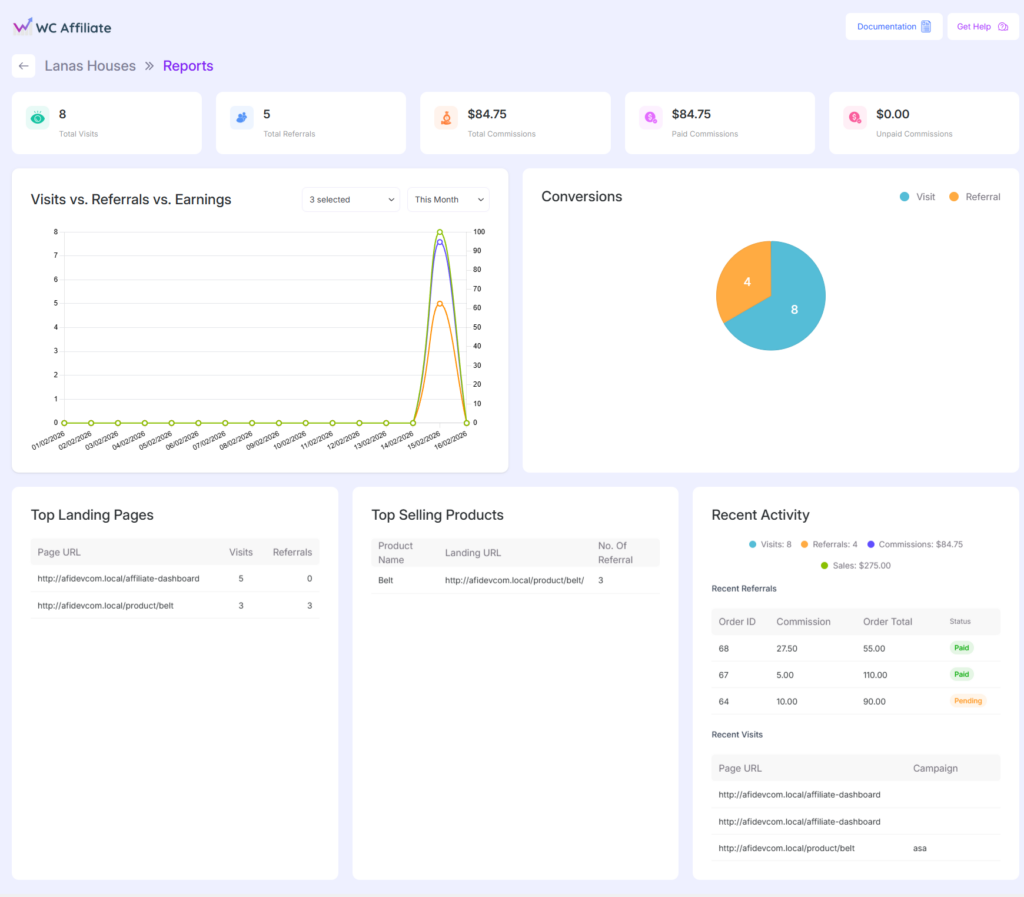
The Reports Dashboard gives affiliates a quick overview of their performance in one place. It shows total visits, referrals, earned commissions (paid and unpaid), along with simple charts and recent activity. Affiliates can easily see what is working, track their earnings and monitor their overall growth.
Summary Statistics
At the top of the Reports page, affiliates can see a quick summary of their overall performance. Please click here to read details of overview-cards.
Visits vs. Referrals vs. Earnings
This section visualizes affiliate performance over time using a comparative chart. Please click here to read details.
Conversions
The Conversions chart shows how visits turn into referrals. Please click here to read details.
Top Landing Pages
The Top Landing Pages table shows which pages are performing best. Please click here to read details.
Top Selling Products
This section highlights products that generate the most affiliate revenue. To read details please click here.
Recent Activity
The Recent Activity panel shows the latest affiliate actions and provides real-time performance insights, including:
- Recent visits with landing page and campaign information
- Recent referrals with order ID, commission amount, order total, and status
Was this doc helpful?