


Basic Settings
The Basic Settings panel in WC Affiliate allows you to configure the core behavior of your affiliate program. From commission rules to referral approval logic, this section controls how affiliates earn, how referrals are tracked, and how rewards are calculated.
You can access this panel from: WP Admin → WC Affiliate → Settings → Basic Settings
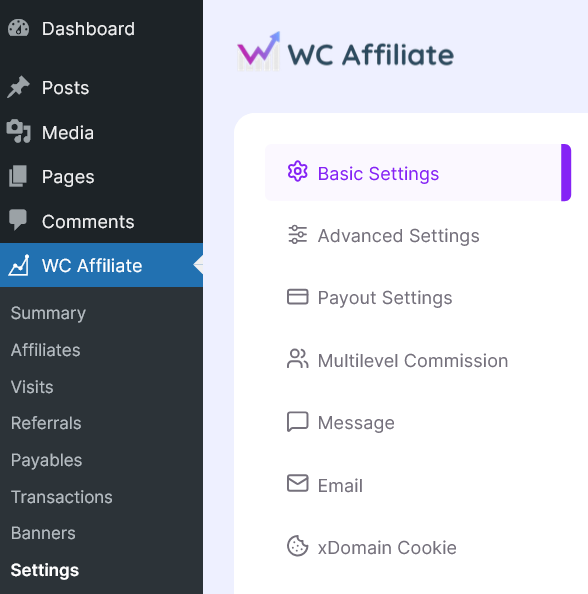
Each section inside Basic Settings plays a specific role in shaping your affiliate program structure. Below is a detailed breakdown of every available option.
General
The General section defines the foundational setup of your affiliate system.
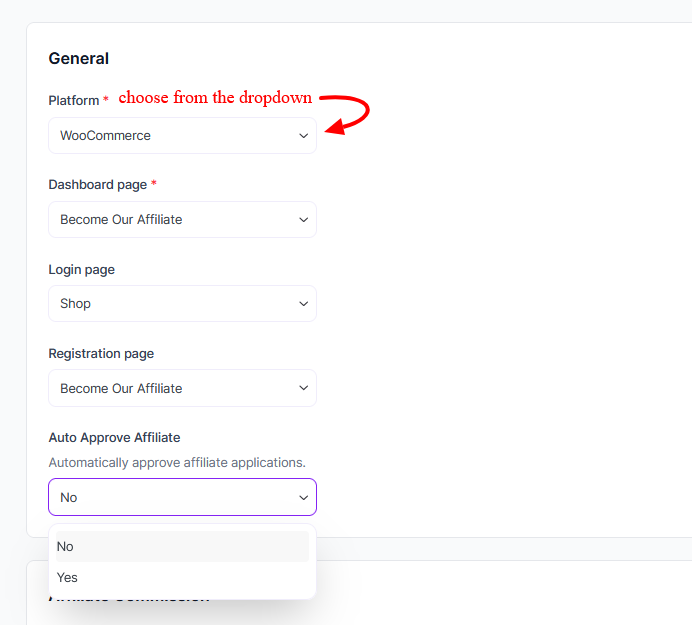
- Platform: WC Affiliate works directly with WooCommerce to track purchases and generate referrals.
- Dashboard Page: Choose the page where affiliates can access their dashboard. This page displays performance reports, referrals, commissions, and marketing assets.
- Login Page: Select the page affiliates will use to log in to their accounts.
- Registration Page: Choose the public-facing page where new affiliates can apply to join your program.
- Auto Approve Affiliate: For automatic approval of affiliate applications, choose Yes or No from the dropdown.
Affiliate Commission
This section controls how commissions are calculated for standard (non-recurring) orders.
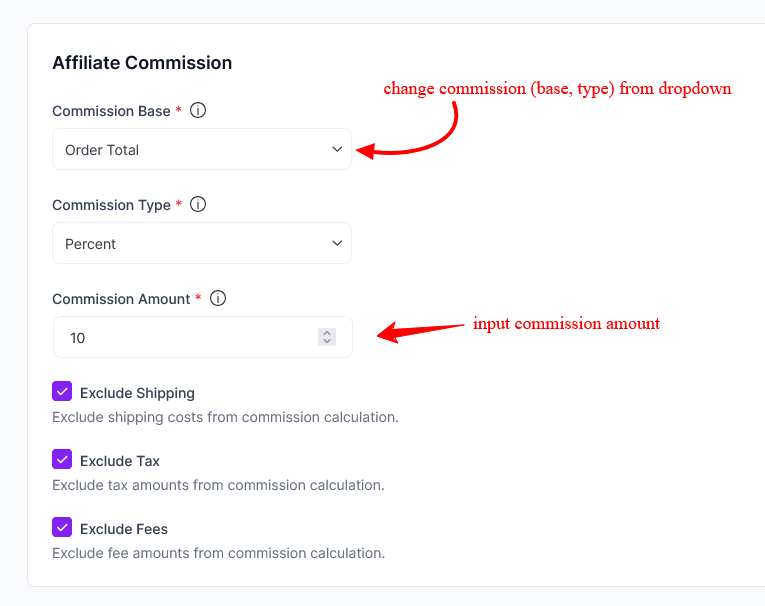
- Commission Base: Select what the commission should be calculated from. Example: Order Total
- Commission Type: Choose how the commission is structured: Percent, or Fixed amount
- Commission Amount: Set the commission amount based on the selected type. Example: 10 (for 10% if using Percent)
- Exclude Shipping: If enabled, shipping costs will not be included in commission calculations.
- Exclude Tax: If enabled, taxes will be excluded from commission calculations.
- Exclude Fees: If enabled, additional order fees will not be included in commission calculations.
These exclusions give you full control over profit margins and payout accuracy.
Recurring Commission
This section is used for subscription-based or recurring orders (requires WooCommerce subscription support if applicable).
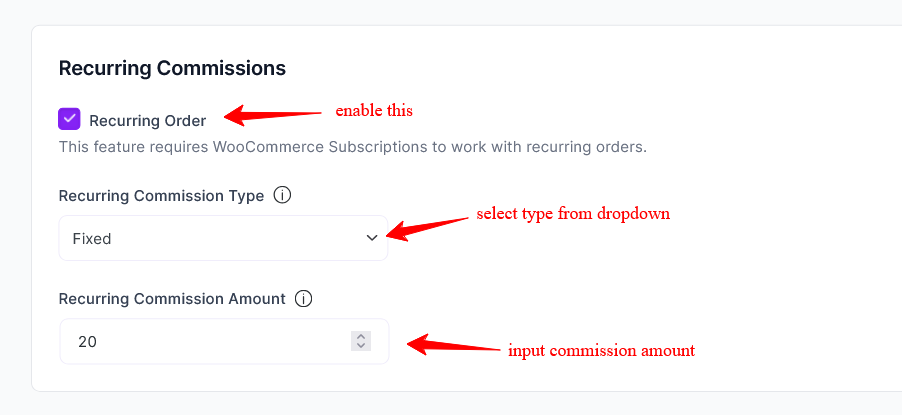
- Recurring Order: Enable this option to allow affiliates to earn commissions on recurring subscription renewals.
- Recurring Commission Type: Choose how recurring commissions are calculated: Percent, or Fixed.
- Recurring Commission Rate (%): Set the commission percentage or fixed value for subscription renewals.
This allows you to reward affiliates not just for the first sale, but for ongoing customer payments.
Referral Status
This section defines how referral statuses are automatically assigned based on WooCommerce order statuses.
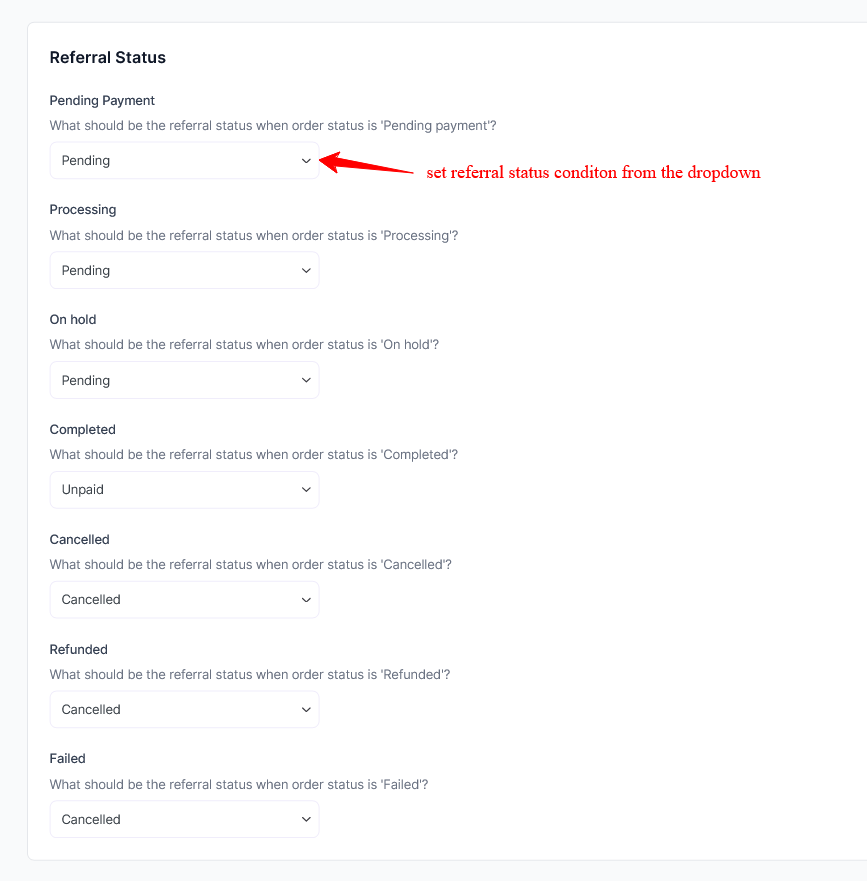
You can configure how referrals behave when orders are:
- Pending Payment
- Processing
- On Hold
- Completed
- Cancelled
- Refunded
- Failed
For each order status, you can assign a referral status, such as Pending, Approved, Cancelled, or Unpaid. This ensures referrals are updated automatically without manual intervention and keeps commission tracking aligned with order activity.
Visitor Discounts
This feature allows you to provide special discounts to customers who visit your store using affiliate links.
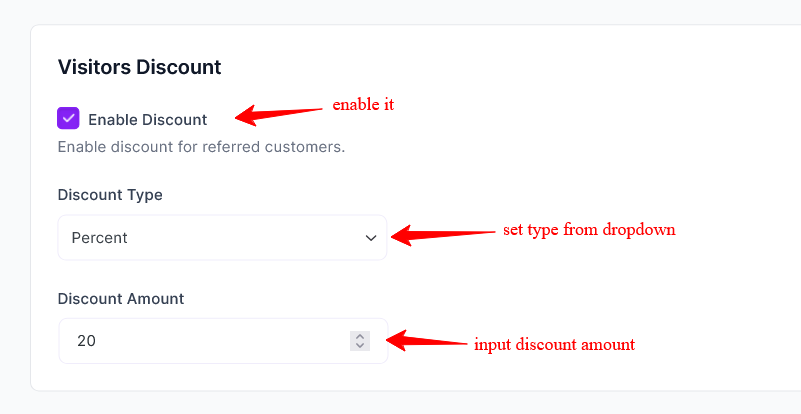
Enable Discount: Activate this option to apply a discount for referred visitors.
Discount Type: Choose the discount structure:
- Percent
- Fixed
- Discount Amount
Set the discount value that customers will receive. This feature helps affiliates increase conversions by offering an incentive to their audience.
Sign-Up Bonus
Reward affiliates when they join your program or bring in new affiliates.
- Enable Sign-Up Bonus: Enable this to give a bonus commission when an affiliate registers.
- Bonus Amount: Set the fixed amount awarded upon approval.
- Enable Sign-Up Referral Bonus: Enable this option to reward affiliates when someone signs up as an affiliate using their referral link.
- Bonus Amount: Set the amount for affiliate-to-affiliate referral bonuses.
This helps grow your affiliate network faster through incentive-based recruitment.
Others
This section includes additional configuration options for tracking and compliance.
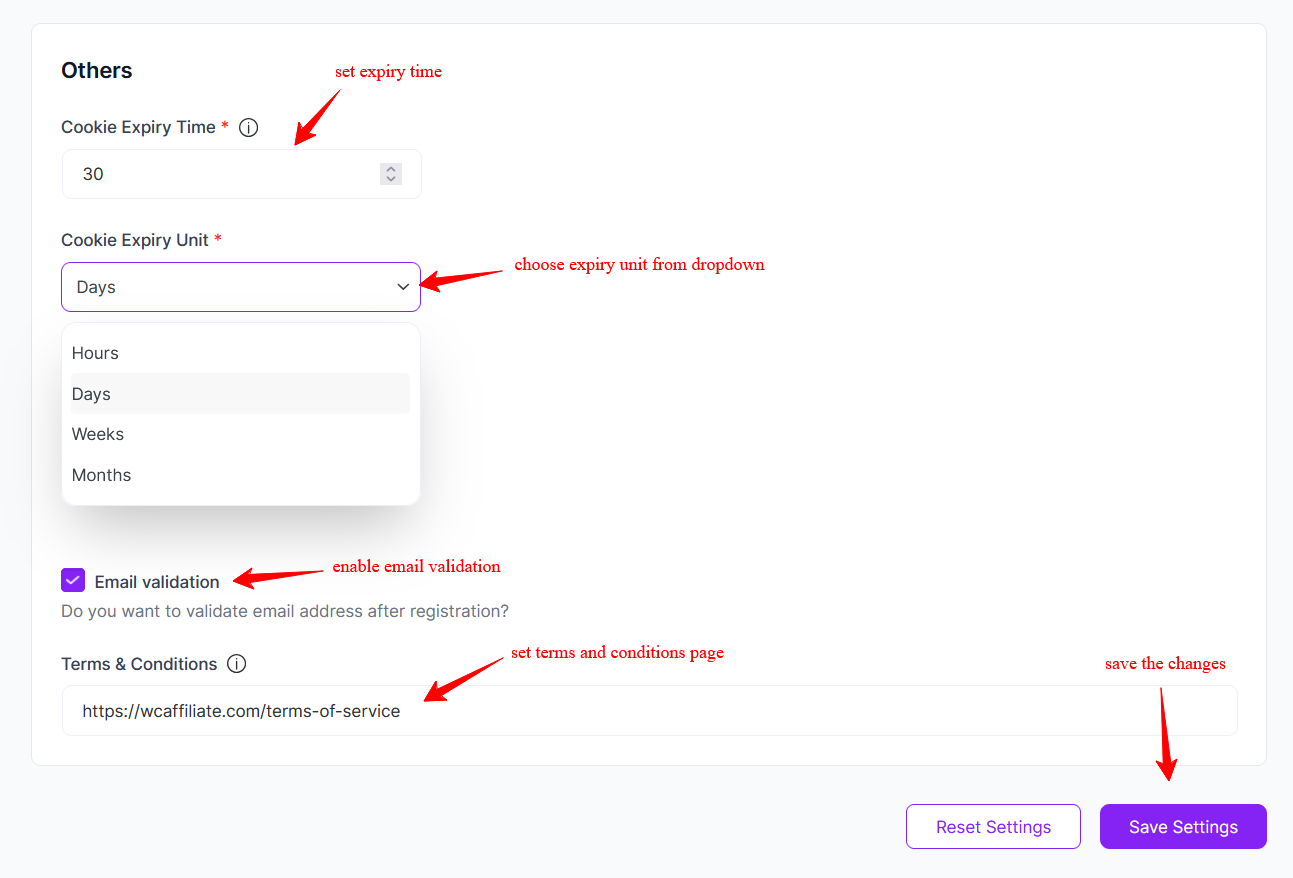
Cookie Expiry Time: Define how long affiliate tracking cookies remain valid. Example: 30
Cookie Expiry Unit: Choose the time unit: i) Days ii) Months
This determines how long after a click a referral remains eligible for commission.
Email Validation: Enable this option to require email verification after affiliate registration.
Terms & Conditions: Add your affiliate program’s terms and conditions. Affiliates must agree to these terms during registration.
Final Step
After configuring your settings:
- Click Save Settings
- Review your affiliate flow
- Test registration and referral tracking
Your affiliate system is now structured based on your business rules. If you need advanced configuration, such as payout methods, email settings, or commission overrides, explore the additional settings panels available in WC Affiliate.
Was this doc helpful?