


Message
The Message settings allow you to control the automatic system messages shown to affiliates during different actions. These messages appear on the frontend and provide instant feedback based on user activity.
You can find this section by navigating to: WP Admin → WC Affiliate → Settings → Message
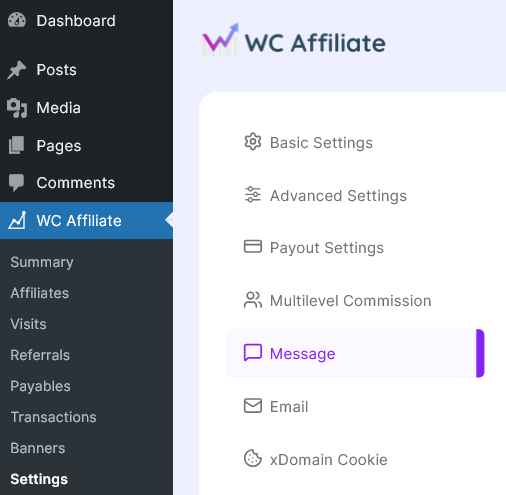
Overview
The Message panel is divided into two main sections:
- System Messages
- Financial Messages
Each field lets you customize the default text shown to affiliates. You can edit the content to match your brand tone and communication style. After making changes, click Save Settings to apply them.
System Messages
These messages are triggered during registration and profile-related actions. Let's check the brief one-by-one
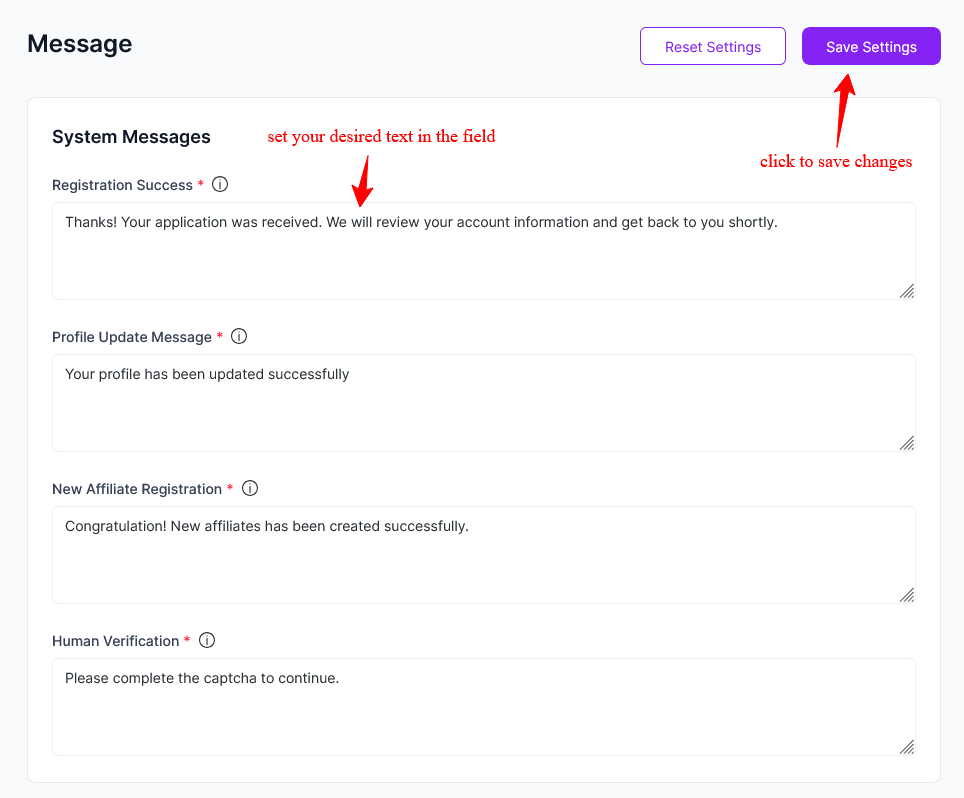
Registration Success: After a user submits the affiliate registration form. Confirms that the application has been received and is under review.
Example: Thanks! Your application was received. We will review your account shortly.
Profile Update Message: After an affiliate updates their profile information. ItConfirms that the profile changes were saved successfully.
Example: Your profile has been updated successfully.
New Affiliate Registration: When a new affiliate account is created successfully. It notifies the user that the account setup process is complete.
Example: Congratulations! New affiliate has been created successfully.
Human Verification: When it appears: If CAPTCHA or human verification is required but not completed. This prompts the user to complete verification before proceeding.
Example: Please complete the captcha to continue.
Financial Messages
These messages are related to payouts and balance handling. All the messages are set automatically. Here is a brief about the financial message section
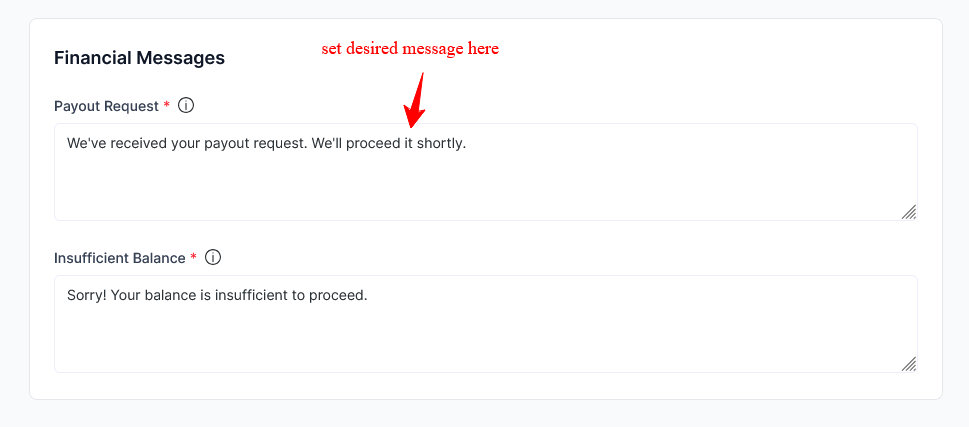
Payout Request: After an affiliate submits a payout request. It confirms that the payout request has been received and is being processed.
Example: We've received your payout request. We'll process it shortly.
Insufficient Balance: When an affiliate tries to request a payout without meeting the minimum balance requirement. It will inform the affiliate that their balance is not enough to proceed.
Example: Sorry! Your balance is insufficient to proceed.
If you need further customization, you can adjust the text anytime to better fit your brand voice and affiliate communication style.
Was this doc helpful?