


Summary
The Summary page provides a complete snapshot of your affiliate program’s performance. It helps store owners quickly monitor affiliates, visits, referrals, and commissions from one centralized dashboard.
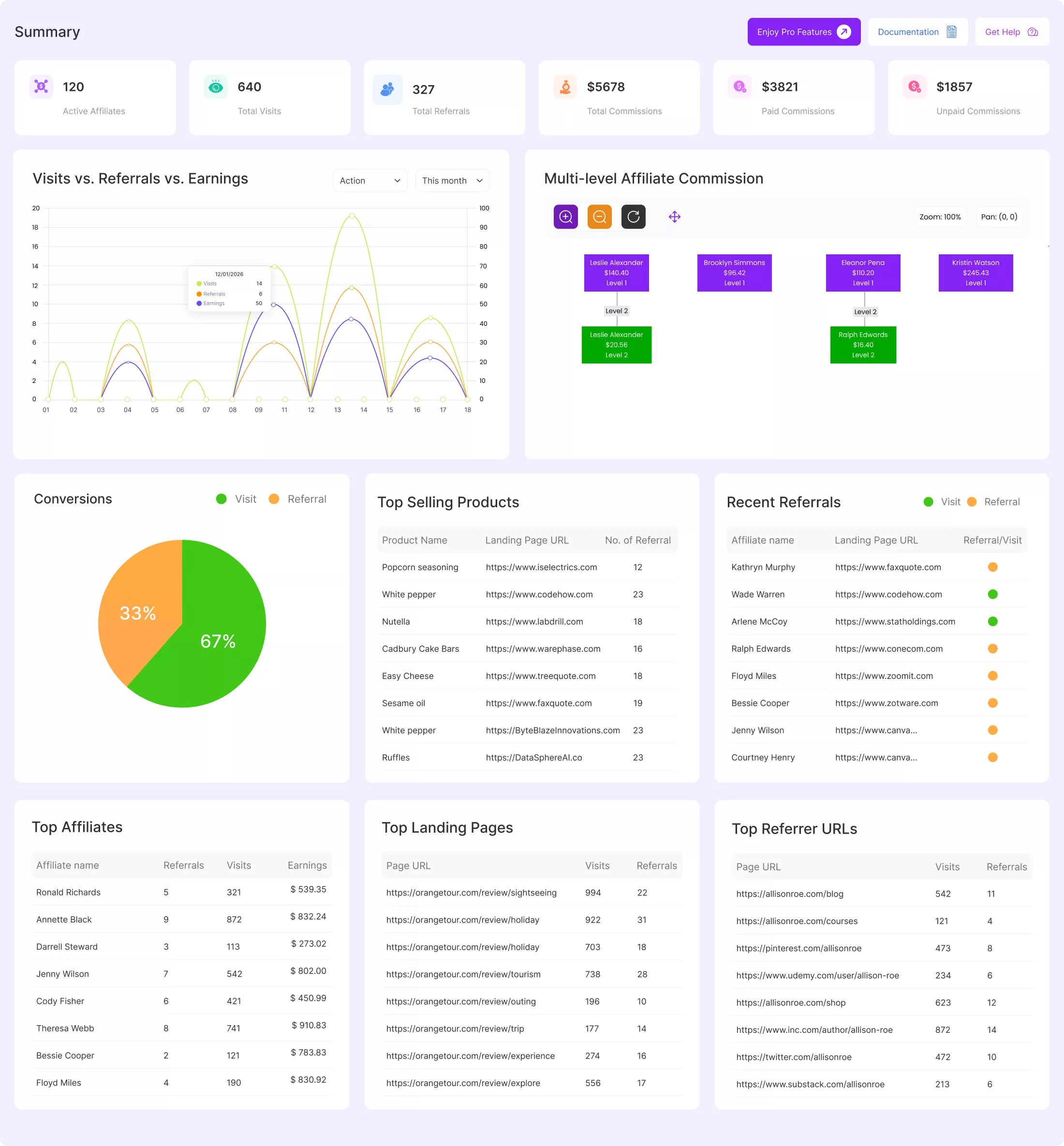
Overview Cards
At the top of the Summary page, you’ll find key performance indicators (KPIs):
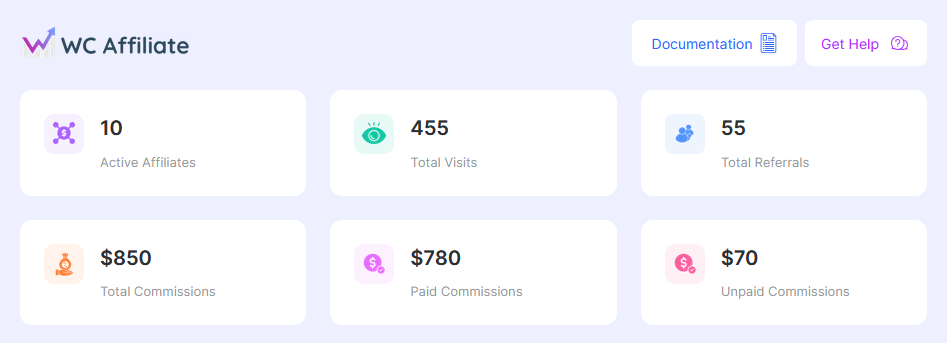
- Active Affiliates: Displays the total number of affiliates currently active in your program.
- Total Visits: Shows how many visits have been generated through affiliate referral links.
- Total Referrals: Indicates the number of successful referrals recorded by the system.
- Total Commissions: The total commission amount earned from all referrals.
- Paid Commissions: Commissions that have already been paid to affiliates.
- Unpaid Commissions: Commissions that are still pending or unpaid.
These cards give you a quick, high-level understanding of your affiliate performance. Now, head towards the other sections in the Admin Dashboard.
Visits vs. Referrals vs. Earnings
This section visualizes affiliate performance over time. You can easily analyze date-wise data of visits, referrals, and earnings. Like-
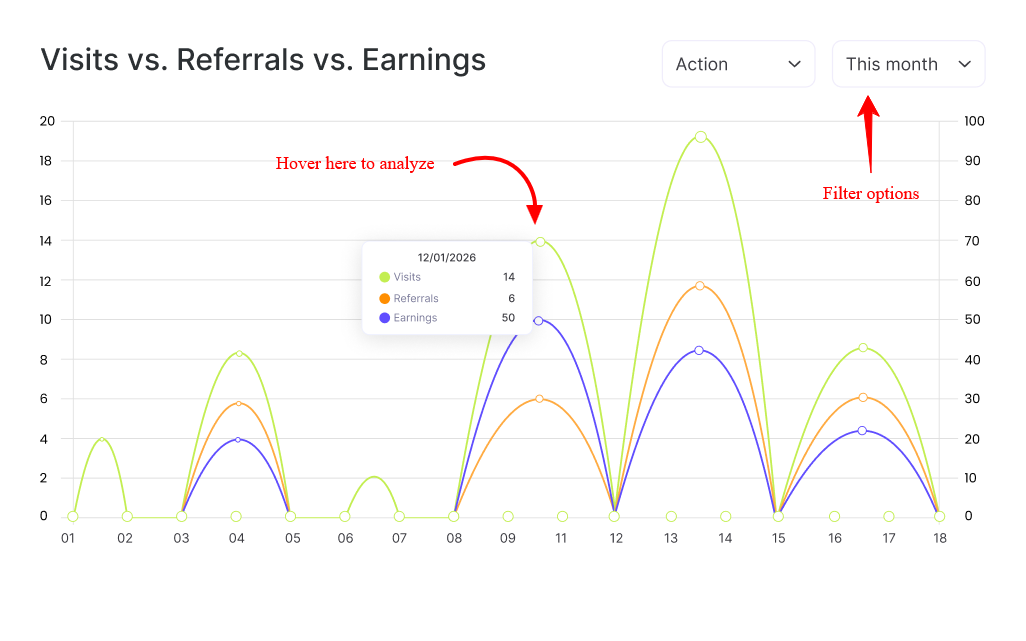
- Compare Visits, Referrals, and Earnings in a single chart.
- Use the filter options to select specific metrics, a time range (e.g., This Month, Action)
- If no data is available for the selected filters, a message will be shown.
This helps you analyze how visits are converting into referrals and revenue.
Multilevel Affiliate Commission
The Multilevel Affiliate Commission panel displays your affiliate hierarchy. It shows parent and child affiliates across multiple levels.
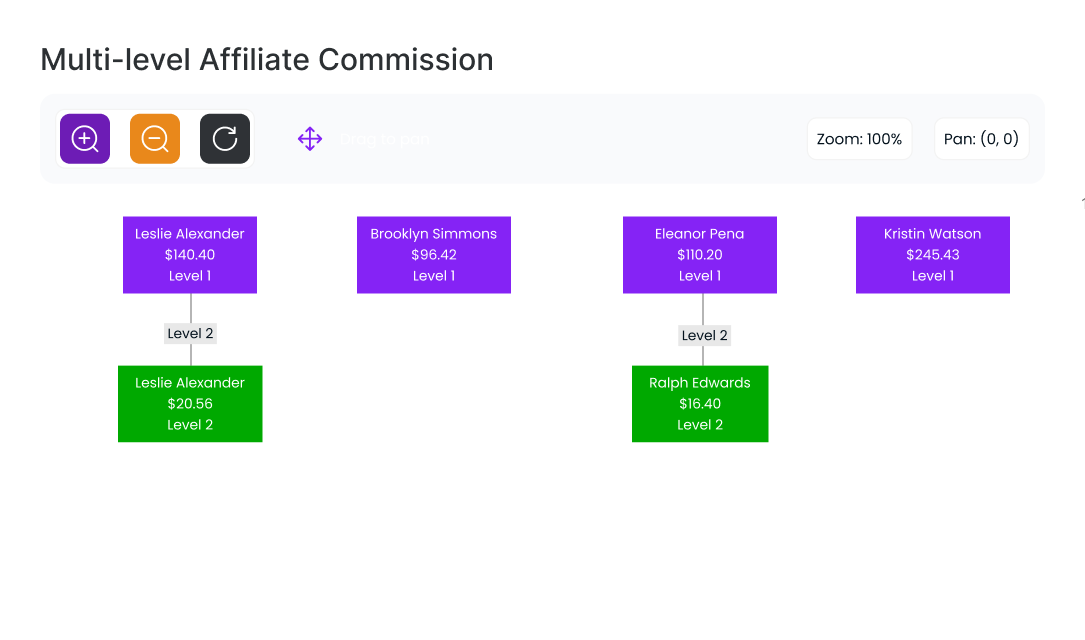
Each affiliate card includes the Affiliate name, Commission amount, and Affiliate level. You can use controls to:
- Zoom in or out
- Drag to pan and explore the structure
This is useful for tracking multilevel commission relationships and performance.
Conversions, Top Selling Products, Recent Referrals
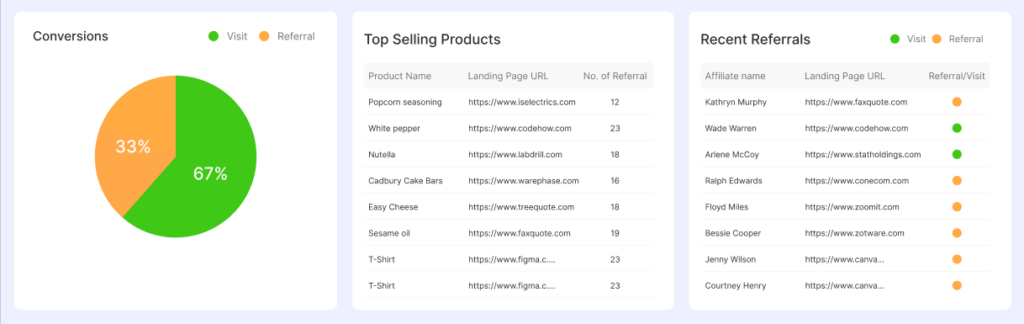
| Conversions | Top Selling Products | Recent Referrals |
| The Conversions chart visually compares Visits and Referrals. This section helps you understand how effectively visits are converting into actual referrals. | This section displays products that generate the most referrals: Product Name, Landing URL, and Number of Referrals. This allows you to identify high-performing products within your affiliate program. | It shows the most recent referral activities, including Affiliate name, Landing URL, and Referral type (Visit or Referral). This section helps you monitor real-time affiliate activity. |
Top Affiliates, Top Landing Pages, Top Referrer URLs
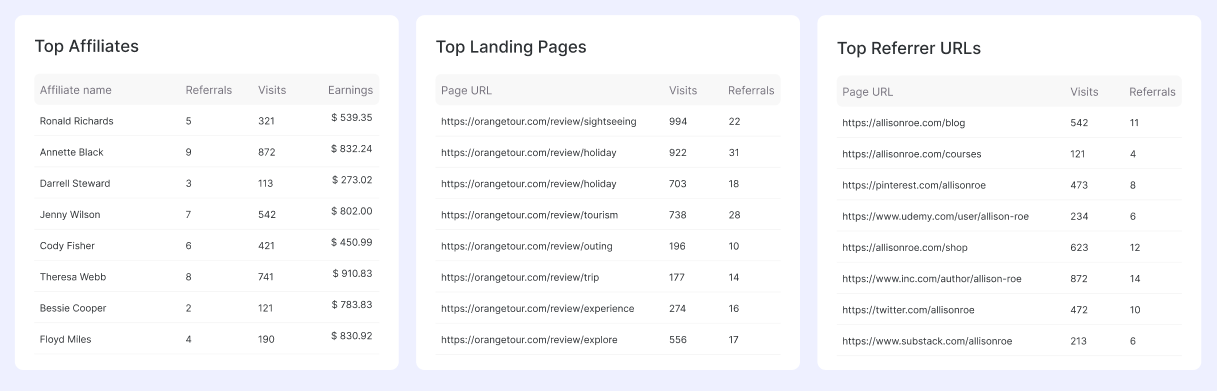
| Top Affiliates | Top Landing Pages | Top Referrer URLs |
| Top Affiliates lists the best-performing affiliates based on Referrals, Visits, and Earnings. Use this data to reward or recognize top affiliates. | Displays landing pages that receive the most affiliate traffic, Page URL, Total visits, and Total referrals. This helps you optimize high-traffic pages for better conversions. | The Summary page is your central dashboard for tracking and managing affiliate performance in the WC Affiliate Plugin. It shows external URLs sending affiliate traffic to your site. If no data is available, a “No top referrer URLs found” message is displayed. |
Was this doc helpful?