


Coupons
The Coupons section in the Affiliate Dashboard allows affiliates to view and manage the coupon codes assigned to them. These coupons are linked to the affiliate account by store owners, and WC Affiliate ensures that every order placed using the code is properly tracked. This section makes it easy for affiliates to promote discount-based campaigns without relying only on referral links.
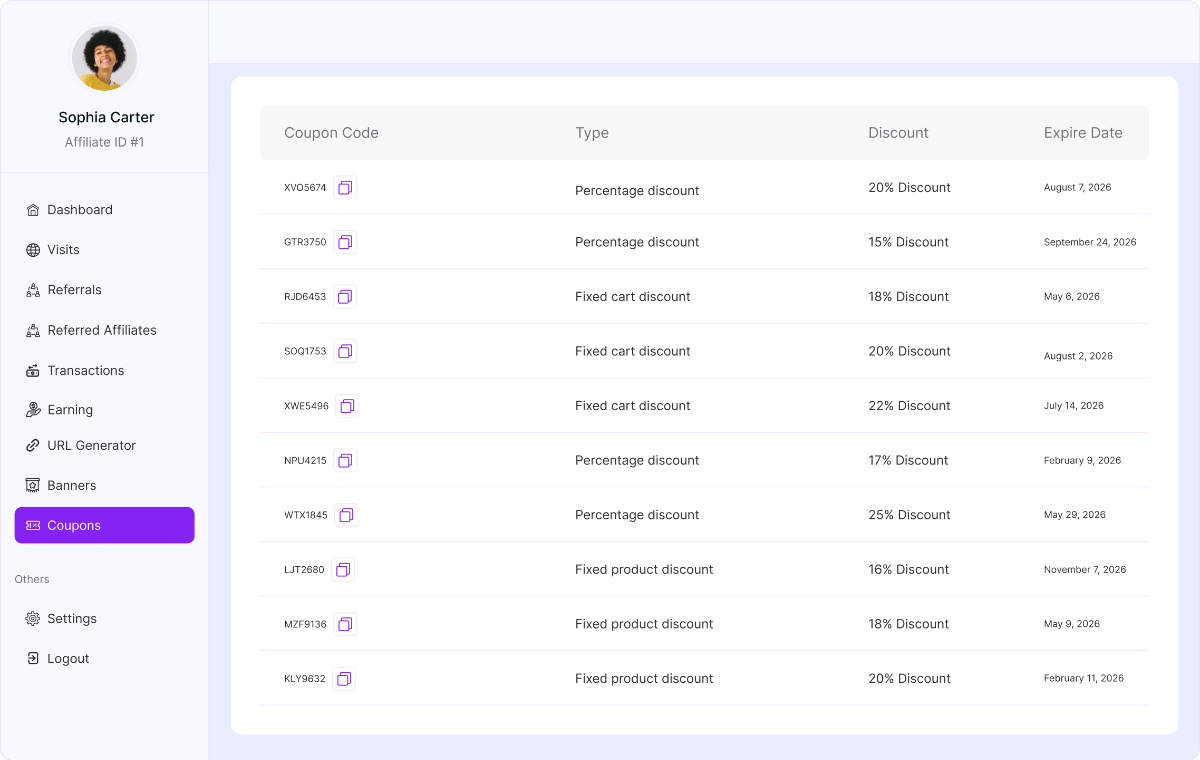
Table Overview
Each row represents a coupon assigned to the affiliate.
Coupon Code: Displays the unique coupon code the affiliate can share with their audience. Affiliates can copy the code instantly, share it via social media, email, ads, or direct messaging. And also, they can use it in offline promotions.
When customers apply this code at checkout, the referral is automatically tracked to the affiliate.
Type: Indicates the type of discount applied by the coupon. The common types include:
- Percentage discount
- Fixed cart discount
- Fixed product discount
This helps affiliates clearly understand how the discount works before promoting it.
Discount: Shows the exact discount value associated with the coupon. For example:
- 20% discount
- $10 off
- Fixed amount per product.
Affiliates can use this information to craft stronger promotional messages.
Expire Date: Displays the expiration date of the coupon. This is important for planning time-sensitive campaigns, avoiding promotion of expired codes, and creating urgency-driven offers.
How Coupon Tracking Works
When a customer applies the affiliate’s assigned coupon during checkout, the order is automatically linked to the affiliate, and a referral is created. Also, the commission is calculated based on the store’s commission rules. Even if the customer does not click an affiliate link, the coupon ensures proper tracking.
How to create a coupon for an Affiliate from the Admin Dashboard. Please click here for more details.
Was this doc helpful?