


Home » Troubleshooting & Others » Set a “customer discount” for a particular product?
Set a “customer discount” for a particular product?
Discount is a common and familiar feature. In order to set a “Customer Discount” for a particular product using the WC Affiliate plugin, you need to follow the steps below:
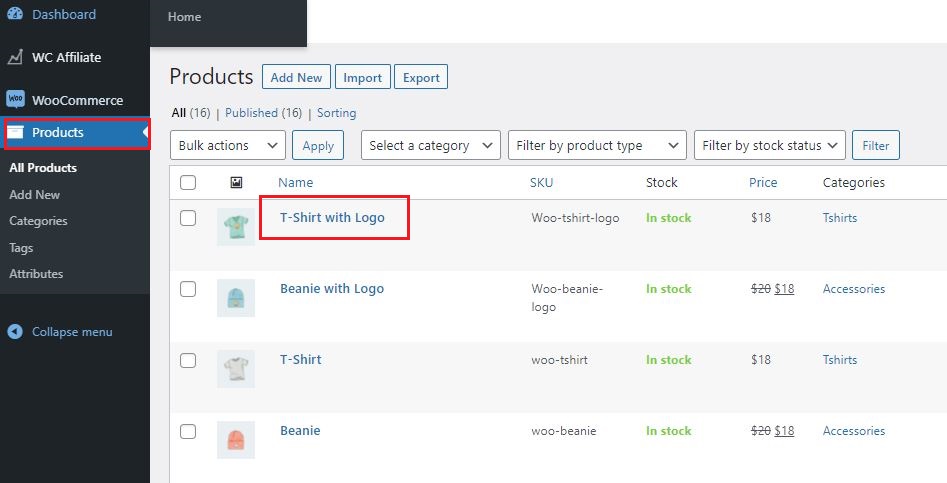
Step 1: At first, go to the WooCommerce Product menu and then click on the product name.
Step 2: Finally, under the general settings of product data, you’ll see an option for “Customer Discount”. Choose Custom from the drop-down and set a discount (percentage or fixed amount).
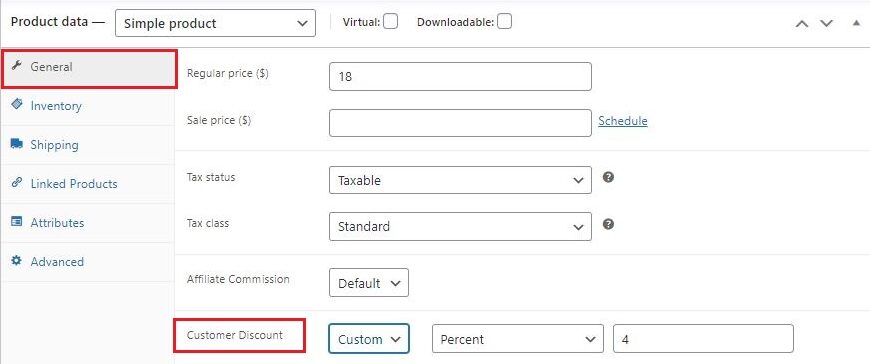
When no Visitors Discount is set from here ( as in, the "default" settings remain). The Visitors discount set for an affiliate ( from the basic settings of WC Affiliate Pro) will be effective in case of a referred sale.
Follow these simple steps to enable Visitors Discount:
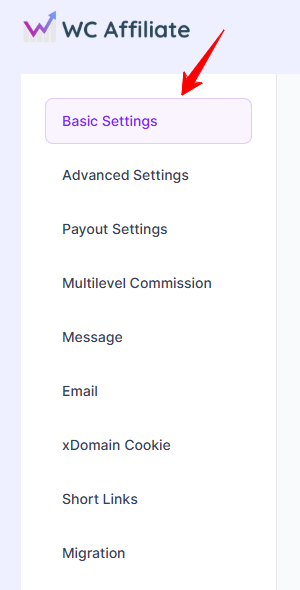
- First, you have to go to the WC Affiliate >> Settings >> Basic Settings page from your website dashboard.
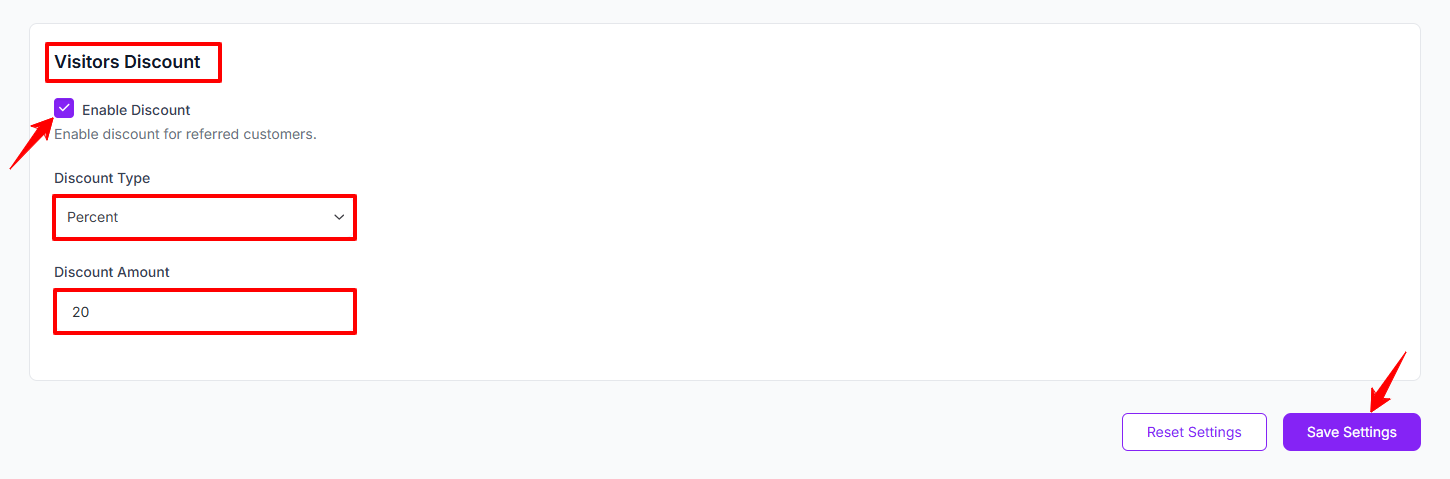
- On that page, you'll discover the option to enable Visitors Discount. Click on the radio button to enable Visitors Discount feature.
- Now, you can set Discount type & amount.
- Finally, click on the Save Settings button.
Was this doc helpful?