Customer support can get repetitive very quickly.
The same questions come up again and again, even when the answers are already sitting in your documentation. Someone still has to open the ticket, find the right article, and send the reply.
That may not seem like much for one ticket. But when the same thing happens dozens of times, it can take up a big part of your support team’s day.
That’s where NiroHelp comes in. It’s an AI-native WordPress helpdesk that connects your support tickets, documentation, and AI in one place. AI can help handle common questions using your existing docs, while your team can step in whenever a ticket needs a human response.
The idea is simple: let your team spend less time repeating answers and more time helping customers with problems that actually need their attention.
Here is how it works and where it differs.
What Is the NiroHelp?
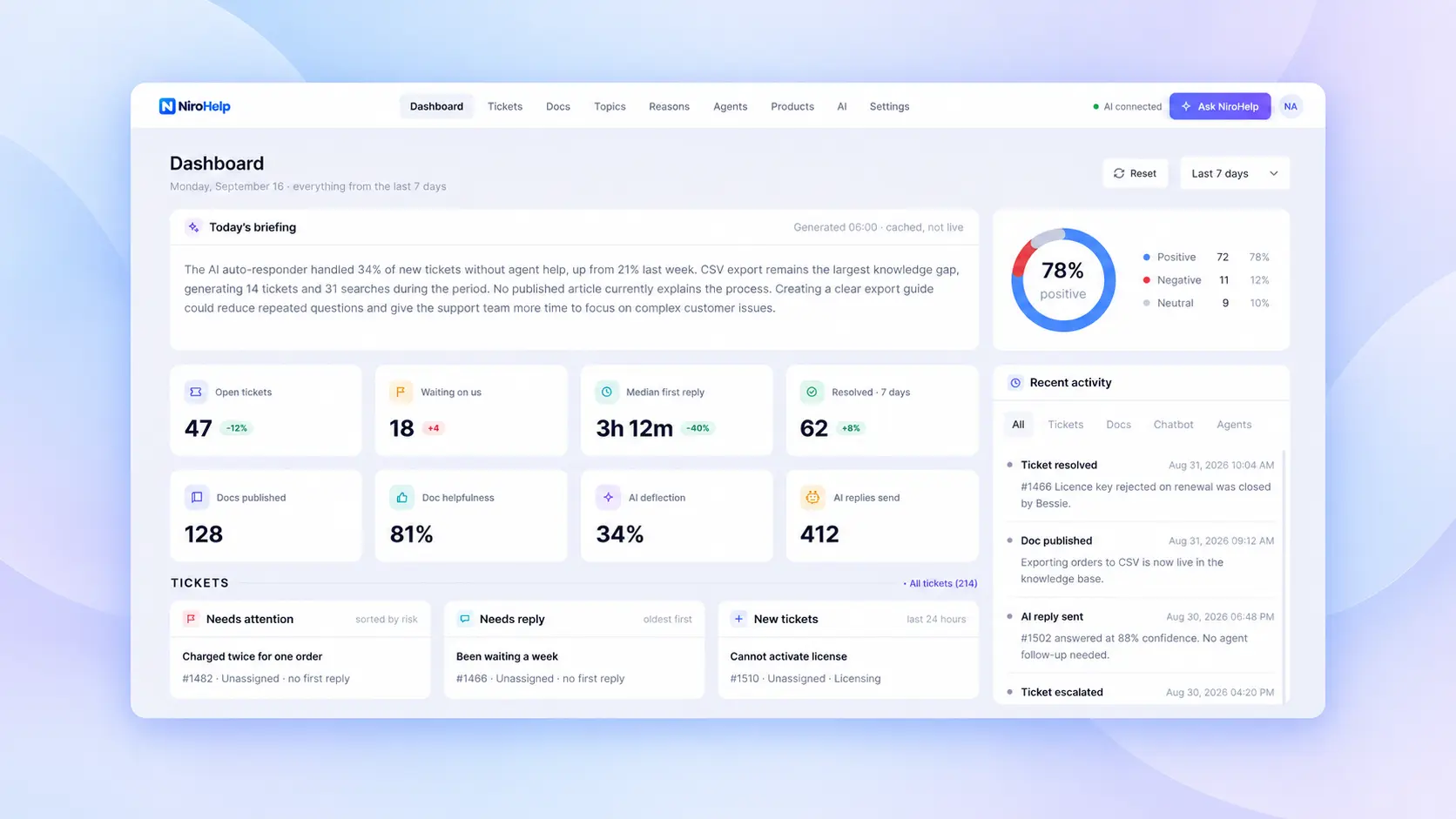
NiroHelp is an AI-native WordPress helpdesk plugin that automatically answers your support tickets using your own documentation. Its connected support features include:
(i) A searchable knowledge base
(ii) Customer support tickets
(iii) An AI chatbot
(iv) An AI ticket auto-responder
(v) Email piping
(vi) A support dashboard
(vii) A support copilot
(viii) Migration tools for supported WordPress plugins
The parts are connected by one practical idea:
Your documentation contains the knowledge. Your help desk manages the conversation. AI connects the two when the answer is clear enough.
This makes NiroHelp more than a place to receive tickets. It turns the support content your team has already written into an active part of customer conversations.
How NiroHelp Works Inside WordPress
NiroHelp works with your WordPress website rather than moving the entire support operation to an unrelated platform.
Your documentation and tickets are stored as WordPress posts, while ticket replies are stored as comments. That gives your team a familiar content structure and keeps the core support records inside your WordPress database.
The workflow is especially relevant for:
- WordPress plugin and theme companies
- WooCommerce product businesses
- Non WordPress companies using their support site
- Agencies supporting several client websites
- Small teams moving beyond a shared email inbox
These teams often answer questions about installation, licensing, compatibility, settings, renewals, and account access. Many answers already exist, but customers do not always find the relevant article before opening a ticket.
Who Is NiroHelp For?
NiroHelp is useful when the same types of questions keep returning:
- How do I set up this feature?
- Where can I find my license key?
- Why is my license not activating?
- Which PHP or WordPress version do I need?
- How do I connect my account?
- Where is this setting located?
- Is this plugin compatible with my current setup?
Existing answers can be delivered through chat and tickets. Unanswered questions reveal what your team should document next. NiroHelp becomes useful when support needs ownership, history, and a clear separation between routine and complex cases.
Your Documentation Should Do More Than Sit There
Most businesses publish documentation hoping customers will find answers before contacting support. Some will search. Others will go directly to chat or submit a ticket because asking feels faster than browsing.
NiroHelp allows the same article to support all three situations:
- A customer finds it through knowledge base search.
- The AI chatbot uses it to answer a website question.
- The ticket auto-responder uses it when a relevant request arrives.
Your articles become approved source material for the support workflow.
Turn Existing Knowledge Into Customer Support
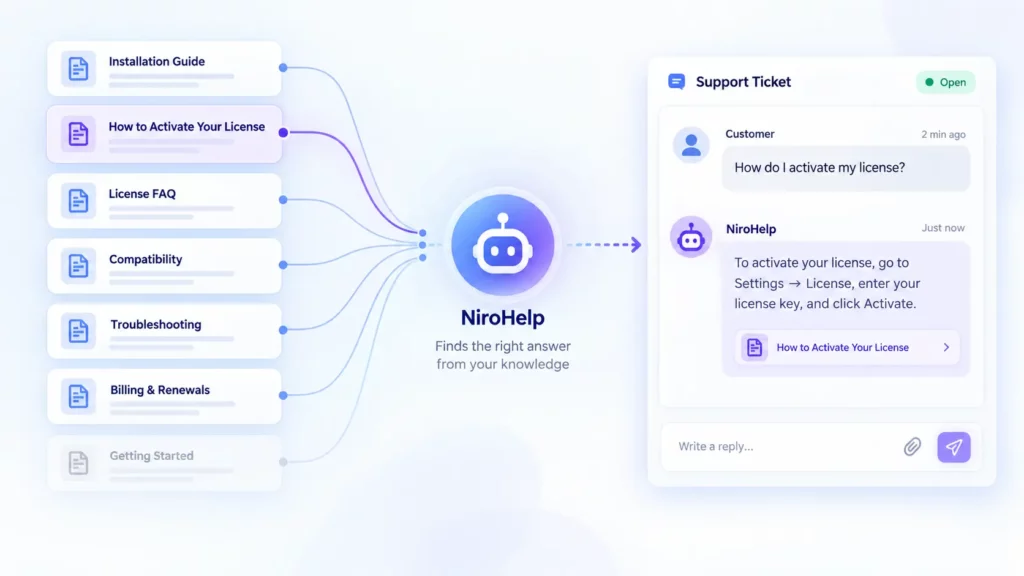
Think about the information your team has already created:
- Installation instructions
- Configuration guides
- Licensing FAQs
- Compatibility requirements
- Troubleshooting steps
- Billing and renewal policies
NiroHelp surfaces that information when a customer asks. A broad “Getting Started” article gives the AI less precise material than focused articles such as “How to Activate Your License.” Clear documentation helps customers, agents, and AI reach the same answer.
Keep AI Close to Your Product Knowledge
A support answer should be judged by whether current product information supports it, not by how confident it sounds. NiroHelp works from your published documentation. It should not invent policies or guess at undocumented behavior. When the source is weak, the AI can step aside.
How this AI-native WordPress HelpDesk Answers Customers
AI becomes useful in support when it can do two things well:
- Find and explain an existing answer
- Recognize when the available information is not enough
NiroHelp applies that approach to both website chat and support tickets.
AI Chatbot for Common Customer Questions
The chatbot lets a customer ask a direct question without opening several documentation pages.
For example: “How do I connect my account to the plugin?”
If your knowledge base includes a current article explaining the process, the chatbot can use that content to provide the relevant steps.
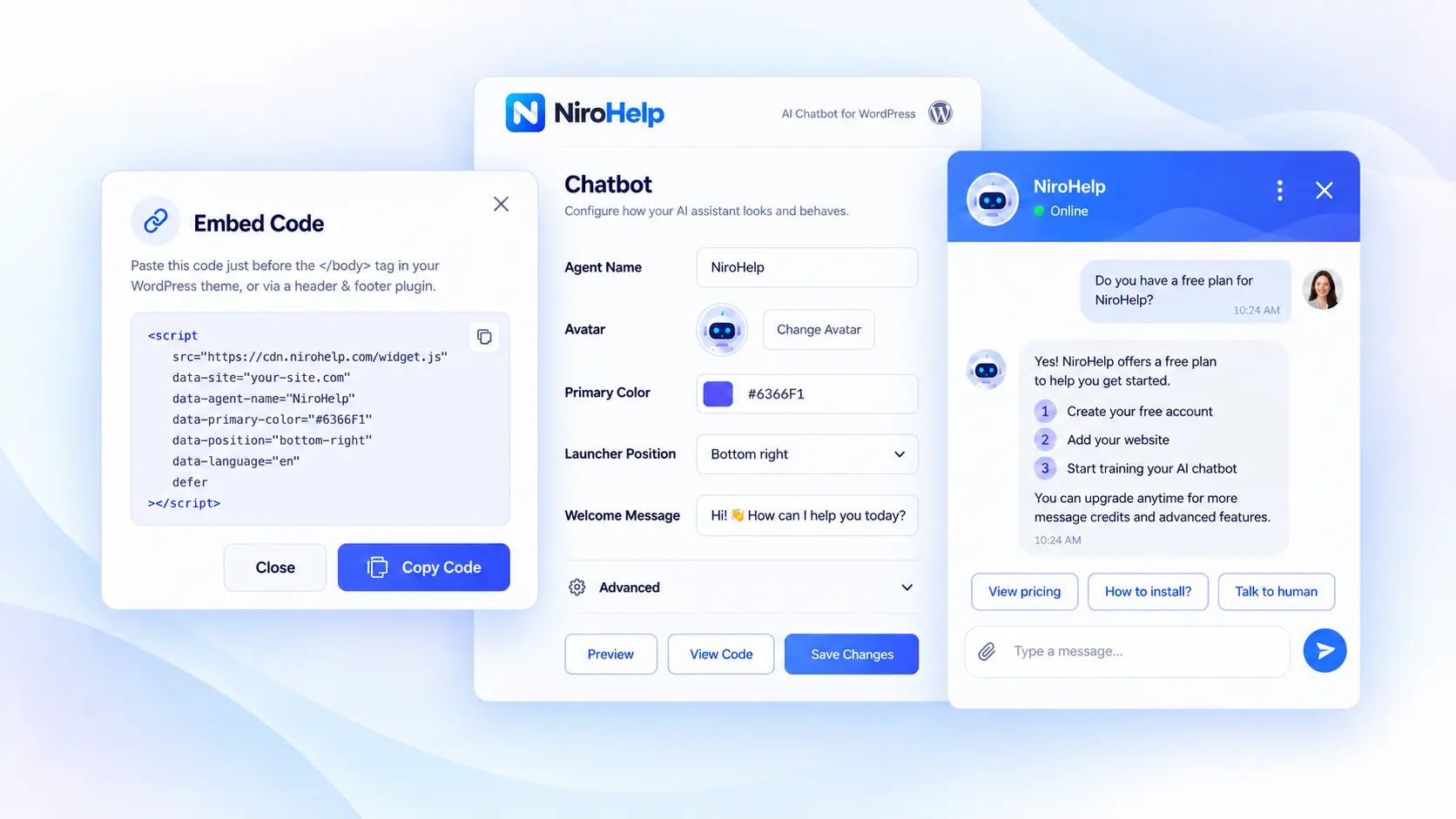
This makes it useful for documented questions about setup, settings, licensing, and product usage. It is not human live chat, so bugs, sensitive account issues, and questions requiring investigation should move to the ticket workflow.
AI Auto-Responder for Support Tickets
The same idea applies when a customer submits a ticket.
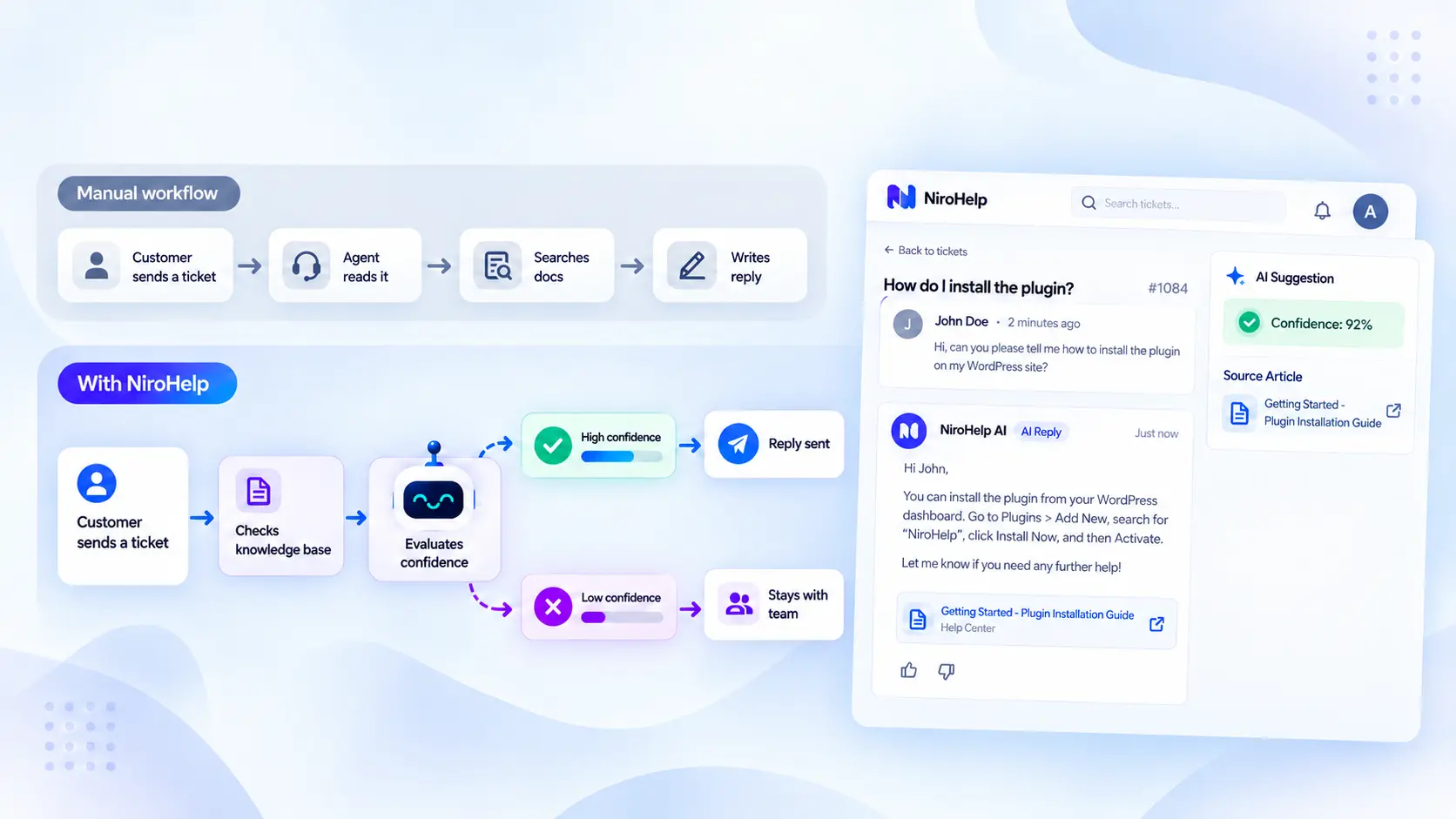
The usual manual workflow looks like this:
Customer sends a ticket → Agent reads it → Agent searches the documentation → Agent writes and sends the reply
With NiroHelp, the workflow can become:
Customer sends a ticket → NiroHelp checks the knowledge base → AI evaluates the available information → A suitable answer is sent or the ticket stays with the team
The saving comes from removing the repeated work between receiving a familiar question and delivering an answer your team has already documented.
What Happens When the AI Is Not Confident?
Not every question has a documented answer.
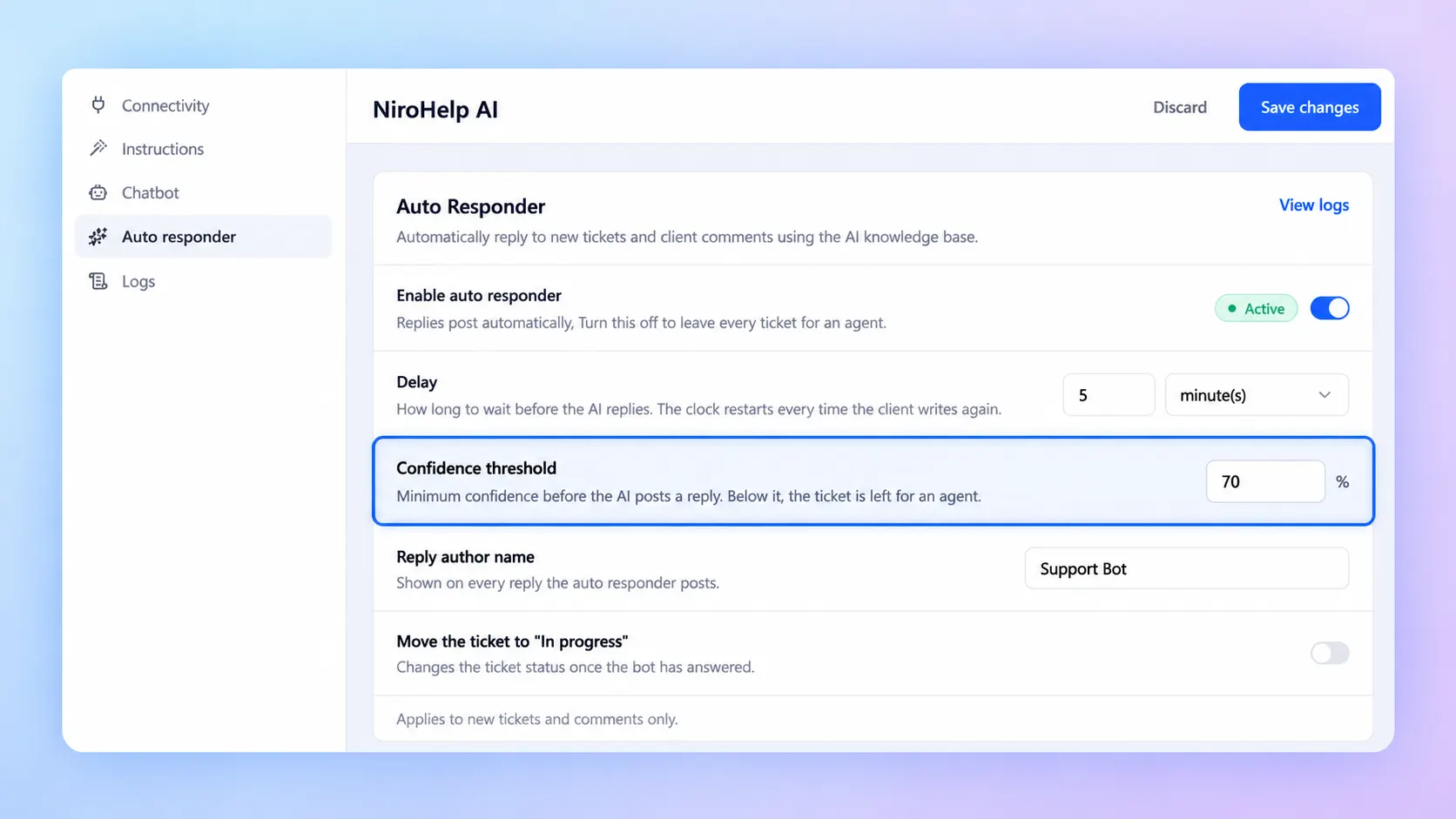
A customer may report a new bug, describe an unusual server configuration, or leave out details needed for diagnosis. In those cases, producing an answer just to keep the conversation moving can make the problem harder to solve.
NiroHelp lets you control the confidence threshold used for AI responses. A higher threshold makes the system more selective. A lower threshold allows it to answer more questions but accepts weaker matches.
| Situation | Best Response |
| The answer is clearly documented | AI can respond using the relevant information |
| The documentation partly matches | Use a cautious threshold or leave it for an agent |
| More technical details are required | Collect the missing context or assign a human |
| The question involves security or account ownership | Keep a human in control |
| No reliable source exists | Do not guess |
There is no setting that maximizes automation and accuracy at the same time. NiroHelp gives your team control over that tradeoff.
A study reports that 88% of customers expect faster responses than they did a year earlier, while 74% expect support to be available around the clock because of AI.
Those expectations make automation attractive, but a fast, incorrect answer still leaves the problem unresolved.
What Is Free and What Requires a Paid Plan?
NiroHelp’s free plan includes the core tools you need to set up and manage a WordPress help desk. You can start with documentation and tickets first, then move to the paid plan when you’re ready to add AI and automation.
| Feature | Free Plan | Paid Plan |
|---|---|---|
| Knowledge Base | ✓ | ✓ |
| Support Tickets | ✓ | ✓ |
| Support Dashboard | ✓ | ✓ |
| Migration Tools | ✓ | ✓ |
| Unlimited Agents | ✓ | ✓ |
| Unlimited Tickets | ✓ | ✓ |
| AI Chatbot | — | ✓ |
| AI Ticket Auto-Responder | — | ✓ |
| Support Copilot | — | ✓ |
| Email Piping | — | ✓ |
The free plan is enough to get your support workflow organized. Paid plans add AI-powered tools that can help with repetitive questions and everyday support tasks.
Email piping lets customers keep using the support email address they already know, while messages are automatically brought into the ticket workflow. The Support Copilot also gives your team a quicker way to find support information, such as identifying customers who have been waiting the longest.
What Makes NiroHelp Different From a Regular WordPress Help Desk?
Many WordPress help desk plugins can receive and manage tickets. Other products publish documentation or add an AI chatbot. The difference with NiroHelp is how those pieces are designed to work together.
It Is More Than a Ticket System
A traditional ticket system organizes incoming requests, but the agent may still need to find the correct documentation and construct every response manually.
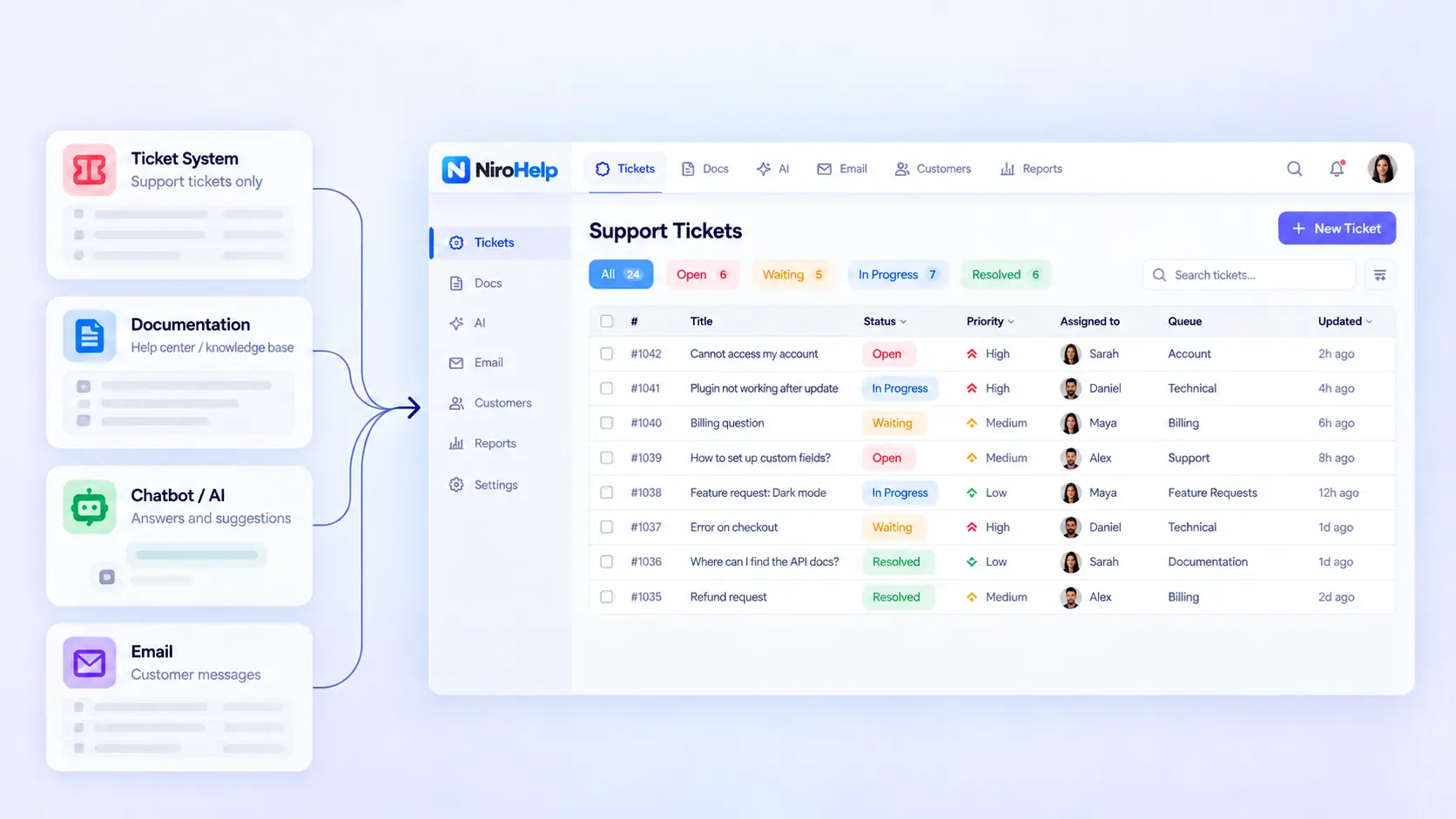
NiroHelp shortens that path by connecting the ticket to the knowledge already stored in your documentation.
| Support Setup | What Usually Happens |
| Ticket plugin only | Agents handle nearly every question manually |
| Knowledge base only | Customers must find the correct article themselves |
| Chatbot only | Chat answers may remain separate from tickets and email |
| Separate ticket, docs, and AI tools | The team manages several systems and integrations |
| NiroHelp | Tickets, documentation, email, and AI share one workflow |
The point is not that every business needs every module. It is that customers can search or ask, AI can handle a documented question, and agents can take over without moving the conversation between disconnected systems. Your documentation remains the source of authority throughout that process.
Is NiroHelp Right for Your WordPress Website?
NiroHelp is likely a good fit if:
- Customers ask the same questions repeatedly.
- You already have product documentation or plan to build it.
- Your team manages customer support tickets.
- Support requests arrive through email and your website.
- You want AI to answer simple questions while keeping humans involved.
- You want documentation and tickets to use the same knowledge.
- Per-agent help desk pricing makes team growth more expensive.
- Keeping core support records inside WordPress matters to you.
NiroHelp may not be necessary if a contact form still handles your support volume comfortably. It also does not replace phone support, social inboxes, or human live chat. Its chatbot provides AI answers from your documentation.
Is NiroHelp a Self-Hosted WordPress Help Desk?
NiroHelp stores the core help desk records in your WordPress installation:
| Data | Storage |
| Documentation | WordPress posts |
| Tickets | WordPress posts |
| Ticket replies | WordPress comments |
The paid AI features are the exception. Generating a chatbot or ticket response requires the relevant information to be processed through NiroHelp’s external service. You do not need your own OpenAI or Anthropic API key because NiroHelp manages that connection through its credit system.
Self-hosted support records do not mean the AI model runs on your WordPress server.
This distinction matters when explaining the product to customers and preparing your privacy information. See the NiroHelp privacy and data page for the current processing details.
How to Get Started With NiroHelp
You do not need to rebuild your complete support process on the first day.
1. Install NiroHelp
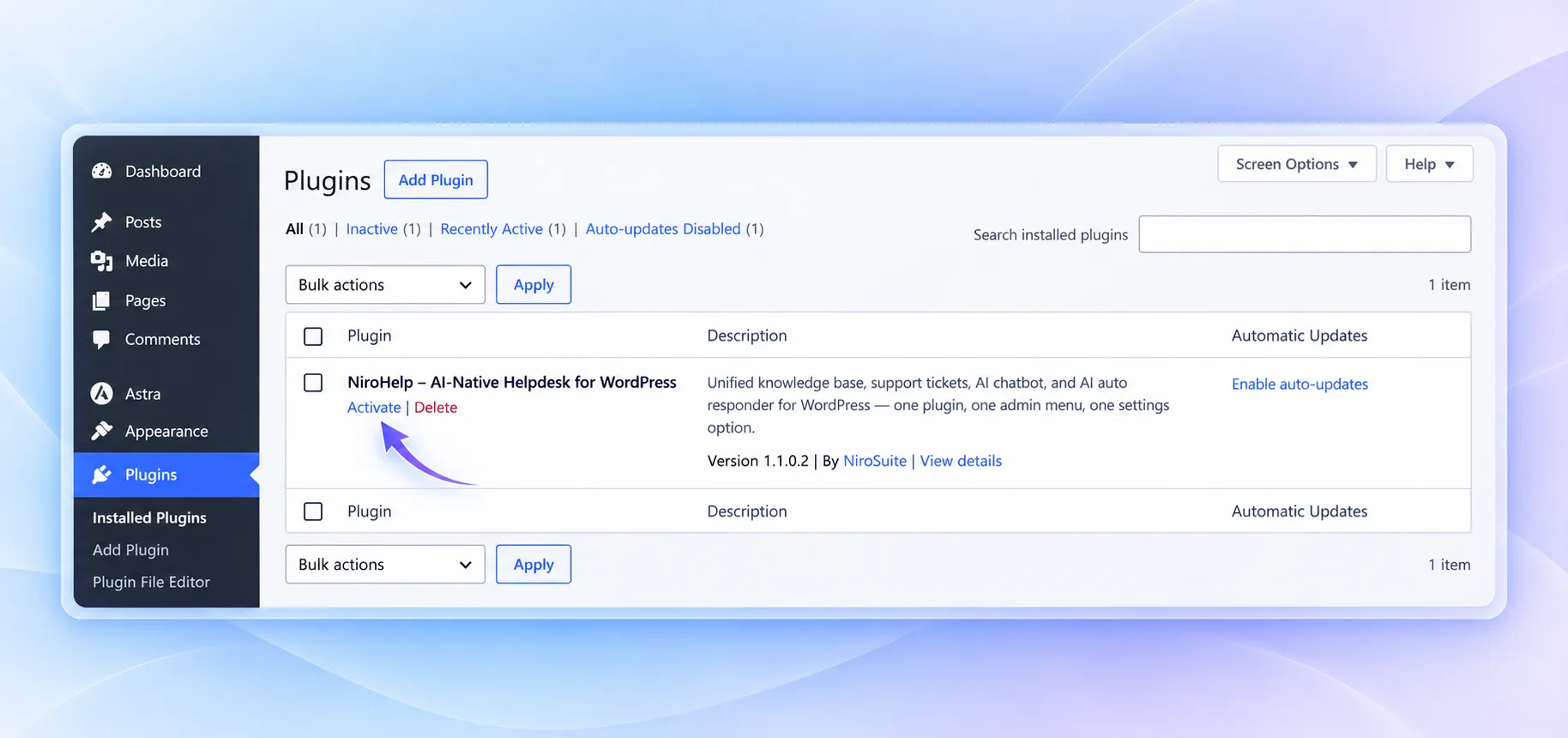
Add NiroHelp to your WordPress website and configure the basic support environment.
2. Build or Import Your Knowledge Base
Bring in the setup guides, FAQs, troubleshooting instructions, and policies customers need most often.
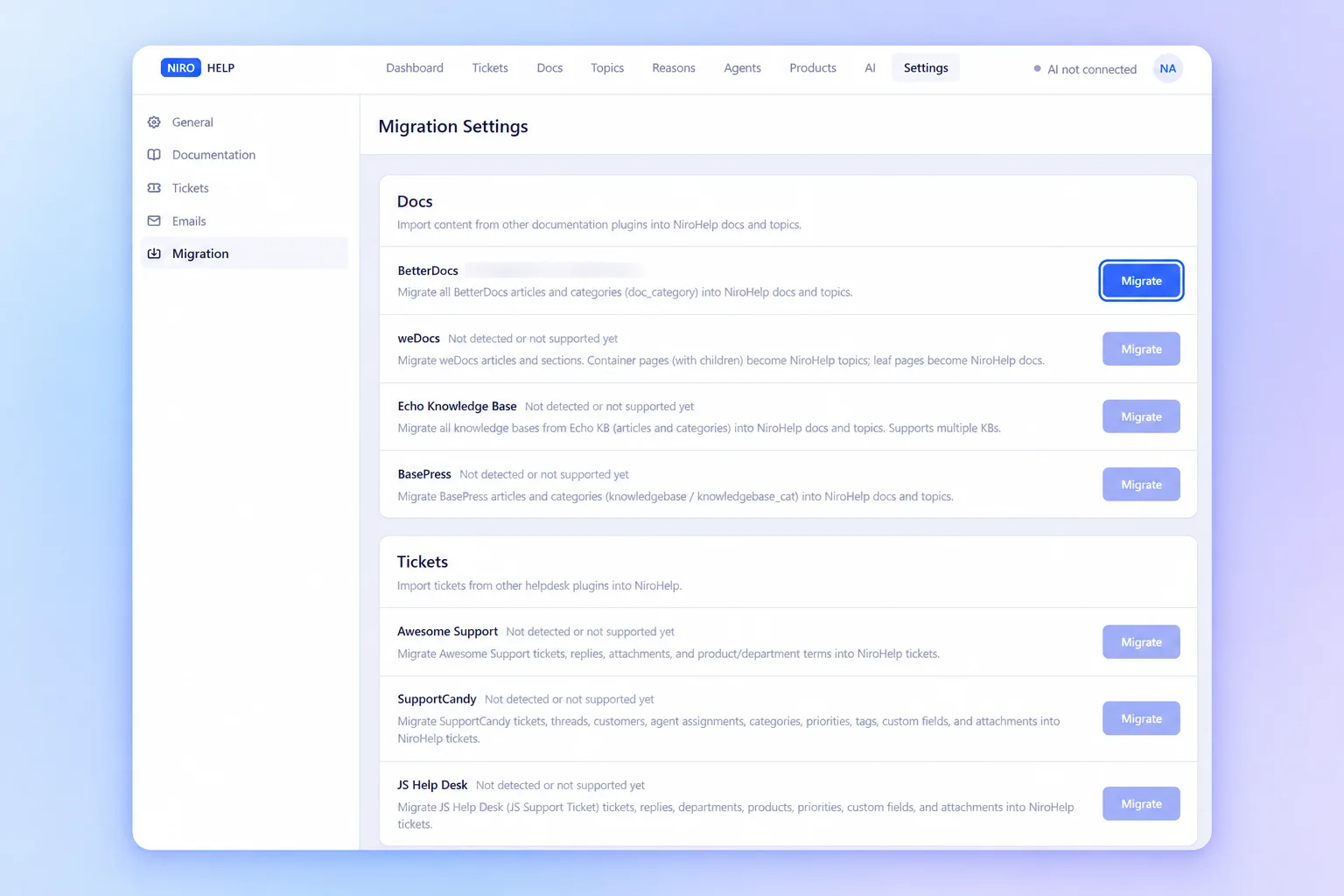
The NiroHelp migration tools are available for supported WordPress plugins.
3. Set Up the Ticket Workflow
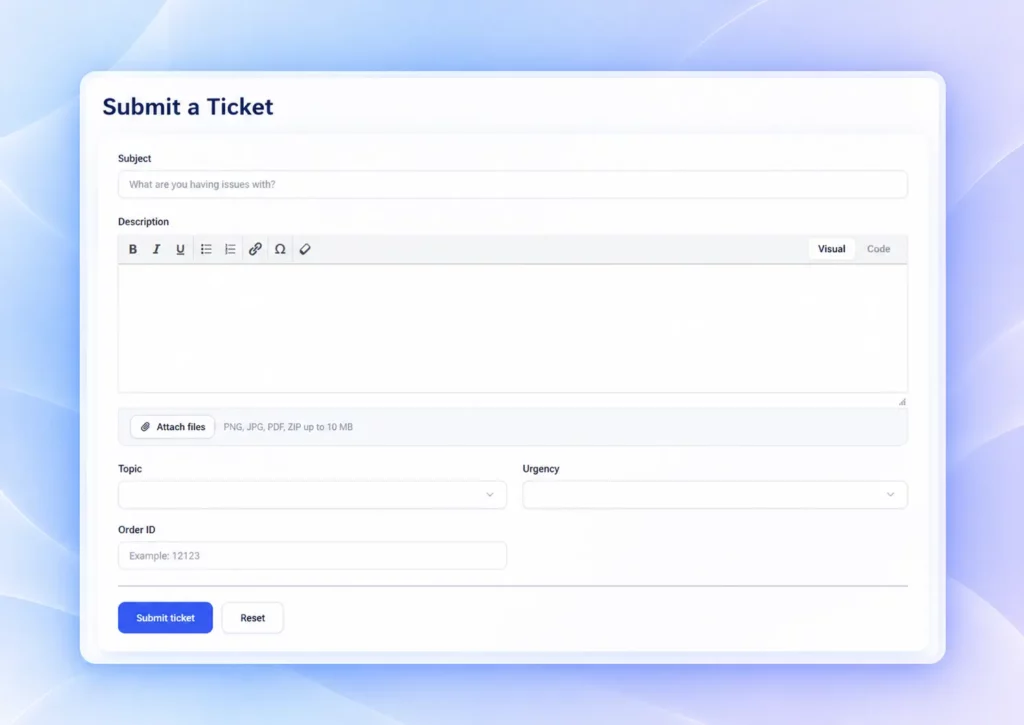
Create the forms, fields, and process your team will use to receive and manage customer requests.
4. Identify the Most Repeated Questions
Review the previous month of support and find the three questions your agents answered most often. Make sure each one has a complete, current article.
5. Configure AI Carefully
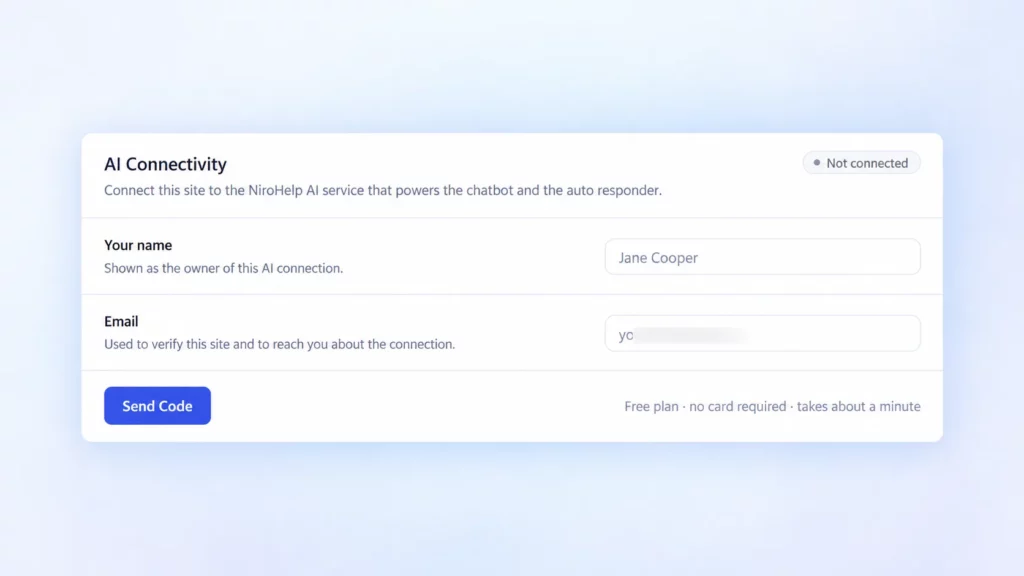
Connect the AI features after the source material is ready. Begin with a conservative confidence threshold and review which questions receive answers or remain with the team.
6. Improve the Documentation From Real Tickets
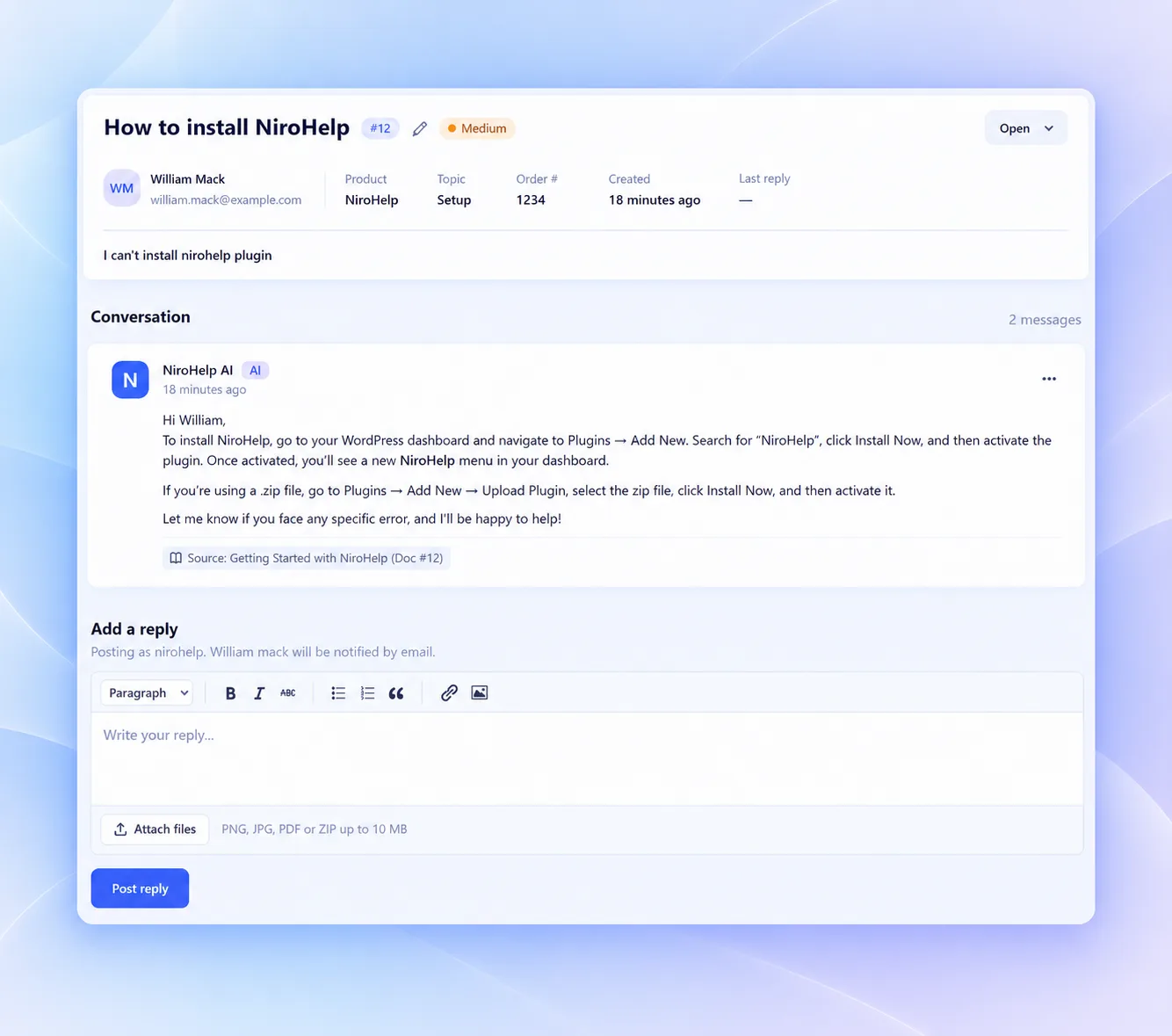
Questions the AI cannot answer are useful signals. They show where an article is missing, unclear, or too broad. Improve the source before lowering the threshold simply to increase the number of automatic replies.
Final Words
Customer support still needs people for bugs, account issues, and unusual problems. It should not need them to reconstruct answers already available in your documentation.
NiroHelp brings tickets, knowledge base content, AI chat, AI ticket responses, email, and support management into one workflow. Your documentation provides the knowledge. AI handles suitable repetitive questions. Your team takes the conversations that need experience and judgment.
Start with the three questions your team answers most often. Document them clearly, manage new requests through NiroHelp, and add AI when those answers are ready to be reused.
Ready to bring your support workflow into WordPress? Start with NiroHelp or explore all NiroHelp features.
Frequently Asked Questions
No. NiroHelp manages the external AI connection through its credit system. You do not need to create or fund a separate OpenAI or Anthropic account.
NiroHelp compares the available information with the confidence threshold chosen by your team. If the documentation does not support a reliable answer, the AI can stay out of the conversation and leave the ticket for a human agent rather than guessing.
NiroHelp provides migration tools for supported WordPress documentation and support plugins. The content available for import depends on the source.
No. NiroHelp is designed to handle documented, repetitive questions and organize the support workflow. Human agents remain responsible for complex bugs, sensitive requests, account-specific problems, and situations where the knowledge base does not contain enough information.
Yes. The free version includes the knowledge base, ticketing system, dashboard, migration tools, unlimited agents, and unlimited tickets. Paid plans add the AI chatbot, ticket auto-responder, support copilot, and email piping. You can establish the core support workflow before paying for AI and email features.