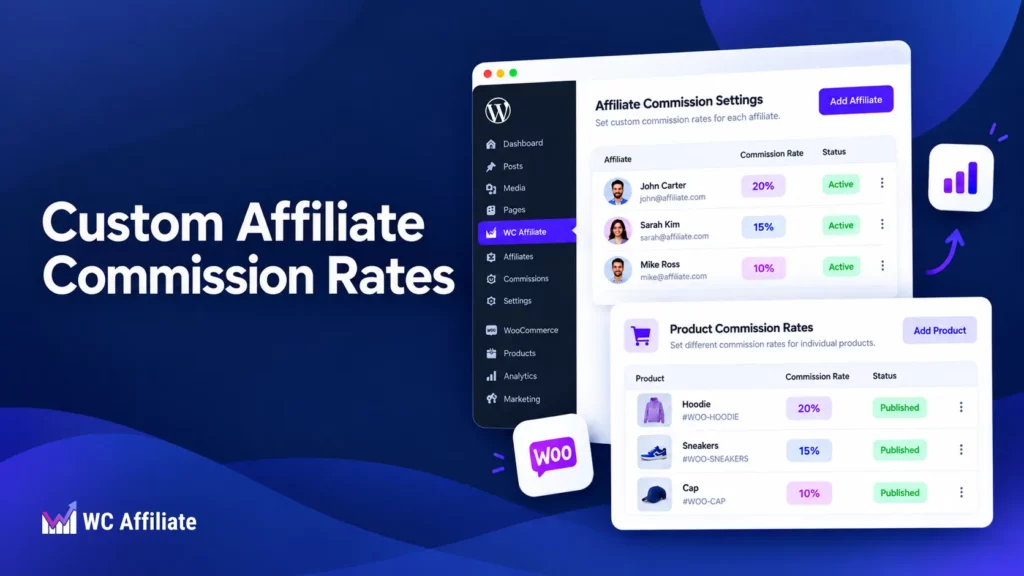
Running an affiliate program sounds simple at first. Pick a commission rate, invite affiliates, track the sales they bring in, and pay them.
But as your program grows, one rate may not work for everyone. A top-performing affiliate, influencer, or partner may need a different deal. Some products may also have enough margin to support a higher commission than others.
Custom affiliate commission rates solve this. They give WooCommerce stores the flexibility to reward valuable affiliates, protect profit margins, and create different commission structures when needed.
In this guide, we’ll look at how custom commissions work, when to use them, and how to set them up in WooCommerce.
What Are Custom Affiliate Commission Rates?
A custom affiliate commission rate is simply a commission that differs from the standard rate used across your affiliate program.
Imagine your default affiliate commission is 10%.
Most of your affiliates can continue earning that 10%. But you have one partner who consistently sends high-quality customers to your store. Instead of changing the commission for everyone, you might give that affiliate 15%.
Or perhaps you sell two products with very different margins.
Your digital product may have enough margin to support a 20% commission, while a physical product with manufacturing and shipping costs can only support 7%.
Custom commissions let you account for those differences.
4 Ways to Structure Custom Affiliate Commission Rates
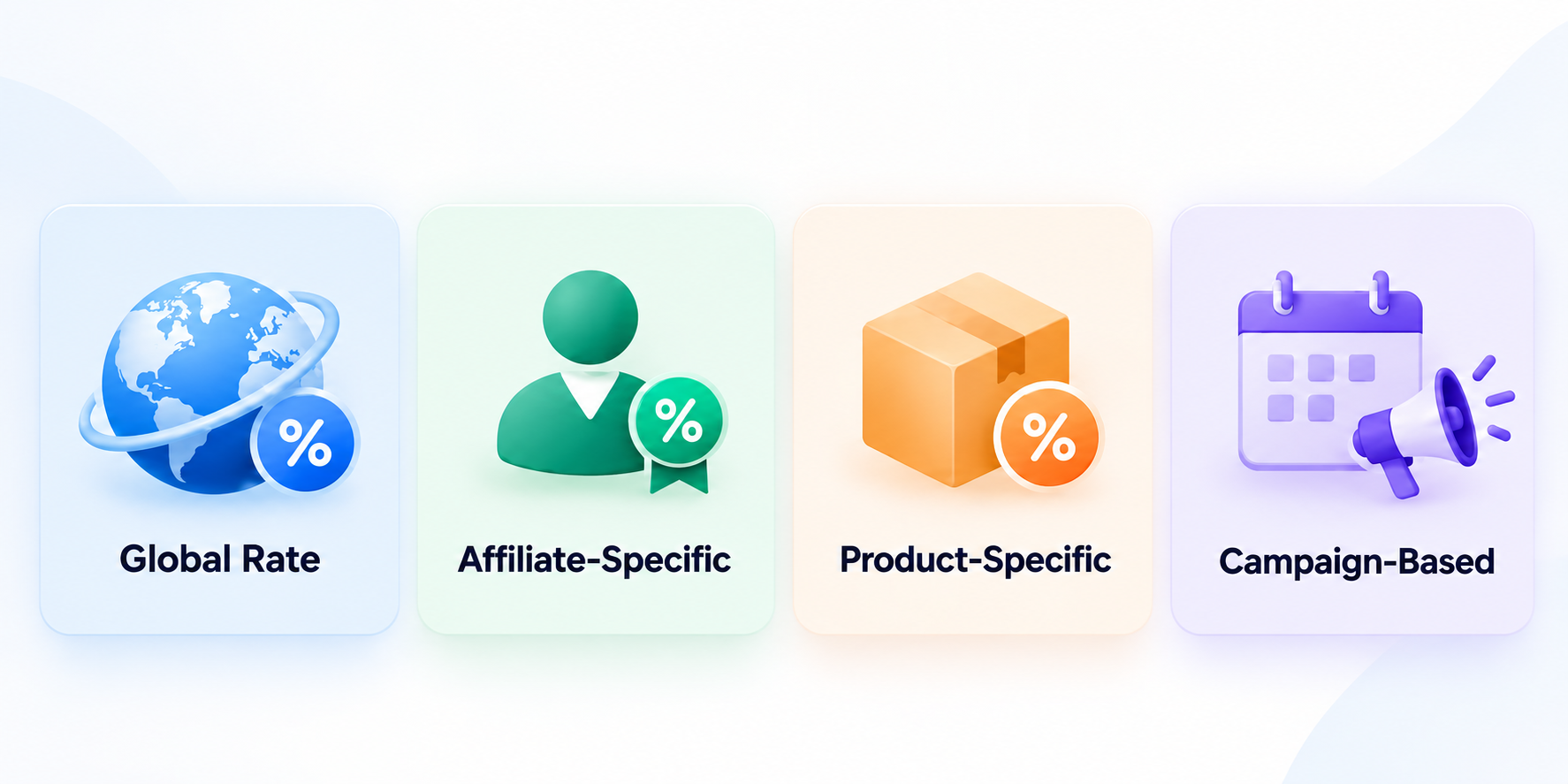
There are several common ways to structure custom affiliate commissions, depending on your affiliates, products, and campaigns. All of them start from one baseline.
1. Global commission rate (your baseline): This is your default rate. Unless another rule applies, every affiliate earns the same amount. For example, you might set your storewide commission at 10%. It isn’t a custom rate itself, but every custom rate is an exception to it, so it’s where your program starts.
2. Affiliate-specific commission rate: An affiliate-specific commission gives one particular affiliate a different rate. If your standard rate is 10%, you might offer a high-performing partner 15% without changing anything for your other affiliates.
3. Product-specific commission rate: Sometimes the affiliate doesn’t determine the commission. The product does. You might offer:
- 20% on a digital course
- 12% on a software subscription
- 6% on a low-margin physical product
Product-level commission rules are especially useful when your catalog contains products with very different profit margins.
4. Campaign-based commission rate: You can also raise a commission for a limited time. For example, if you’re launching a new product next month, you might increase its affiliate commission from 10% to 20% for the first seven days, then set it back. That gives affiliates a stronger reason to promote the launch without permanently changing your regular commission structure.
Your program does not need to depend on one number. A default commission remains the foundation, and custom rates handle the situations where a different deal makes more sense.
When to Use Different Affiliate Commission Rates
One commission rate is simple, but it gets limiting as your affiliate program grows. In most cases, your default rate should still cover the majority of affiliates. Create a custom rate when there’s a clear business reason behind it:
(i) Reward high-performing affiliates: Not every affiliate brings the same value. If one partner consistently drives profitable sales, a higher rate keeps them motivated and loyal to your program.
(ii) Work with influencers and strategic partners: Influencers, agencies, and established partners often expect a negotiated deal. Instead of raising the rate for everyone, you set a separate commission for them.
(iii) Protect your profit margins: A 20% commission may work on a high-margin digital product but leave very little profit on a physical one. Product-specific rates prevent that.
(iv) Push specific products: Higher commissions encourage affiliates to focus on new, high-margin, or priority products.
(v) Run temporary promotions: Raise a commission for a product launch, Black Friday, or a seasonal campaign, then return to the normal rate afterward.
Keep custom rates intentional. If every affiliate gets a different deal, your program quickly becomes hard to manage. Use them where they support performance, profitability, or a specific campaign goal.
Affiliate-Specific vs Product-Specific Commissions
Affiliate-specific and product-specific commissions solve different problems. Here’s a simple comparison:
| Affiliate-specific commission | Product-specific commission | |
| Based on | The affiliate | The product being sold |
| Example | Amy earns 15% while the default rate is 10% | Digital course pays 20%, physical accessory pays 8% |
| Best for | Top affiliates, influencers, agencies, long-term partners | Different margins, product launches, priority products |
| Main benefit | Lets you reward or negotiate with individual partners | Lets you control commissions based on product profitability |
| Useful when | One affiliate deserves a different deal | Some products can support higher commissions than others |
Some affiliate programs use both at the same time. In that case, commission priority becomes important.
That is why managing custom commissions through a proper WooCommerce affiliate solution is much easier than handling exceptions manually.
How to Set Custom Affiliate Commission Rates in WC Affiliate
With WC Affiliate, you can set a default commission for your whole program and then create different rates for specific affiliates or products when needed. WC Affiliate supports both percentage and fixed commissions, including rates set by default, affiliate, or product.
Step 1: Install WC Affiliate
First, install WC Affiliate on your WooCommerce store. From your WordPress dashboard, go to:
Plugins → Add New Plugin. Search for WC Affiliate, then click Install Now and Activate.
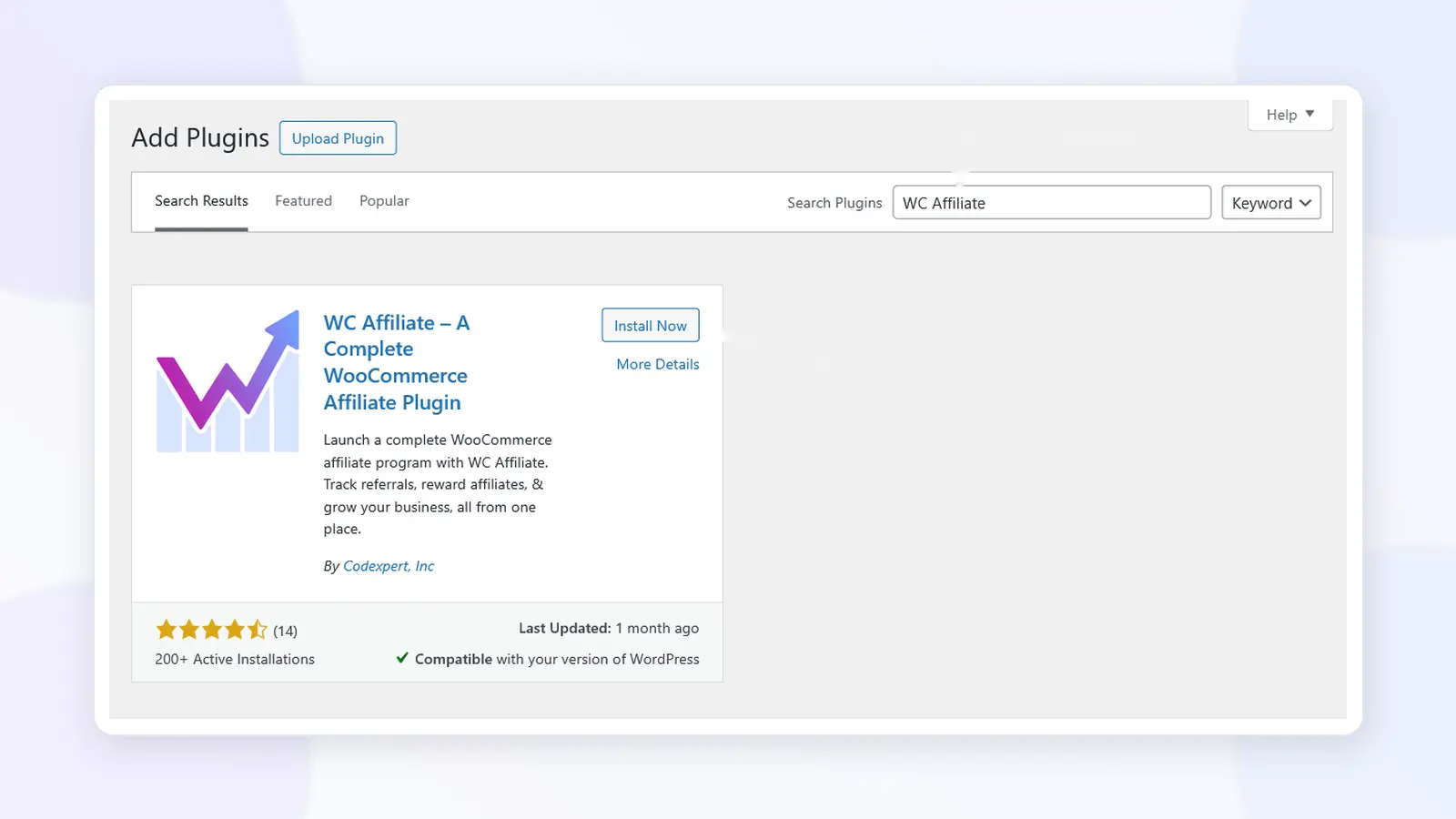
Once activated, you’ll see the WC Affiliate menu in your WordPress dashboard. From there, you can configure your affiliate program, commission settings, referrals, payouts, and affiliate accounts.
If you’re using the Pro version, install and activate the Pro plugin as well, then connect your license before setting up advanced commission rules.
Step 2: Set the Default Commission Rate
Go to: WC Affiliate → Settings → Basic Settings
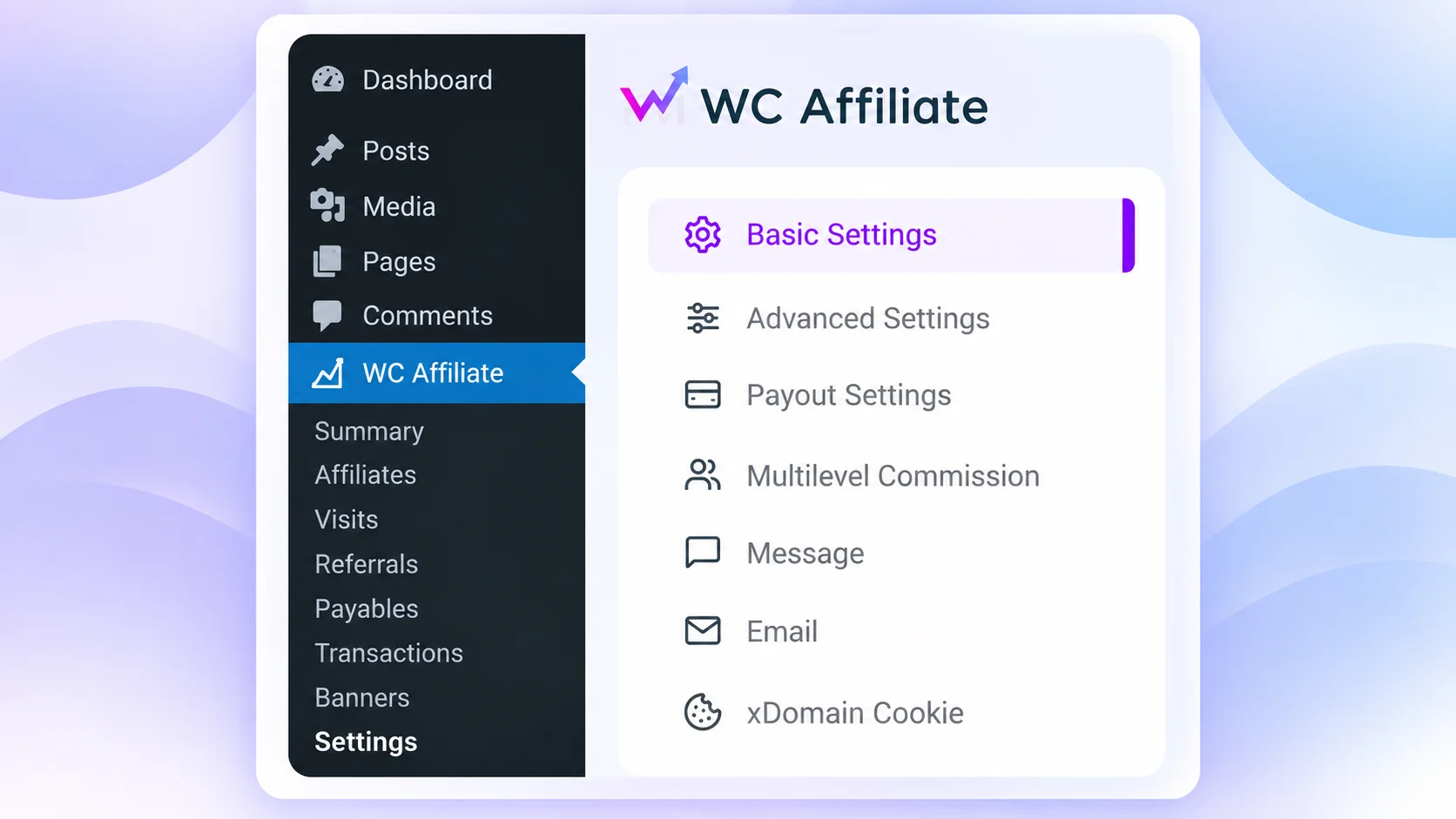
Find the Affiliate Commission section. Choose your:
- Commission Base: such as Order Total, Order Subtotal & Product Price
- Commission Type: Percentage or Fixed
- Commission Amount: for example, 10 for a 10% commission
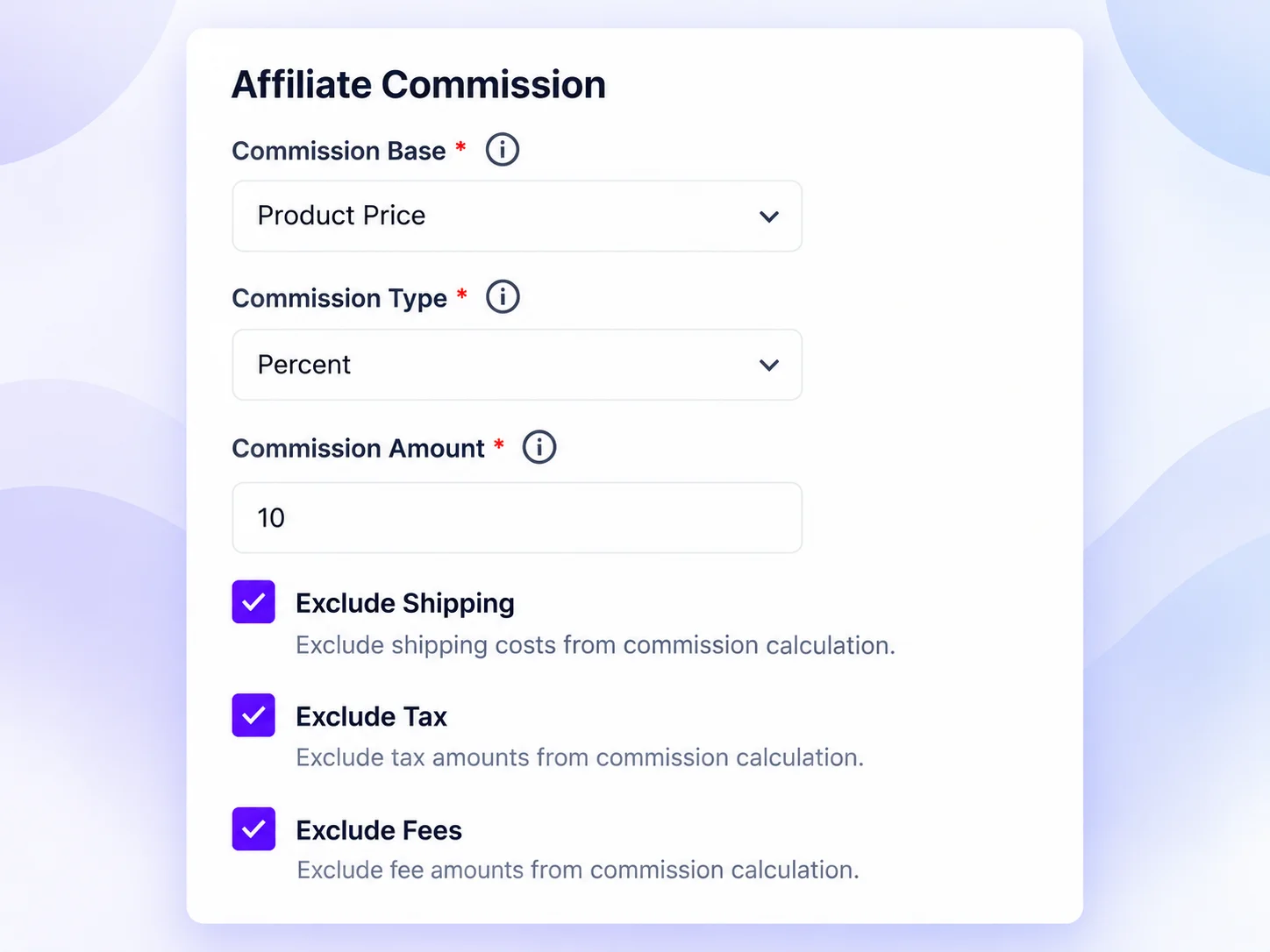
Then, find the commission settings and choose your default commission type.
(i) Percentage Commission: Choose Percentage if you want affiliates to earn a percentage of each sale.
For example: Commission: 10%
If an affiliate refers a $100 sale, they earn $10.
(ii) Fixed Commission: Choose Fixed if you want affiliates to earn the same amount for every qualifying sale.
For example: Commission: $15
The affiliate earns $15 whether the order value is $100 or $200.
You can also choose whether shipping, tax, and additional fees should be excluded from the commission calculation.
Enter your preferred rate and save the settings.
Step 3: Set a Custom Rate for a Specific Affiliate
If you want to give one affiliate a different commission rate, go to:
WC Affiliate → Affiliates
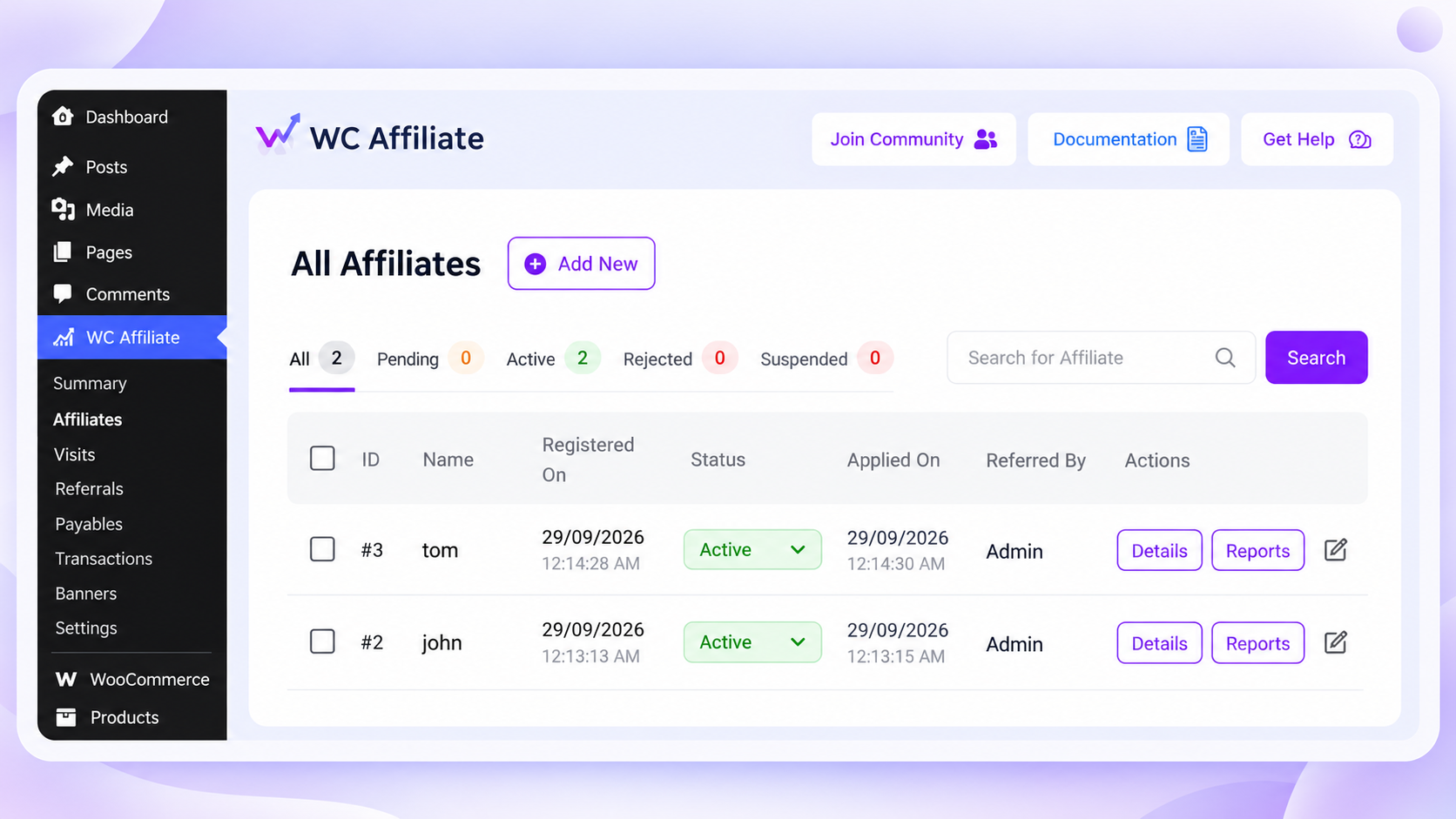
Find the affiliate and open their profile. Then, set the commission for your affiliate.
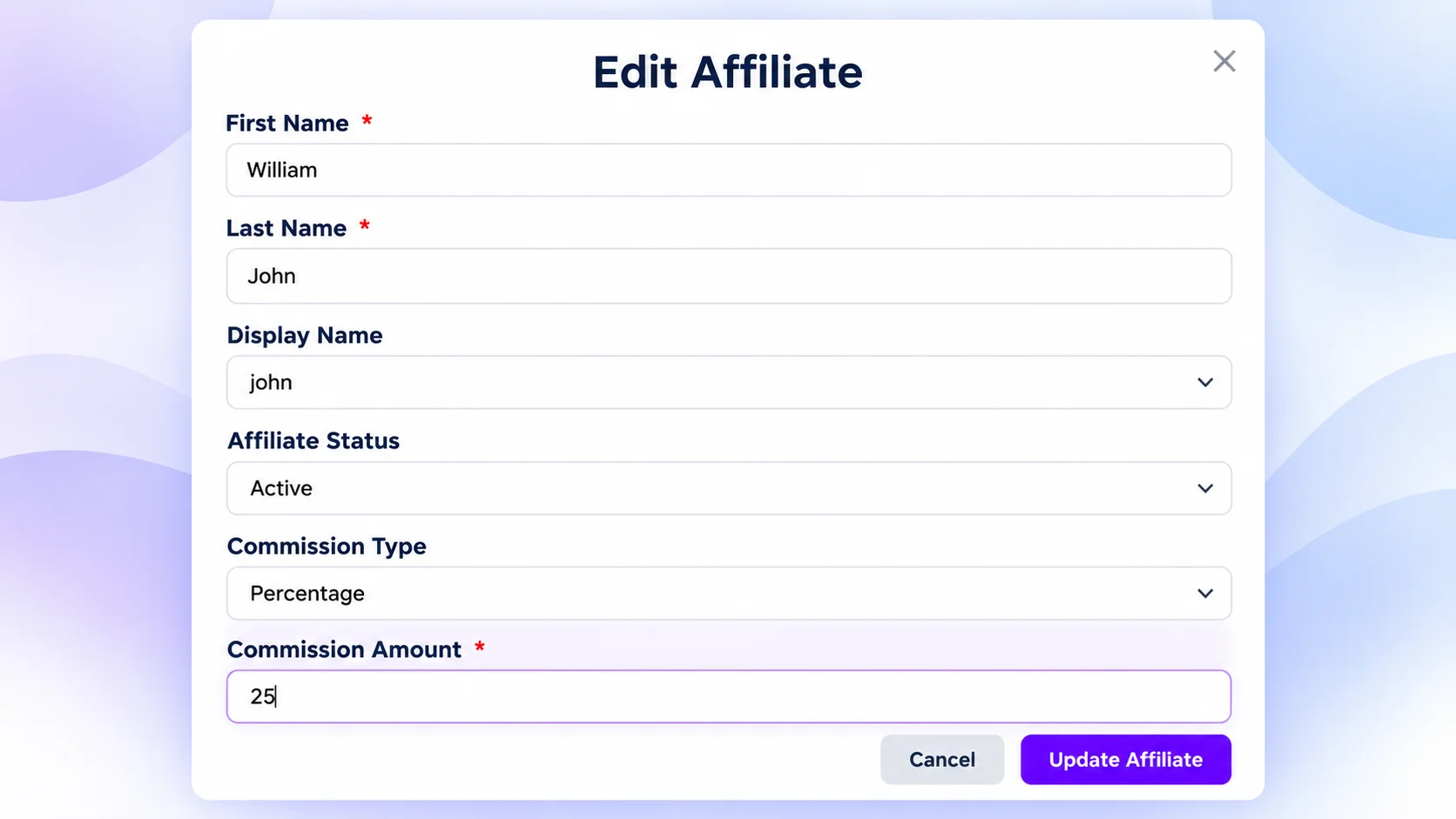
For example, your default commission may be 10%, but you want to give a top-performing affiliate 15%.
Step 4: Set a Product-Specific Commission
You can also assign a different commission to a particular product.
Open the product you want to edit from:
Products → All Products
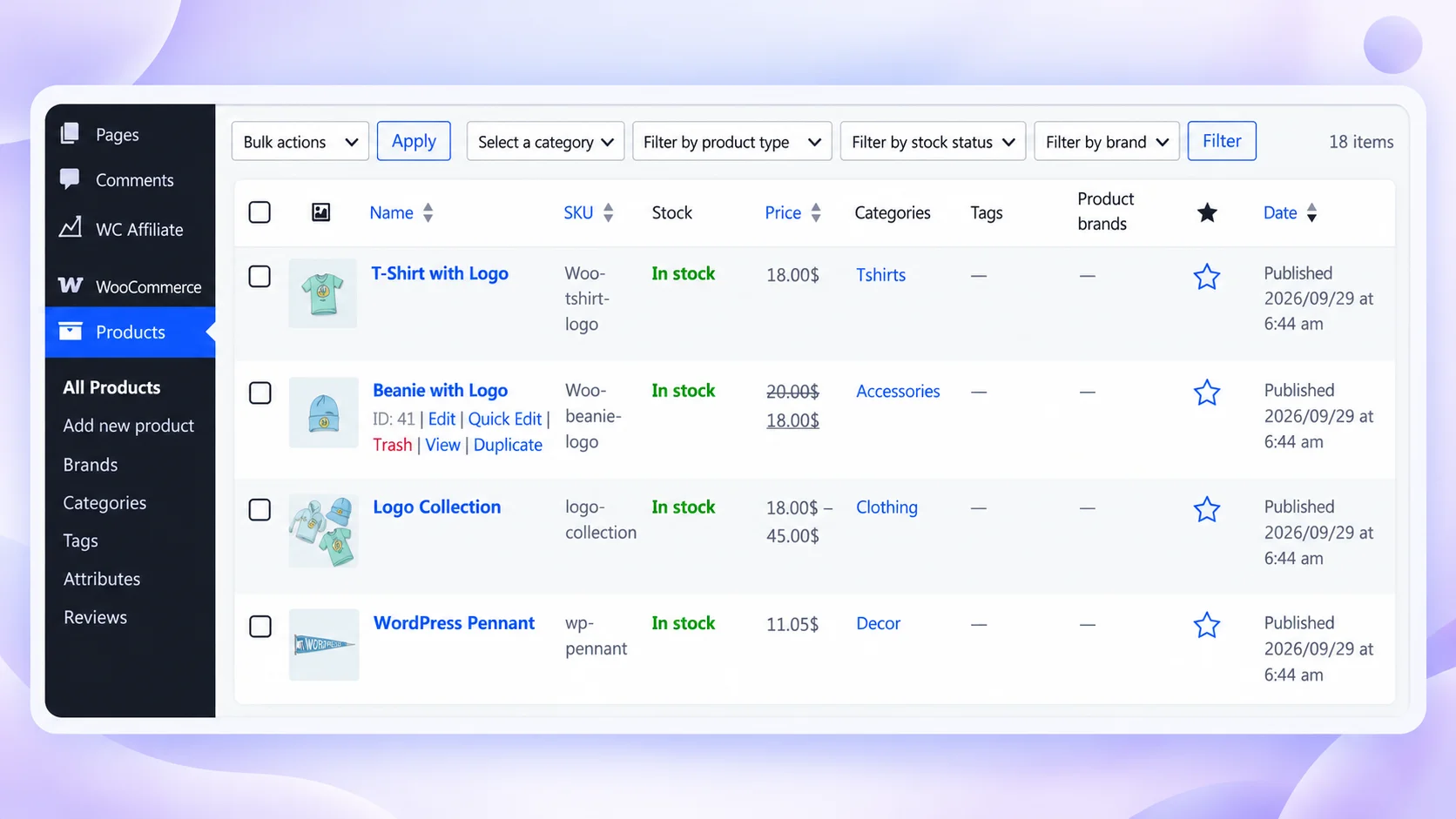
Select the product and find the Affiliate commission settings. Enter the commission you want to use for that product.
For example:
Default commission: 10%
Digital product commission: 20%
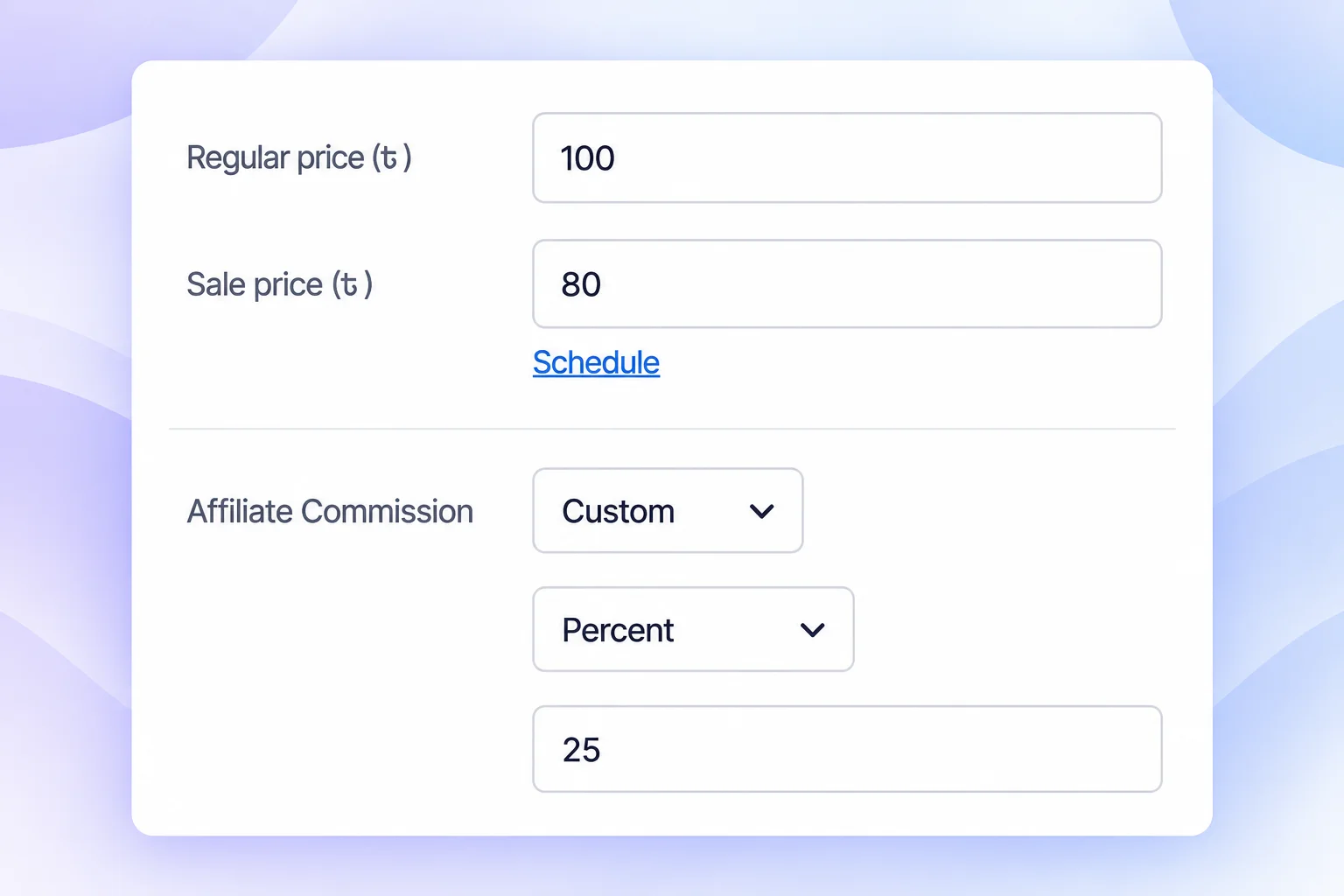
Save or update the product.
This is useful when some products have higher margins or when you want affiliates to promote a particular product more actively.
Once your commission settings are ready, make sure your WooCommerce affiliate tracking is configured correctly so referred sales are attributed to the right partner.
What Does a Good Affiliate Commission Structure Look Like?
There is no single commission structure or percentage that works for every affiliate program. The right setup depends on your margins, products, affiliate relationships, and growth goals.
In most cases, start with a simple default commission and only introduce different rates when there is a clear reason. A performance-based structure could look like this:
| Affiliate type | Example commission |
| New and regular affiliates | 10% |
| Proven partner | 12% |
| Top-performing affiliate | 15% |
| Strategic influencer | Negotiated |
That’s one default and three exceptions, not a complicated tier system. Most affiliates stay on the default rate, while higher rates are reserved for partners who consistently generate valuable sales or bring something unique to the program.
If you’d rather reward milestones automatically, WC Affiliate Pro includes performance bonuses that trigger when an affiliate hits a revenue, referral, or conversion target.
You can also adjust commissions based on the products being promoted:
| Product | Example commission |
| Physical accessory | 7% |
| Standard product | 10% |
| Software license | 15% |
| Digital course | 20% |
A physical product with tighter margins, for example, may support a lower commission than a digital product with relatively low fulfillment costs.
These percentages are only examples. To decide how much commission you should actually offer, start with the economics of your own store. Consider:
- Product margin: How much profit remains after direct costs?
- Average order value: Are affiliates typically driving small or high-value orders?
- Customer acquisition cost: How much would it cost to acquire the same customer through another channel?
- Refund rate: A high refund rate can reduce the real value of affiliate-generated sales.
- Customer lifetime value: Customers who make repeat purchases may justify a higher initial commission.
- Affiliate quality: Qualified, high-converting traffic is usually more valuable than a large volume of low-intent clicks.
For example, if a product earns $40 profit per sale and a paid ad costs you $25 to win the same customer, a $12 commission (30% of that profit) is the cheaper channel. Set a default rate your margins can comfortably support, then use custom commissions when a particular affiliate, product, or partnership justifies something different.
Common Mistakes With Custom Affiliate Commissions
Custom commissions are useful, but they can cause problems if they are not managed carefully.
(i) Setting Rates Without Checking Profitability: A higher commission may attract affiliates, but it should not make every referred sale unprofitable.
Always check your margins before increasing a rate.
(ii) Making Temporary Incentives Permanent: A higher rate for a product launch or seasonal campaign does not need to continue forever.
Put a reminder in your calendar to set it back.
(iii) Offering Too Many Different Rates: If every affiliate has a different arrangement, the program becomes harder to manage.
Keep a default rate and create exceptions only when there is a clear reason.
(iv) Ignoring Strong Affiliates: Being too strict with commissions is also a mistake.
If an affiliate consistently brings profitable customers, a better rate may help strengthen the partnership.
(v) Making Commission Rules Hard to Understand: Affiliates should know how their commission is calculated. If the rules are too complicated to explain clearly, they are probably too complicated to manage.
A simple and transparent commission structure is easier for both you and your affiliates.
Final Thoughts
A growing affiliate program rarely stays as simple as “everyone earns 10%“.
Some affiliates will outperform others. Some partnerships will require negotiation. Some products will support generous commissions while others won’t. And sometimes you’ll want a stronger incentive around one campaign or product.
Keep your default structure simple, understand your margins, and add custom rates only when there’s a real reason behind them. That flexibility lets you reward valuable partners and protect your margins as your WooCommerce store grows.
Set your first custom rate today. WC Affiliate gives you default, per-affiliate and per-product commissions in the free plugin, with unlimited affiliates.
Download WC Affiliate free → Need performance bonuses or automated payouts? See WC Affiliate Pro →
Frequently Asked Questions
Yes. WC Affiliate lets you set a default rate and override it for individual affiliates.
Yes. WC Affiliate lets you set a default rate and override it for individual affiliates.
No. Default, per-affiliate and per-product commissions, in percentage or fixed amounts, are all in the free plugin.
Consider your profit margin, product price, customer value, and affiliate performance. The rate should motivate affiliates while keeping your sales profitable.