An affiliate program can bring new customers to your WooCommerce store, but first, you need the right people to join it.
That is the purpose of an affiliate sign-up page. It introduces your program, explains what affiliates can earn, and gives interested partners a clear way to apply.
Adding a registration form to an empty WordPress page is not enough. Potential affiliates want to know what they can promote, how commissions work, when they will be paid, and what happens after applying. If the page leaves those questions unanswered, qualified partners may leave without completing the form.
This guide shows you how to create an affiliate sign up page in WooCommerce, what to include, and how to attract more affiliates.
What Is an Affiliate Sign Up Page?
An affiliate sign-up page is a dedicated page where people learn about your affiliate program and apply to join.
It has two main jobs:
- Explain why the program is worth joining.
- Collect the information needed to create or review an affiliate account.
A complete page normally includes:
- A clear value proposition
- Affiliate benefits
- Commission and cookie details
- Payment schedule and methods
- Eligibility requirements
- A short explanation of how the program works
- An affiliate registration form
- Program terms and conditions
- One clear call to action
The form is only the entry point. After someone applies, you still need a system to approve the account, generate referral links, track visits and sales, calculate commissions, and manage payouts. That is why the page should connect directly to an affiliate management plugin instead of functioning as a basic contact form.
Why Create a Dedicated Affiliate Sign Up Page?

You could ask potential affiliates to contact you by email, but that creates extra work and gives them little information before they decide whether your program suits them. A dedicated page answers the questions serious applicants ask:
- How much can I earn?
- How long does the referral cookie last?
- When and how will I be paid?
- Who is allowed to join?
- What products can I promote?
- Are there promotional restrictions?
Clear answers reduce uncertainty and save your team from repeating the same information over email. The page also filters applicants by explaining whether the program suits bloggers, creators, customers, agencies, or other partners. A structured form then collects their website, social profiles, and promotional plan in one place.
This creates a more professional first impression. It matters in a growing channel: US affiliate marketing spending was projected to reach $13.81 billion in 2026, up 11.3% from 2025, according to eMarketer data reported by Wix.
If you are still planning your program, our guide to affiliate marketing for small businesses explains how to build one around your goals and budget.
What Should an Affiliate Sign-Up Page Include?
You do not need a long sales page. You need to answer the questions that influence whether a suitable partner applies.
(i) A Clear Headline and Value Proposition

Start with the main benefit. “Join Our Affiliate Program” is clear but gives visitors little reason to continue.
A stronger version is: Recommend Our Products and Earn 30% Commission on Every Qualifying Sale
The visitor immediately understands the action, reward, and opportunity.
(ii) Relevant Affiliate Benefits
Give people a reason to promote your products instead of a competing offer. Depending on your program, benefits could include:
- Competitive or recurring commissions
- A generous cookie duration
- Monthly payouts
- A dedicated affiliate dashboard
- Promotional banners and product resources
- Discounts for referred customers
- Responsive affiliate support
Keep the list realistic. Do not promise resources or support you cannot consistently provide.
(iii) Commission and Payment Details
Commission is one of the first things an affiliate will look for. Clearly state:
- The commission rate
- Whether it is fixed or percentage-based
- Which order value the commission uses
- Cookie duration
- Minimum payout amount
- Payment schedule
- Available payout methods
- Refund or commission-holding rules
For example, “Earn 20%” is incomplete if the commission applies only to the product subtotal and approved commissions are paid after a 30-day refund period. Put the important conditions next to the rate instead of hiding them in another document.
If you have not chosen your model yet, read our guide to WooCommerce affiliate commission structures.
(iv) A Simple Explanation of How It Works
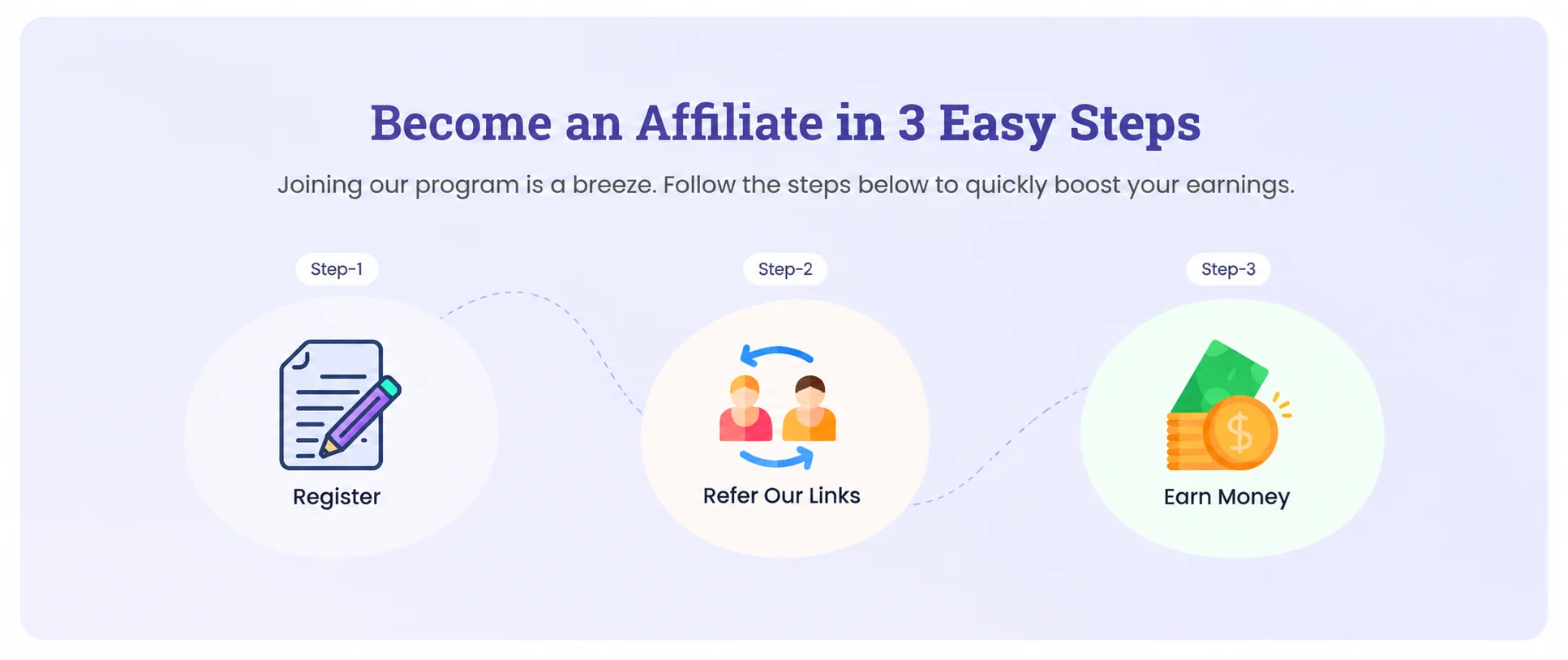
Show what happens from application to payment:
Apply → Get Approved → Receive Your Link → Promote → Earn Commission
You can support that summary with a few short steps:
- Submit the affiliate application.
- Wait for approval or receive instant access.
- Log in to the affiliate dashboard.
- Copy a referral link or affiliate coupon.
- Promote the relevant products.
- Earn commission from eligible sales.
This makes the program feel understandable before the visitor commits.
(v) Eligibility Requirements
Explain who can apply and whether you have any minimum requirements.
For example:
Our program is open to bloggers, creators, customers, agencies, and website owners with an audience relevant to our products.
You might also require an active website, an established social profile, original content, a relevant niche, or an existing relationship with your brand. Only include requirements that help you assess fit.
(vi) A Focused Registration Form

Ask for enough information to create the account and evaluate the applicant, but avoid turning the form into an interview.
The essential fields are usually:
| Field | Why you need it |
| Name | Identifies the applicant |
| Creates the account and supports communication | |
| Password | Provides account access, if your system requires it |
| Website or promotional channel | Shows where the affiliate plans to promote |
For manual approval, you may also ask:
- What is your audience or niche?
- How do you plan to promote our products?
- Which social platforms do you use?
- Which products are you interested in?
Use a simple test before adding any field: Will we use this information to approve, contact, manage, or pay the affiliate? If not, remove it.
(vii) Affiliate Terms and Conditions
Link to your terms near the form and require applicants to accept them before submission. Depending on your program, the terms may cover paid advertising, brand bidding, coupon promotion, misleading claims, self-referrals, prohibited websites, commission eligibility, payouts, and account termination.
(viii) One Clear Call to Action

Keep the page focused on applications. Suitable CTAs include:
- Become an Affiliate
- Apply to Join
- Join Our Affiliate Program
- Start Earning
Avoid unrelated offers and several competing buttons.
Affiliate Sign Up Page Example
Here is a simple structure you can adapt:
Become Our Affiliate
Recommend our products to your audience and earn a 20% commission on every qualifying sale.
Why join?
- 20% commission
- 60-day cookie
- Monthly payouts
- Ready-to-use promotional resources
- A dedicated affiliate dashboard
How it works
- Submit your application.
- Get approved.
- Access your dashboard and referral link.
- Promote our products.
- Earn commissions from eligible sales.
Who can join?
Bloggers, content creators, influencers, existing customers, agencies, and website owners with a relevant audience.
Ready to join?
[Become an Affiliate]
Place the registration form below the CTA. Replace the example rate, cookie duration, payment schedule, and requirements with the real terms of your program.
How to Create an Affiliate Sign-Up Page in WooCommerce with WC Affiliate
The WordPress page is easy to build. The important part is connecting it to the system that manages your affiliates.
Step 1: Define Your Affiliate Program
Before writing the page, decide:
- Commission rate and structure
- Cookie duration
- Minimum payout
- Payment schedule and methods
- Manual or automatic approval
- Eligibility requirements
- Promotional rules
- Terms and conditions
Your public page must match the settings inside your affiliate system. Advertising 20% while the plugin calculates 10% will damage trust and create disputes.
Step 2: Choose an Affiliate Management Plugin
WooCommerce handles products and orders, but it does not provide a complete affiliate management system by default. You need a plugin that can manage registration, approvals, referral links, visit tracking, sales attribution, commissions, dashboards, and payouts.
WC Affiliate runs this workflow inside WordPress. It connects the signup form with affiliate accounts, referral tracking, commission management, and dedicated dashboards, so applications do not need to be processed manually through a separate contact form.
Step 3: Create the Affiliate Portal Page

Go to WordPress Dashboard → Pages → Add New and create a dedicated page.
Use a simple URL such as:
yourstore.com/affiliate-program/
or:
yourstore.com/affiliate-sign-up/
Build it with the block editor or your preferred page builder. Add the content in this order:
- Headline and value proposition
- Main benefits
- Commission and payment details
- How the program works
- Eligibility requirements
- Registration form
- Terms
- Final CTA
Visitors should be able to scan the offer without reading a long sales pitch.
Step 4: Add and Customize the Registration Form
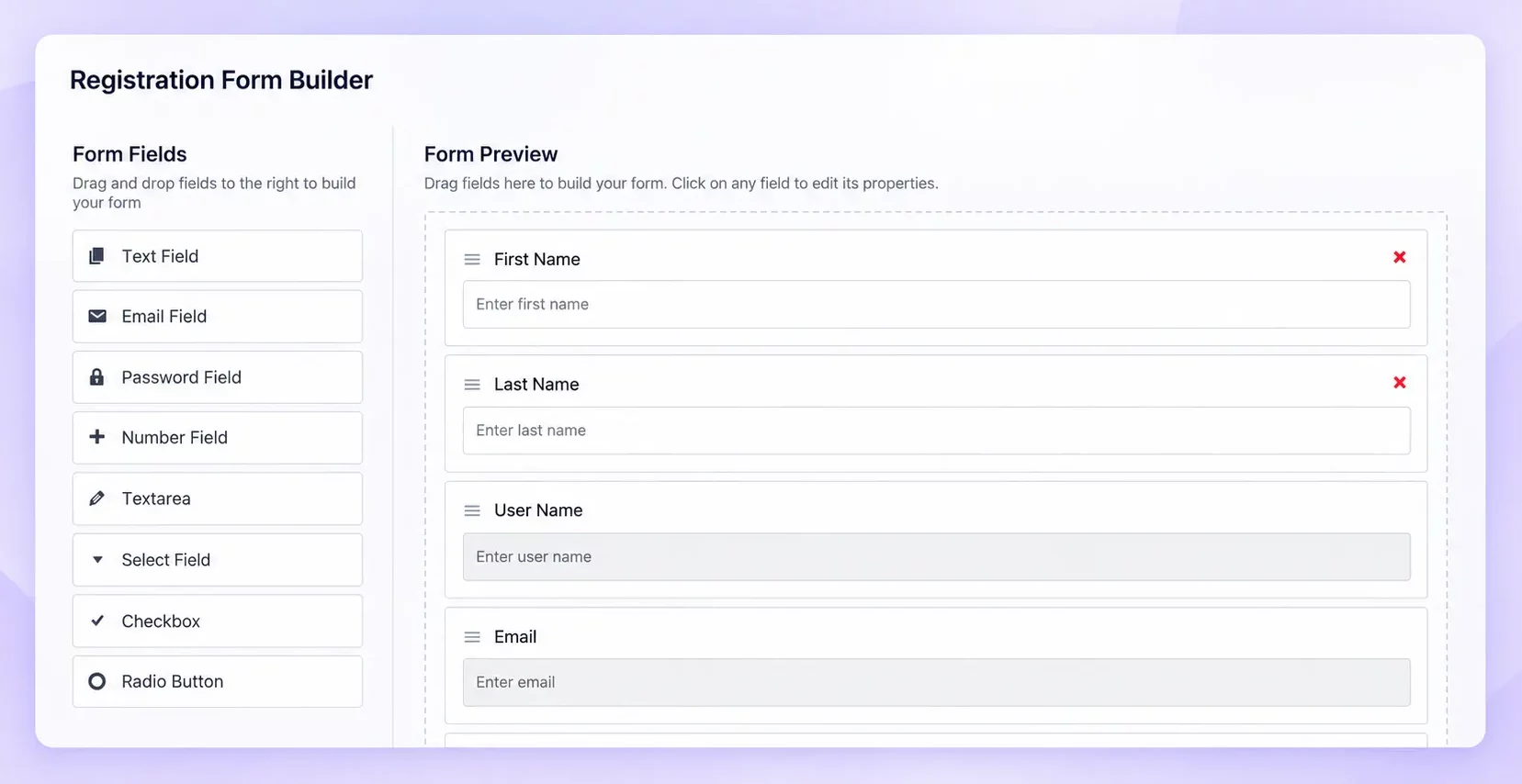
Connect the form to your affiliate system. With the WC Affiliate Registration Form Builder, you can use text, email, number, checkbox, radio, and select fields, then arrange them in the order you need.
A practical form might ask for:
- Name
- Website or primary promotional channel
- How the applicant plans to promote your products
- Agreement to the affiliate terms
Place easy fields first. Keep open-ended qualification questions near the end.
Step 5: Choose Manual or Automatic Approval

Manual approval lets you review an applicant’s website, audience, content quality, promotional approach, and brand fit. It is usually safer for new programs, high-value products, and brands with strict promotional rules.
Automatic approval gives applicants immediate access. It can work when your program is open to customers or a broad audience, and speed matters more than screening.
If you are unsure, begin with manual approval. You can switch later if the volume becomes difficult to manage.
Step 6: Test the Complete Signup Journey
Do not test only whether the form submits. Test the full experience as a new affiliate:
- Does the page work on desktop and mobile?
- Are required fields and errors clear?
- Can applicants open and accept the terms?
- Does the confirmation explain what happens next?
- Do manual and automatic approvals work as expected?
- Can an approved affiliate log in?
- Does the dashboard show the correct links and commission information?
- Can a test referral be tracked through to a WooCommerce order?
Fix any confusing steps before promoting the page.
How to Get More Affiliate Applications
Once the page works, improve its ability to convert qualified visitors.
Put the Main Benefit Above the Fold
Show the commission or strongest benefit near the headline. Do not make visitors scroll to understand why they should join.
Explain What Happens After Submission
A simple message removes uncertainty:
We will review your application within two business days. Once approved, you will receive access to your affiliate dashboard and referral links.
Add Relevant Social Proof
If you already have active partners, include a short testimonial, the number of affiliates in the program, or a real example of affiliate earnings. Use only figures you can verify, and provide context.
“Our top affiliate earned $1,200 last month from 18 referred sales” is more useful than a vague claim about unlimited earning potential.
Make the Page Mobile-Friendly
In August 2026, mobile devices accounted for 49.36% of worldwide web traffic, according to Statcounter. Make sure form fields, terms, and the main CTA are easy to use on smaller screens.
Make the Page Easy to Find
Link to it from:
- Your main navigation or footer
- Customer and post-purchase emails
- Blog posts and product pages
- Newsletters and social media
- Creator outreach and partner emails
Existing customers are a particularly useful starting point because they already understand the product. If you are actively recruiting, read How to Recruit Your First 10 Affiliates in 30 Days.
What Happens After an Affiliate Signs Up?
The signup page is the beginning of the relationship:
Application → Review → Approval → Dashboard → Promotion → Sale → Commission → Payout
After approval, give affiliates quick access to:
- Their unique referral links or coupons
- Commission and cookie information
- Performance data
- Promotional materials
- Payout details
- A clear support contact
Good onboarding helps affiliates begin promoting instead of creating an account and then becoming inactive. Accurate tracking is equally important because both you and the affiliate need to know which visits and sales generated commissions.
Read our complete guide to WooCommerce affiliate tracking for a closer look at attribution. WC Affiliate can manage registration, tracking, commissions, and affiliate accounts directly inside your WooCommerce store.
7 Common Affiliate Sign Up Page Mistakes
Before publishing your affiliate sign up page, take a moment to check that you are not making any of these common mistakes.
1. Only Adding a Registration Form: A registration form tells people how to join, but it does not tell them why they should join.
Before asking potential affiliates to fill out a form, explain what they can gain from your program. Highlight key details such as commission rates, earning potential, promotional resources, and any other benefits you offer.
2. Hiding Your Commission Rate: Your earning opportunity should be easy to understand.
If potential affiliates have to search through your website just to find your commission rate, they may lose interest. Clearly display your commission structure and explain how affiliates earn from successful referrals.
3. Asking Too Many Questions: Do not collect information simply because you can.
Every field on your signup form should have a clear purpose. Ask only for the information you actually need to review and manage affiliate applications. A shorter, simpler form can make the signup process easier for potential affiliates.
4. Using a Normal Contact Form as the Whole System: A standard contact form can collect someone’s name and email, but that is not enough to run an affiliate program.
You also need to manage affiliate accounts, referral links, sales attribution, commissions, and payouts. Connect your registration process with a proper affiliate management system so everything can be managed from one place.
5. Not Explaining the Approval Process: Potential affiliates should know what happens after they submit their application.
Let them know whether applications are approved automatically or reviewed manually. If you manually review applications, mention how the process works and, if possible, when applicants can expect a response.
6. Not Showing the Next Step: Getting approved is only the beginning.
Make it clear what affiliates should do next. Tell them where they can access their affiliate dashboard, find their referral links, view their clicks and sales, and start promoting your products.
A clear next step makes the onboarding process much easier.
7. Making Your Signup Page Hard to Find: Creating an affiliate signup page is not enough if nobody can find it.
Link to the page from places where potential affiliates are likely to discover your program, such as your website footer, affiliate program page, blog posts, or relevant promotional content.
Make the path to becoming an affiliate as simple as possible: discover → learn → sign up → get approved → start promoting.
Conclusion
A good affiliate sign up page does more than collect names and email addresses. It explains the earning opportunity, attracts suitable partners, sets expectations, and connects each application to the system that manages the relationship.
Keep the offer clear, make commission details easy to find, and ask only for the information you will use. Then test the full journey from application to tracked referral. When every step works together, it becomes easier for a qualified visitor to join and start promoting your products.
Frequently Asked Questions
Create a WordPress page, explain the commission and program rules, add a focused registration form, and connect it to an affiliate management plugin that handles accounts, approvals, tracking, and commissions.
Start with name, email, account details, and the applicant’s website or main promotional channel. Add questions about their audience or promotional plan only if you use those answers during approval.
Start with name, email, account details, and the applicant’s website or main promotional channel. Add questions about their audience or promotional plan only if you use those answers during approval.
Use manual approval when brand fit, content quality, or fraud prevention matters. Automatic approval works better for open programs where fast onboarding is the priority.