Black Friday 2025 was another record-breaking shopping event. US shoppers spent $11.8 billion online in a single day, up 9.1% from the previous year. Cyber Week generated $44.2 billion, according to Adobe’s 2025 holiday shopping recap.
More than half of Black Friday’s online sales (55.2%) happened on mobile devices. Shoppers were browsing deals, comparing products, and making purchases directly from their phones.
For WooCommerce store owners, those numbers represent a huge opportunity. But having a Black Friday discount doesn’t mean customers will find your store.
That’s where affiliate marketing can help. By working with bloggers, creators, and existing customers, you can put your offers in front of relevant audiences and pay commissions on qualifying sales.
In this guide, we’ll cover a 10-day plan built for WooCommerce stores. It covers the profit math, coupon tracking, promo kits, fraud checks, and what to do once the sale ends.
Why Affiliate Marketing Works for WooCommerce Black Friday Sales
Black Friday brings plenty of buying interest, but it also brings competition. Your store isn’t the only one offering discounts.
Affiliate marketing helps your products reach people beyond your existing audience.
(i) Reach buyers through trusted recommendations: Imagine someone is looking for a new coffee machine.
Instead of visiting random stores, they watch reviews from a YouTuber they already follow. That creator recommends your WooCommerce store and shares a Black Friday discount code.
The recommendation gives the buyer a reason to consider your product.
Affiliate partners can introduce your store through product reviews, tutorials, newsletters, and social content.
(ii) Pay commissions on qualifying sales: With paid advertising, you generally pay for clicks or impressions whether those visitors purchase or not.
Affiliate programs typically work differently. You pay commissions when eligible referrals result in qualifying orders.
That doesn’t make affiliate marketing free. You still need to account for commissions, discounts, tracking tools, and affiliate management.
However, it gives you more control over how much you spend on each attributed sale.
(iii) Turn existing customers into promoters: Your previous customers already know your products.
A customer who regularly recommends your store may be interested in earning a commission for those recommendations.
You can invite customers to participate through referral links or coupons. Our guide on how to set up a referral program in WooCommerce explains the process.
Do the profit math before you raise commissions
The most common Black Friday mistake is stacking a deep discount on top of a higher commission. Each one looks fine on its own. Together, they can wipe out your margin.
Here’s a simple example. You sell a $100 product that costs you $40 to make and ship.
| Standard BF deal | Boosted commission | Boost + deeper discount | |
| Discount | 25% | 25% | 40% |
| Sale price | $75 | $75 | $60 |
| Commission rate | 20% | 25% | 25% |
| Commission paid | $15.00 | $18.75 | $15.00 |
| Product cost | $40 | $40 | $40 |
| Your profit | $20.00 | $16.25 | $5.00 |
The boosted commission still leaves you $16.25 per sale, and it gives affiliates a real reason to push your store. Add a 40% discount on top, and you keep $5 before payment fees. A single return can cost you more than that.
The rule is simple. On any one product, raise the commission or deepen the discount. Do both only on items with wide margins.
Also check which price your affiliate plugin uses to calculate commission: the full price or the discounted order total. On a 25%-off sale, paying on the full price makes each commission a third bigger.
A 10-day plan to increase WooCommerce sales with affiliates before Black Friday
This plan assumes you already have an affiliate plugin running and a few affiliates signed up. Each step takes a day or two, so you can finish everything before Thanksgiving.
Step 1 (days 1 to 2): Pick your Black Friday products and set a temporary commission
Don’t raise your commission across the whole store. Pick three to five products with healthy margins and a clear Black Friday deal. Those are the items your affiliates will push.
Then set a higher rate on just those products. WC Affiliate lets you override the default rate per product, which is useful when margins vary across your catalog. Give the boost a clear end date, such as December 1, and tell affiliates that date up front. A deadline gets people posting sooner.
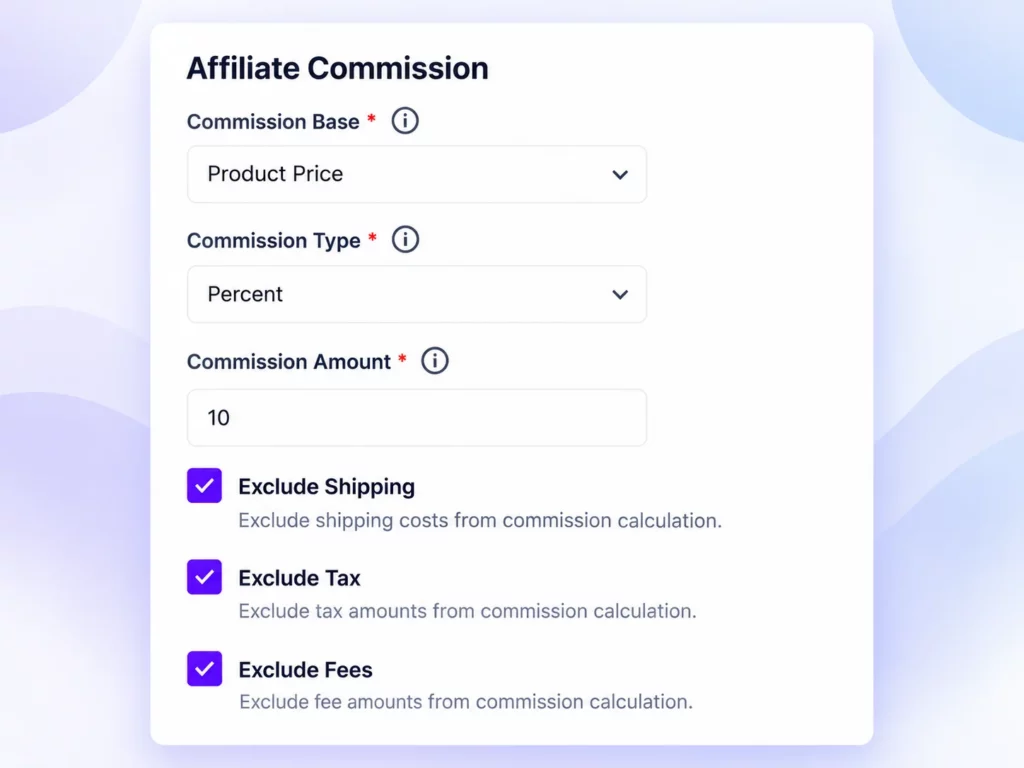
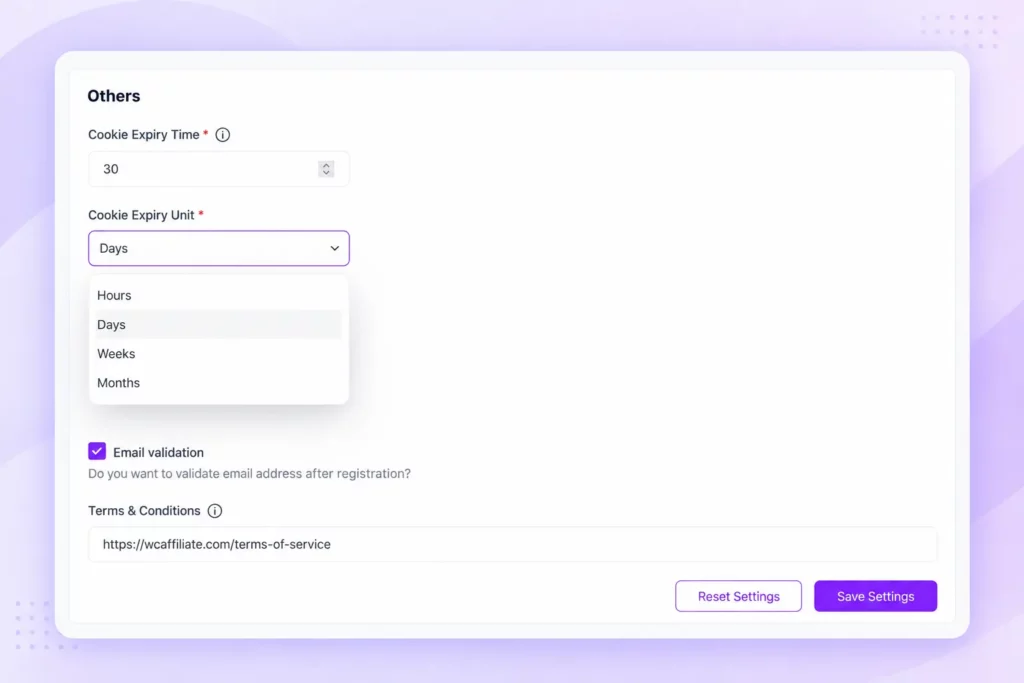
While you’re in the settings, check your cookie duration. Many shoppers click a link early in November and buy on Black Friday or Cyber Monday. A 30-day cookie makes sure the affiliate still gets credit. WC Affiliate lets you set it anywhere from one day to a full year.
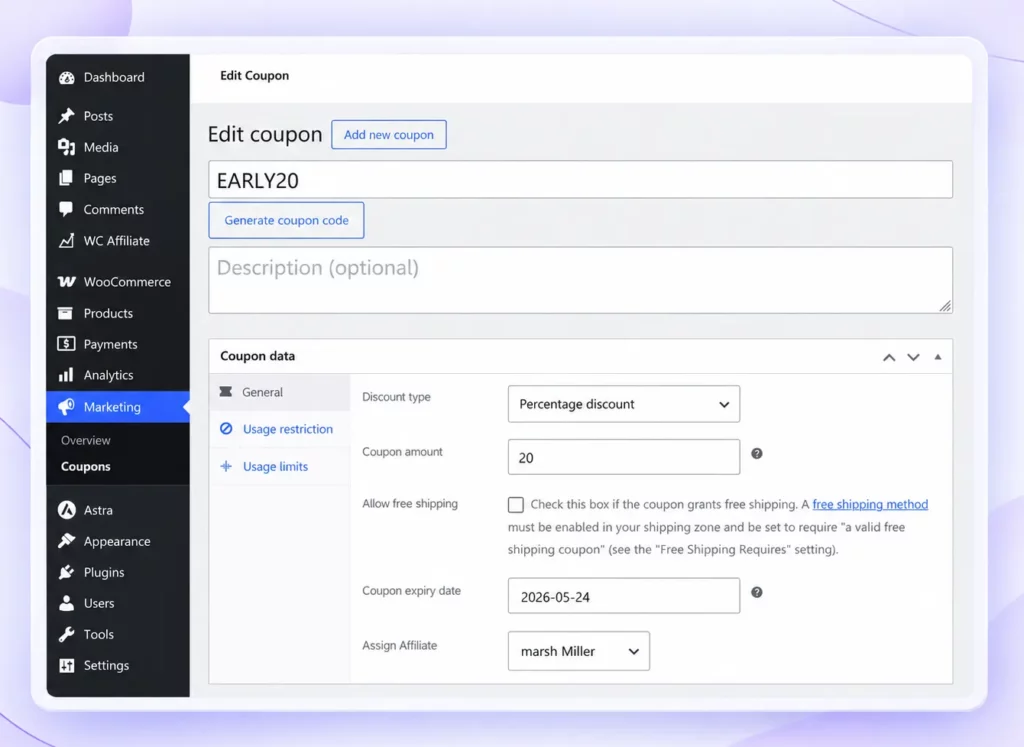
Step 2 (days 2 to 3): Give each affiliate an exclusive Black Friday coupon
Coupons are your most reliable tracking tool during Black Friday. Instagram bios, TikTok profiles, and YouTube descriptions often strip or shorten links. A coupon code still works when the link doesn’t, and shoppers are already hunting for codes this week.
With coupon-based tracking in WC Affiliate Pro, you assign a WooCommerce coupon to an affiliate. When a customer uses that code at checkout, the sale is credited to the affiliate automatically. No link click is needed, and link tracking keeps running in the background. Our guide to WooCommerce coupon code tracking walks through the full setup.
Use codes affiliates can say out loud, such as SARAHBF20, and set an expiry date on each one.
| Tracking method | Best for | Needs a click? | Works when links are stripped? | In WC Affiliate |
| Referral link | Blog posts, email newsletters | Yes | No | Free |
| Coupon code | Instagram, TikTok, YouTube, podcasts | No | Yes | Pro |
| Branded shortlink | Social captions, stories | Yes | Partly, since it’s easy to type | Pro |
Most stores get the best results by giving every affiliate both a link and a code. For a deeper look at each method, read our WooCommerce affiliate tracking guide.
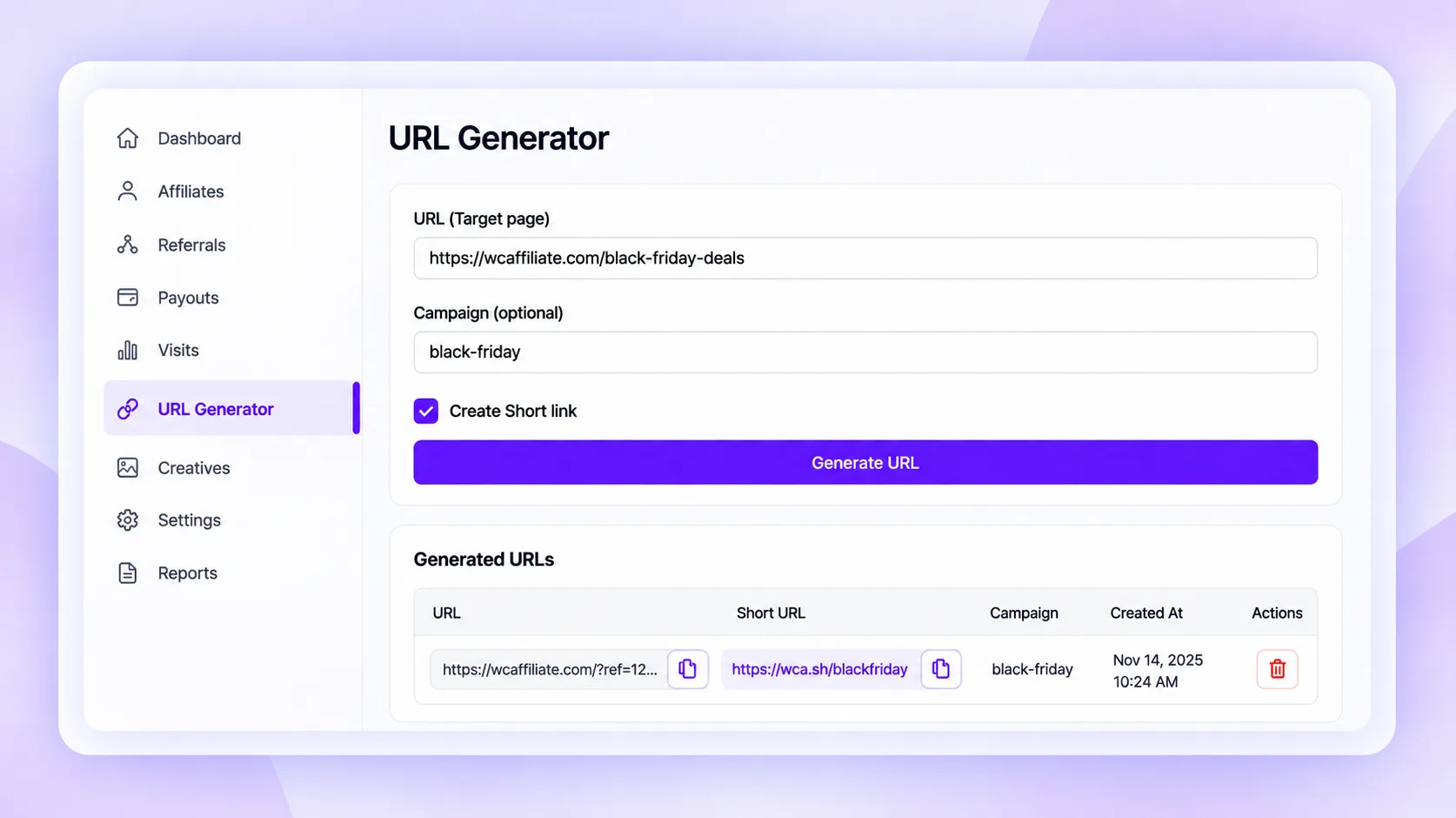
Step 3 (day 4): Create branded shortlinks affiliates will actually share
A link like yourstore.com/?ref=1043 looks spammy in a caption. A link like yourstore.com/go/blackfriday looks like a real offer.
WC Affiliate Pro includes a shortlink generator with custom slugs, so affiliates create their own clean links from their dashboard. You don’t need a third-party link shortener.
Step 4 (days 5 to 6): Send a ready-to-post promo kit
Your affiliates are busy promoting other brands this week too. The easier you make it, the more likely they post about you first. Send one email or one shared folder with everything they need:
- A deal sheet with each product, discount, start time, and end time
- Banners in three sizes (square, story, and blog header)
- Two short email blurbs they can paste into a newsletter
- Three social captions with their coupon code and shortlink already filled in
- A disclosure line, such as “I earn a commission if you buy through this link”
That last item protects you both. The FTC expects anyone earning from a recommendation to say so clearly. Its Disclosures 101 guide explains what counts.
If you use WC Affiliate Pro, the Banner Builder lets you create the banners inside WordPress. Affiliates then grab them from their dashboard.
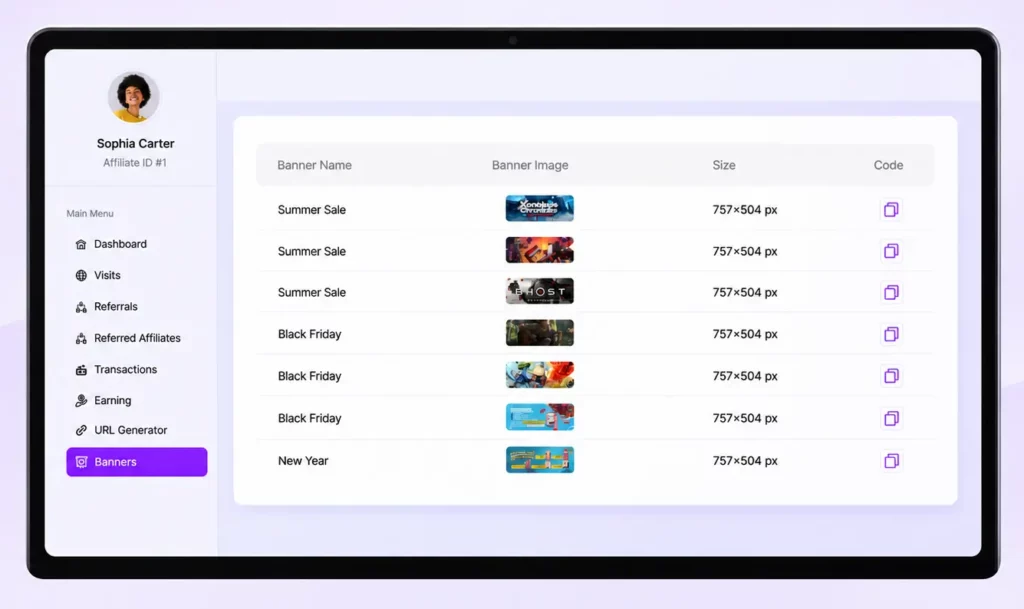
Step 5 (days 6 to 8): Wake up quiet affiliates and recruit a few new ones
Your fastest win is the affiliates who signed up and then went silent. Email them first with the new commission, their coupon code, and the promo kit. Many stopped because nobody told them what to promote. Our post on affiliate onboarding covers how to get them to a first sale.
Then add a few new partners. With less than two weeks to go, skip cold outreach to big creators. Their calendars are full. Instead, invite:
- Happy repeat customers who already talk about your products
- Small bloggers who reviewed your products in the past
- Micro-creators in your niche with an engaged following
Approve new sign-ups within 24 hours this week. For more recruiting ideas, see how to find affiliate marketers.
Step 6 (days 9 to 10): Add a performance bonus for your top sellers
A flat commission boost rewards everyone equally. A bonus rewards the people who actually move product. For example, pay a $50 bonus to any affiliate who drives 20 Black Friday sales.
Bonuses are easier to budget than rate hikes, because you only pay them when an affiliate hits the target. WC Affiliate includes performance bonuses you can set up for these milestones.
During Cyber Week: check tracking and watch for fraud
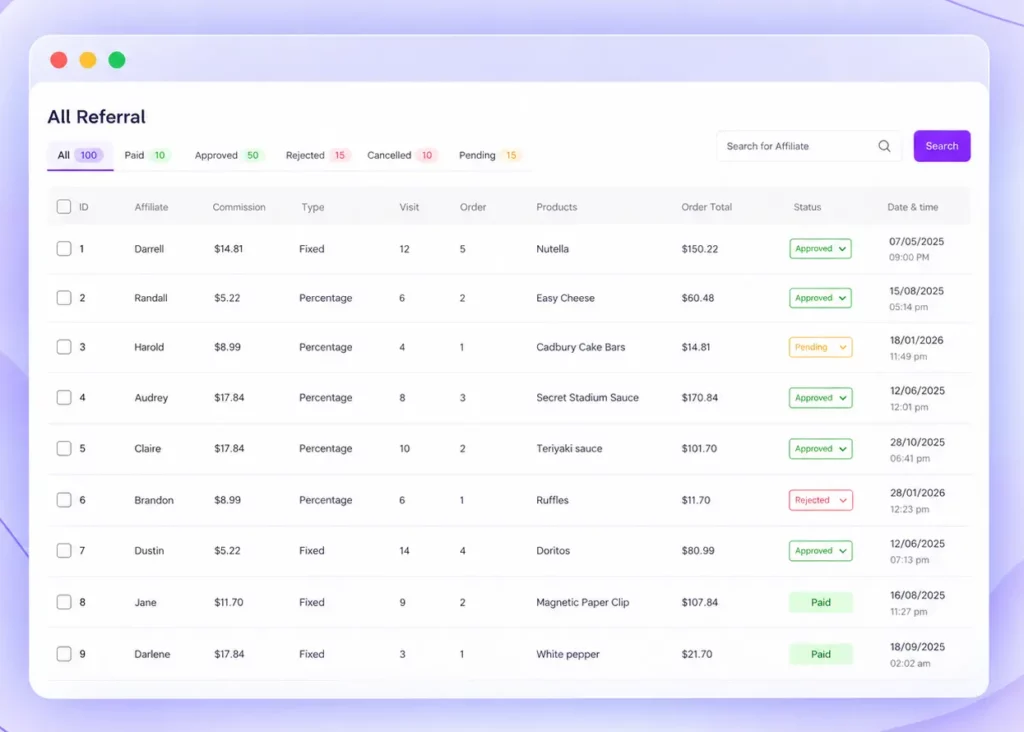
Before November 26, place two test orders. Use one referral link and one affiliate coupon, and confirm both show up as referrals. A broken link on Black Friday morning costs you sales and your affiliates’ trust.
Once the sale starts, open your affiliate reports once a day. Look for:
- Clicks with no sales. The link or coupon may be broken, or the landing page may not match the offer.
- Self-referrals. An affiliate’s own name or address on the orders they referred.
- Leaked coupons. A code meant for one creator suddenly showing up on coupon sites like RetailMeNot.
- Sudden order bursts. Dozens of orders in minutes from one IP address or one payment method.
If a code leaks, don’t delete it in a panic. Set a usage limit or an earlier expiry date, then give that affiliate a fresh code.
After Black Friday: refunds, payouts, and keeping affiliates active
The sale ends on Cyber Monday. Your affiliate program shouldn’t go quiet with it.
Hold commissions until your return window closes
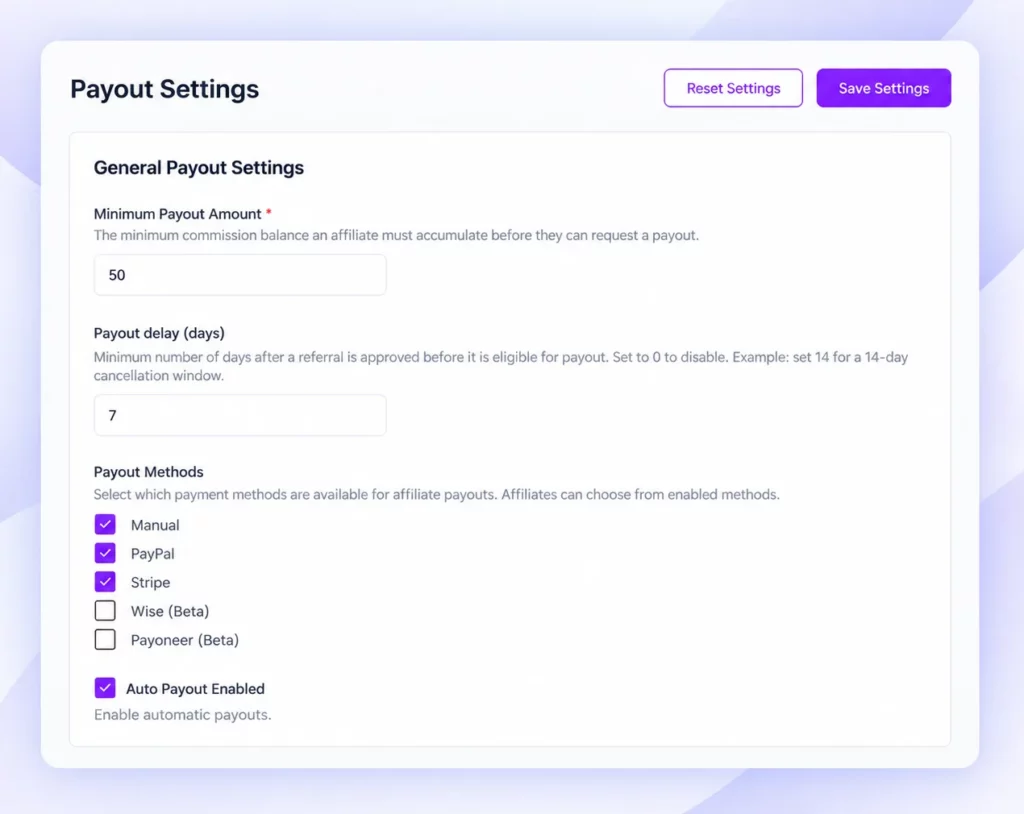
Holiday orders, gifts especially, often come back after the sale. If you pay commissions the next day, you’ll end up paying for sales you later refund. Match your payout timing to your return policy. A 30-day return window means a 30-day hold.
WC Affiliate has a payout delay setting that holds commissions until a referral reaches a set age. Review each referral before payout and reject the ones tied to refunded orders.
Pay affiliates on time
Late payouts lose good affiliates fast, right before the holiday rush. Free users can pay manually. WC Affiliate Pro adds automatic payouts through PayPal and Stripe, so you can pay everyone from your WordPress dashboard in one go.
Review results and keep your best partners warm
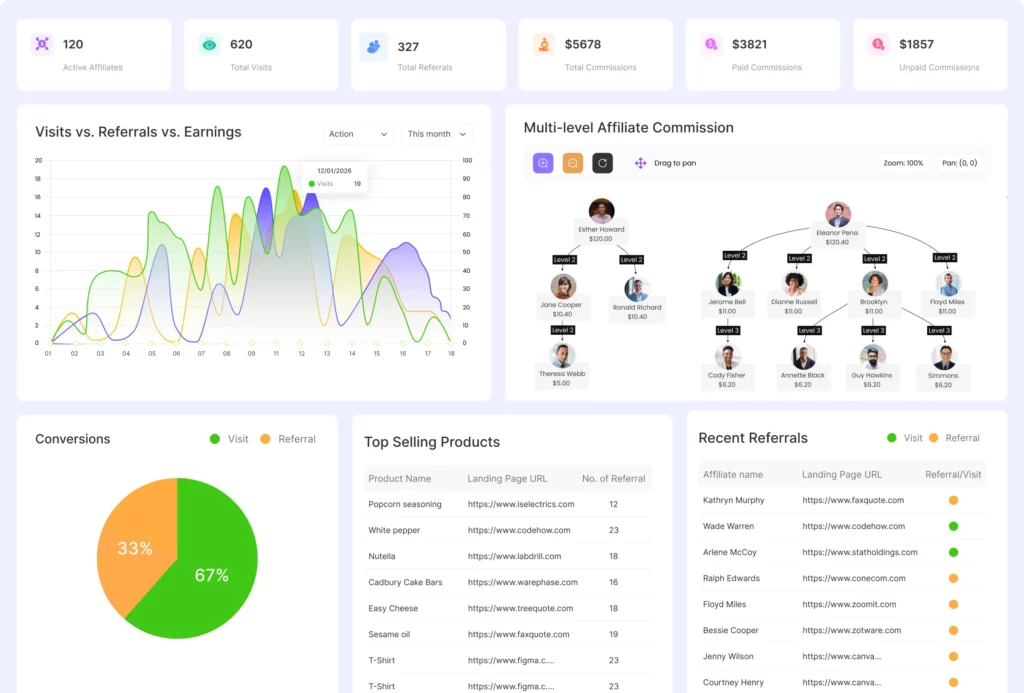
Within a week, compare each affiliate’s clicks, sales, and conversion rate. Our post on the affiliate dashboard shows which numbers to watch. Then thank your top 10 affiliates personally and invite them to your December and January sales. They know your products, and their audience just bought from you.
Run your Black Friday program from one WooCommerce dashboard
Everything in this plan works best when your affiliate tool is built around WooCommerce orders, coupons, and refunds. That’s why we built WC Affiliate as a WooCommerce-only plugin.
The free version on WordPress.org gives you unlimited affiliates, referral links, product-level commissions, real-time reports, and manual payouts. Pro adds the Black Friday tools from this guide: coupon-based tracking, branded shortlinks, the Banner Builder, and automatic payouts. There are no per-affiliate fees, and a lifetime license is available, so a bigger program doesn’t mean a bigger bill.
Getting your store ready for Black Friday? See WC Affiliate plans and pricing and set up coupon tracking before your affiliates start posting.
How to Measure Black Friday Affiliate Marketing Success
Once the campaign ends, compare revenue with the cost of generating it.
Start with these four measurements:
| Metric | Calculation |
| Affiliate conversion rate | Attributed orders ÷ referred visits × 100 |
| Average order value | Attributed order revenue ÷ attributed orders |
| Commission-to-revenue ratio | Commissions ÷ attributed revenue × 100 |
| Contribution after variable costs | Net sales − product costs − commissions − other variable costs |
For example, 50 attributed orders from 1,000 referral visits produce a 5% conversion rate.
But conversions alone don’t show profitability.
Review refunds, payment fees, shipping subsidies, and customer acquisition costs.
Also compare the campaign with a relevant baseline. Some buyers may have purchased from your store without an affiliate recommendation.
Attribution reports show credited sales, not necessarily every sale that was caused by the affiliate.
Conclusion
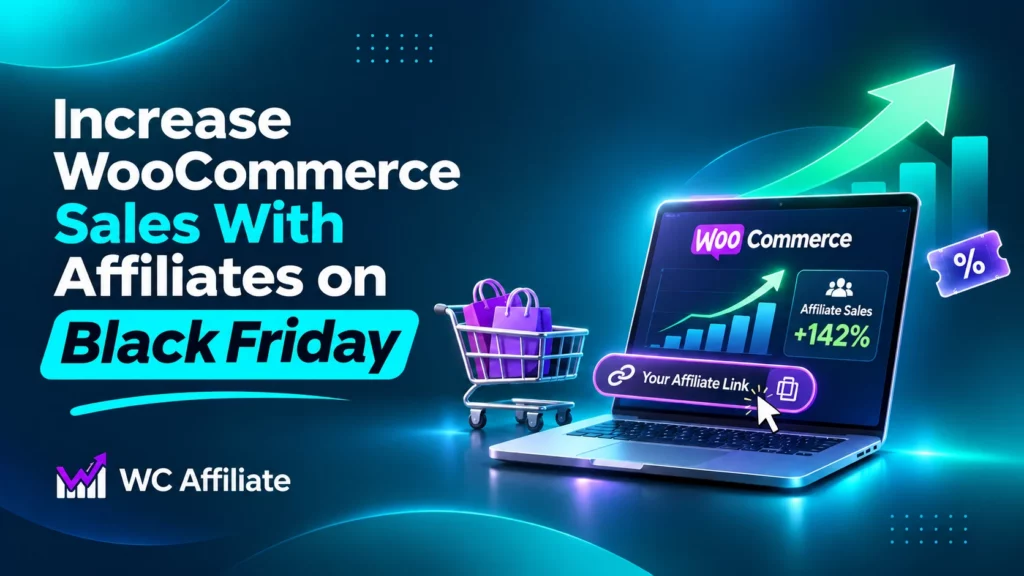
You can still increase WooCommerce sales through affiliate marketing this Black Friday, even with only 10 days to prepare. Protect your margin first, then raise commissions on a few products. Give every affiliate a coupon and a link, hand them a kit they can post in minutes, and check your reports daily. When the sale ends, hold commissions through the return window and pay on time. Your best affiliates will be back for the holidays.
Frequently Asked Questions
Yes. Black Friday shoppers actively look for deals in roundups, newsletters, and creator posts. Affiliates already reach those buyers, and you only pay when one of them makes a purchase.
No, but keep it small. Invite past customers and a few niche bloggers, give each a coupon code, and focus on Cyber Monday and the December holiday sales too.
Yes, with a plugin that supports coupon-based tracking. WC Affiliate Pro lets you assign a WooCommerce coupon to an affiliate, so the sale is credited when the code is used at checkout.
No. Hold commissions until your return window closes, then reject any referral tied to a refunded order. State this rule in your affiliate terms before the sale starts.