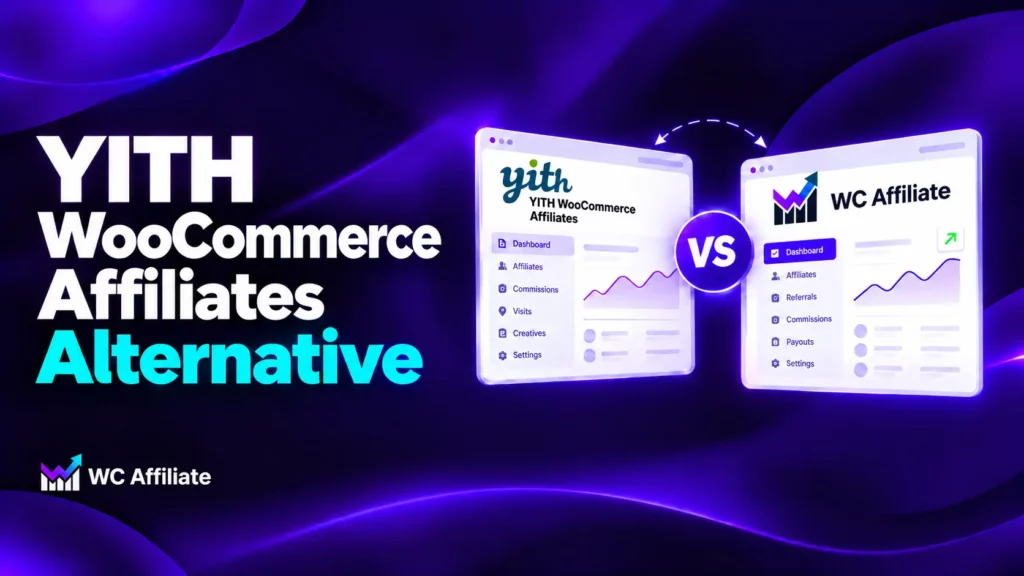
YITH WooCommerce Affiliates is a useful plugin for running an affiliate program. But as your WooCommerce store grows, you might need more control over commission structures, referral tracking, or affiliate payouts.
Perhaps you want to reward affiliates for recruiting other affiliates. Maybe your customers move between multiple websites before purchasing. Or you simply want to compare the features and costs before renewing your current plugin.
Whatever the reason, the WC Affiliate is worth considering.
This guide compares YITH WooCommerce Affiliates and WC Affiliate, including their features, pricing, strengths, and limitations, so you can decide which plugin fits your store.
Is WC Affiliate a Good Alternative to YITH WooCommerce Affiliates?
Yes, if you run a WooCommerce-only store. WC Affiliate is a good YITH WooCommerce Affiliates alternative because multi-level commissions, cross-domain tracking and PayPal, Stripe, Wise and Payoneer payouts come with its paid plans, with no add-on plugins. YITH is the better pick if you need payout requests with invoices, scheduled payouts, or commission rules by user role.
YITH runs a basic affiliate program well, and its free version is why many stores start there. The trouble shows up when the program grows. You want Stripe payouts, or rewards for recruiters, or tracking across a second domain, and the plugin needs add-ons or can’t do it. Below is a fair side-by-side, so you can see which side of that line your store sits on.
YITH WooCommerce Affiliates vs WC Affiliate: Quick Comparison
This table sticks to what each vendor documents. “Not listed” means the vendor’s own pages don’t mention it. It doesn’t prove the feature is missing.
| Feature | YITH WooCommerce Affiliates | WC Affiliate |
| Free version | Yes, with manual bank-transfer payouts | Yes, with manual payouts and unlimited affiliates |
| Platform | WooCommerce only | WooCommerce only |
| Built-in paid payouts | PayPal and bank transfer | PayPal, Stripe, Wise and Payoneer |
| Stripe payouts | Needs YITH Stripe Connect | Included in paid plans |
| Commissions on subscription renewals | Needs a subscription plugin | Recurring commissions listed |
| Multi-level commissions | Not listed | Yes, paid plans |
| Cross-domain cookie sharing | Not listed | Yes, paid plans |
| Coupon tracking | Premium | Paid plans |
| Commission rules | Default, per user, role, product and category (premium) | Fixed or percentage; global, per affiliate, per product or category |
| Affiliate payout requests | Premium, with invoice upload | Yes |
| Scheduled automatic payouts | Daily, monthly or at a threshold (premium) | Not listed |
| Pricing model | Yearly | Lifetime or yearly |
| Refund window | 30 days on a first purchase | 30 days |
| Affiliate program migration | Not listed | Listed, imports existing affiliates and data |
Why Consider an Alternative to YITH WooCommerce Affiliates?
Most switches come down to three things. Each one is a design choice that stops fitting once a program grows.
Payouts and renewals depend on extra YITH plugins
YITH’s premium version pays by PayPal and bank transfer. Stripe Connect, PayPal Payouts and account funds each need a separate YITH plugin, and YITH says so on its plugin page. Commissions on subscription renewals also need YITH WooCommerce Subscription or WooCommerce Subscriptions.
Picture a store that pays 40 affiliates by Stripe every month. With YITH, you’d buy and configure Stripe Connect on top of the affiliate plugin before the first payout goes out. Each add-on is another license to buy and another plugin to keep updated.
No multi-level commissions, and no multi-currency support
YITH’s FAQ states that the plugin doesn’t support any multi-currency plugin. Multi-level commissions, where an affiliate earns from the partners they recruit, aren’t in its feature table either.
If you want your best affiliates to build their own teams, you’ll hit that wall quickly. WC Affiliate’s feature pages don’t mention multi-currency either, so if you sell in several currencies, test it with your currency switcher before you commit.
Renewals happen automatically
YITH licenses renew automatically every year unless you switch off the subscription before the deadline. Updates and support stop when a license expires, and YITH says renewal orders are non-refundable except in rare cases. That’s fine when you plan for it. It catches people out when they don’t, so put the renewal date in your calendar.
Where WC Affiliate Stands Out
WC Affiliate is built for WooCommerce and nothing else. The free plugin runs a real program with unlimited affiliates, fixed or percentage commissions, per-affiliate and per-product rates, reporting and manual payouts. That means you can pay one product line at a higher rate than the rest without touching code. The paid plans add the features below, which are the ones YITH users ask about most.
Multi-level commissions without another plugin
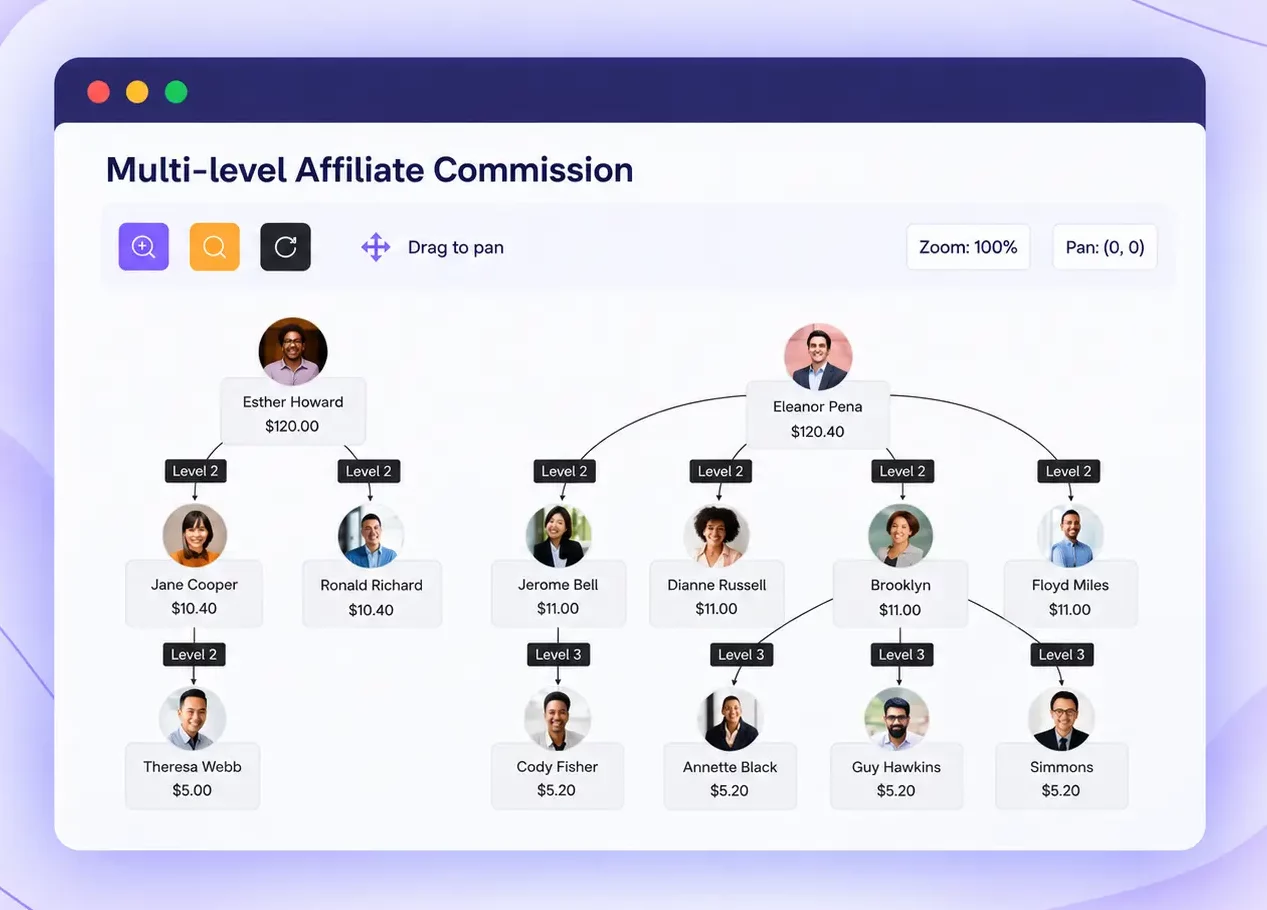
With multi-level commissions, you pick how many levels pay out and set a rate for each. Say you pay 20% on direct sales and 5% on sales from partners your top affiliate recruited. The dashboard shows who recruited whom in a referral tree, so there’s no spreadsheet math. Start with two levels. You can add depth after you see how affiliates respond.
Cross-domain cookie sharing
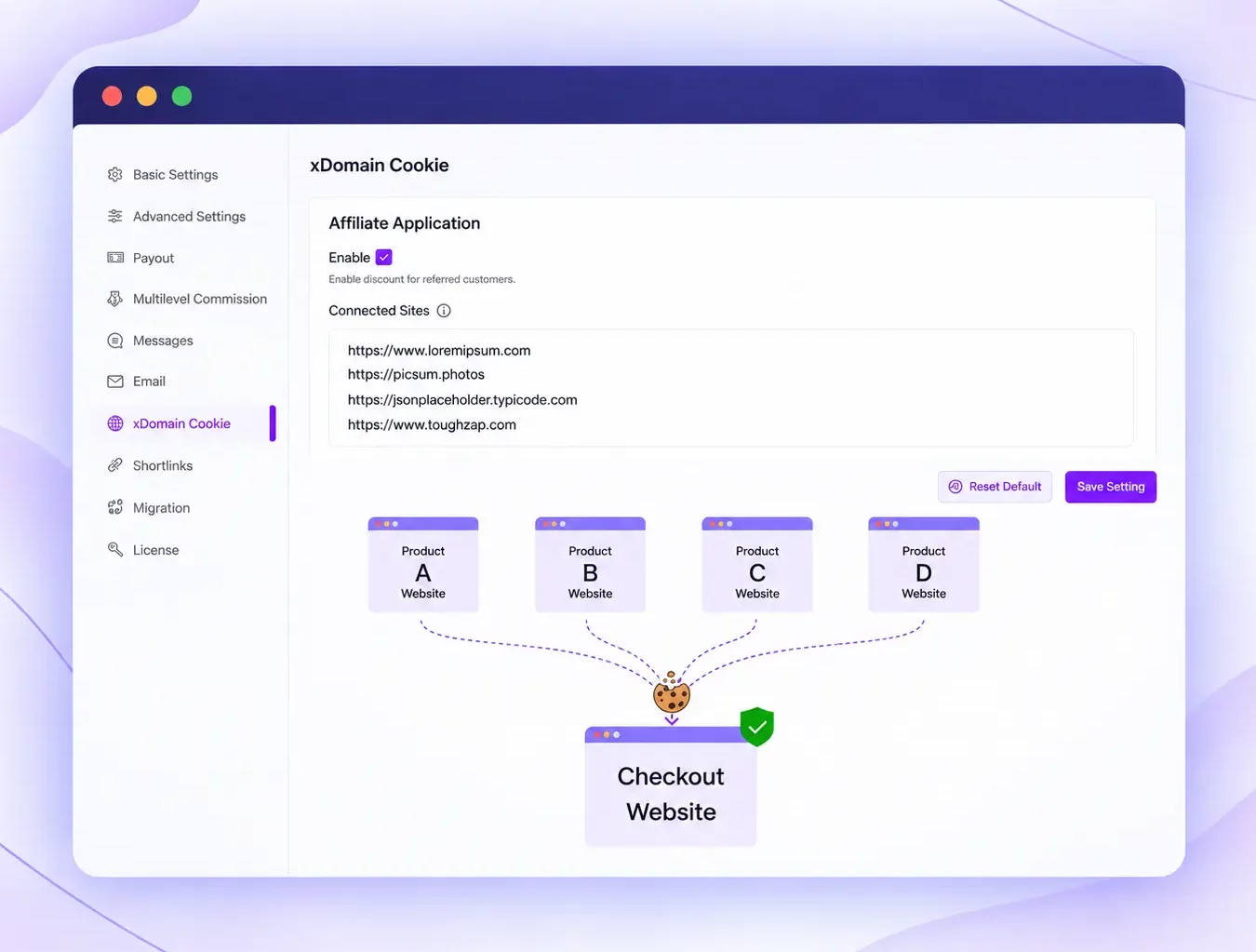
Maybe you run a store plus a separate landing-page domain. Cross-domain cookie sharing lets you list your domains so they count as one program. An affiliate can send traffic to one domain and still earn on a sale that completes on another.
Auto payouts through PayPal, Stripe, Wise and Payoneer
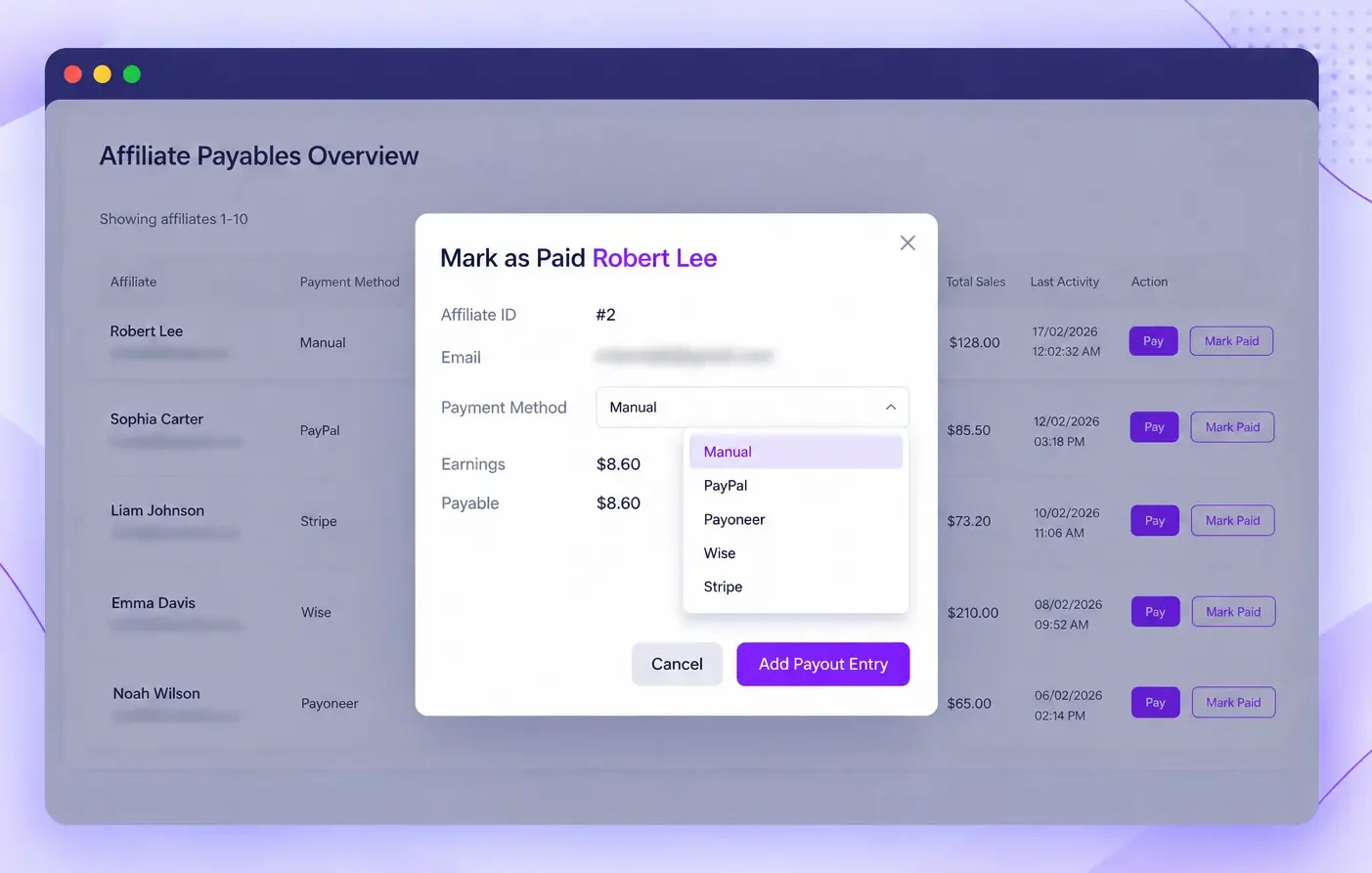
Auto payouts cover four processors with no add-ons. Affiliates send a payout request, you select who’s ready, and one click sends the money. Every payout is logged with the amount, the method and the affiliates included, and both you and your affiliates can see the history.
Coupon tracking and shortlinks
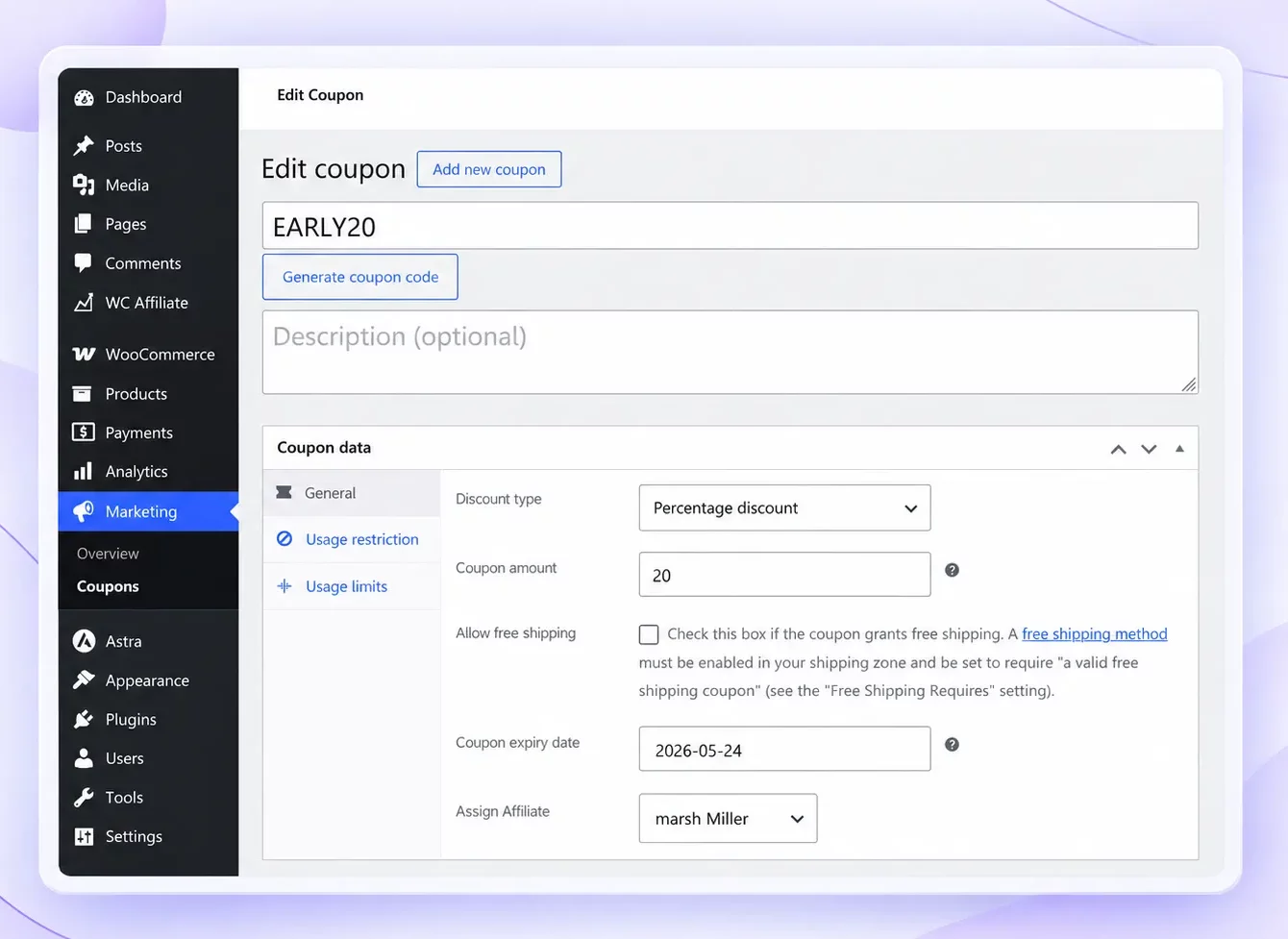
Paid plans also track sales by coupon. Say a YouTube reviewer shares the code EARLY20 in a video description. When a viewer types it at checkout instead of clicking a link, the reviewer still gets credit for the sale. Affiliates can also create short, branded links with custom slugs from their own dashboard.
Where YITH WooCommerce Affiliates Might Be Better
An alternative isn’t always the answer. YITH is the better fit if these points sound like your store:
- You already run other YITH plugins. One vendor and one settings panel keeps things familiar, and the add-on gateways plug straight in.
- You want payout requests with invoices. Premium lets affiliates request a payout and upload an invoice, with minimum and maximum withdrawal amounts.
- You need commission rules by user role. Premium supports role-based rates, and WC Affiliate’s pages don’t list them.
- You pay on a schedule. Premium can pay daily, monthly, at a threshold, or monthly only once the threshold is met.
- You reward affiliates with store credit or points. YITH Account Funds and YITH Points and Rewards both integrate with it, although each is a separate plugin.
If three or more of these fit, switching may cost you more than it saves. You can confirm the full free-versus-premium split on YITH’s page.
Pricing Comparison: Which Offers Better Value?
WC Affiliate costs less over time if you need one site’s license and expect to run the program for more than a year. The gap comes from the billing model more than the sticker price.
| YITH WooCommerce Affiliates | WC Affiliate | |
| Free version | Yes | Yes |
| Paid entry plan | About €179.99 a year | $299 lifetime, 1 site |
| More sites | Not stated on YITH’s page | $549 lifetime for 5 sites, $1,299 for unlimited |
| Updates and support | One year per license, then auto-renews | Lifetime plans include lifetime updates and support |
| Stripe, PayPal Payouts, renewals | Separate YITH plugins, priced separately | Included in every plan |
| Refund | 30 days on a first purchase; renewals refunded only in rare cases | 30 days |
At €179.99 a year, YITH Premium costs about €540 over three years before add-ons, if renewals stay at the same price. A WC Affiliate Personal lifetime license is $299 once. On license price alone, the lifetime plan comes out ahead once YITH renews for a second year.
The billing model matters too. Yearly plans keep updates and support only while you renew. Lifetime plans don’t need renewal.
How to Get Started With WC Affiliate
Setting up a WC Affiliate is straightforward. You can configure your affiliate dashboard, commission rules, referral tracking, and payouts directly from WordPress.
Here’s how to get your affiliate program ready.
Step 1: Install and Activate WC Affiliate
Go to WordPress Dashboard → Plugins → Add New Plugin. Search for WC Affiliate, click Install Now and then Activate.
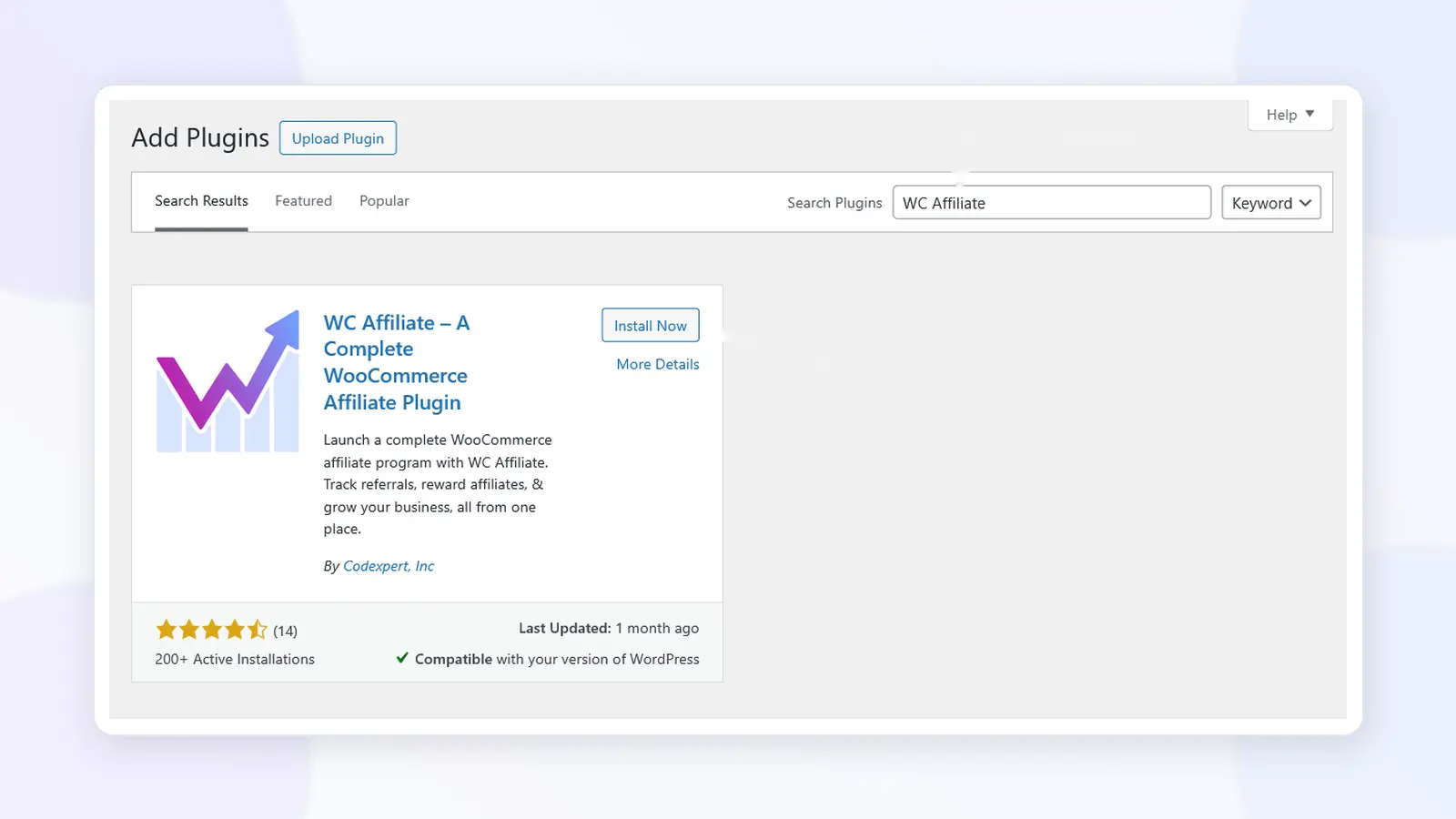
If you’ve purchased WC Affiliate Pro, upload the Pro plugin ZIP file and activate your license. Follow the official installation and activation guide if you need help.
Step 2: Complete the Initial Setup Wizard
After activation, WC Affiliate opens its setup wizard. You can also access it from WC Affiliate → Setup Wizard.
Click Let’s get started! and complete these three configuration stages:
1. Affiliate Dashboard: Create a new dashboard page or select an existing WordPress page. Affiliates will use this page to view earnings, track referrals, and generate promotional links.
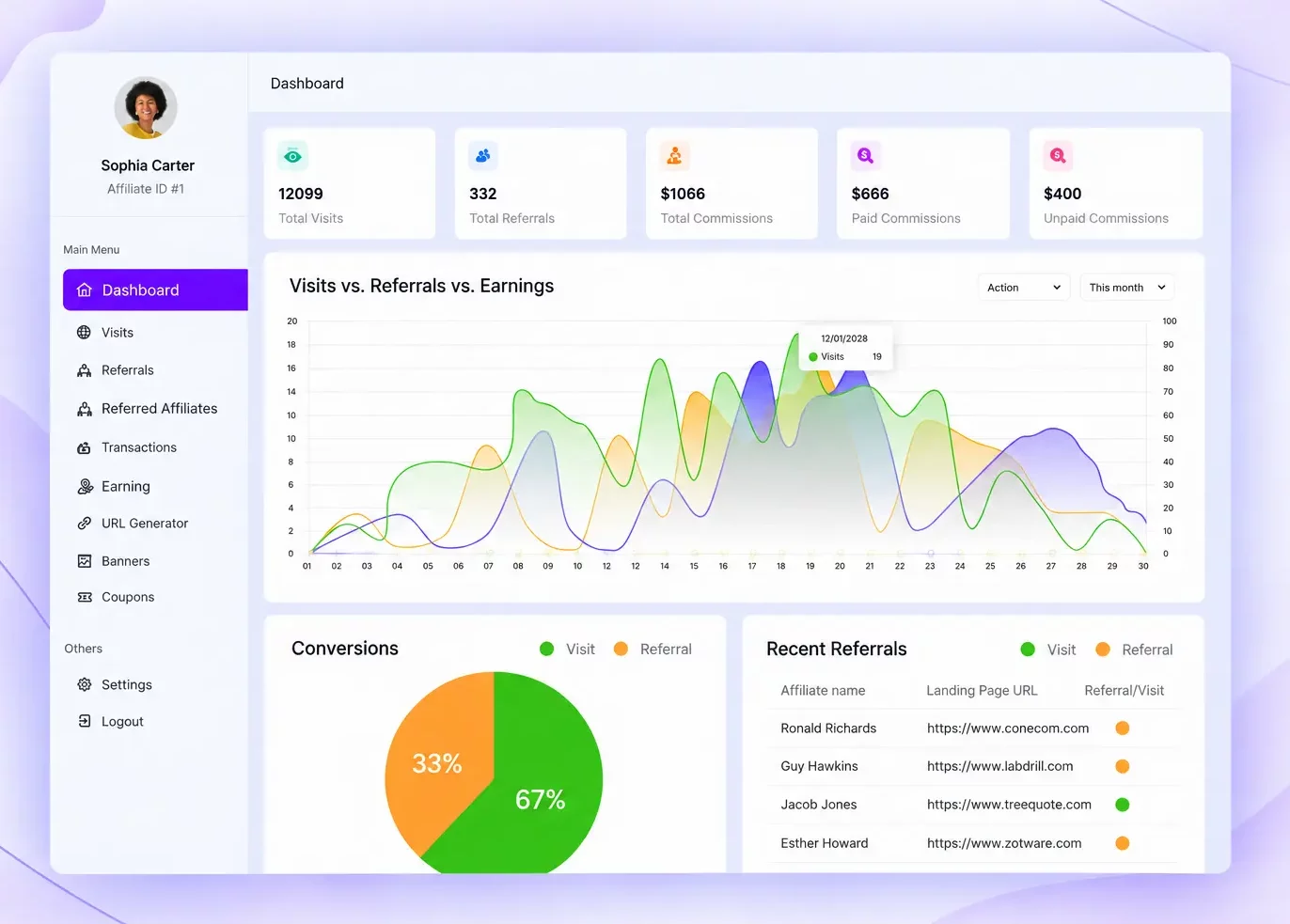
2. Commission Configuration: Choose the commission base, percentage or fixed commission type, default amount, and cookie expiry. For example, you could set a 10% commission with a 30-day referral cookie.
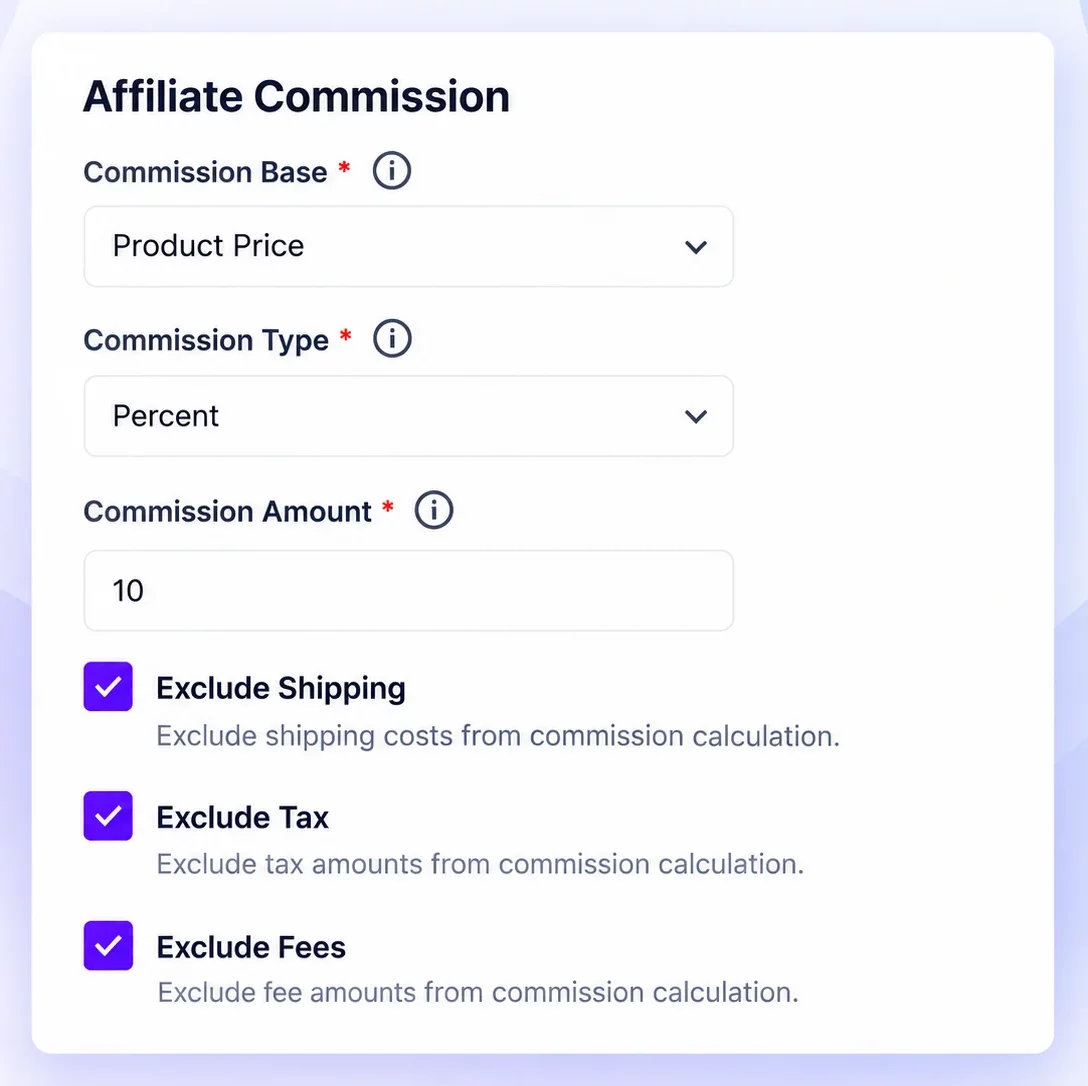
3. Email Settings: Enable notifications for affiliate applications, approvals, rejections, earned commissions, and processed payouts.
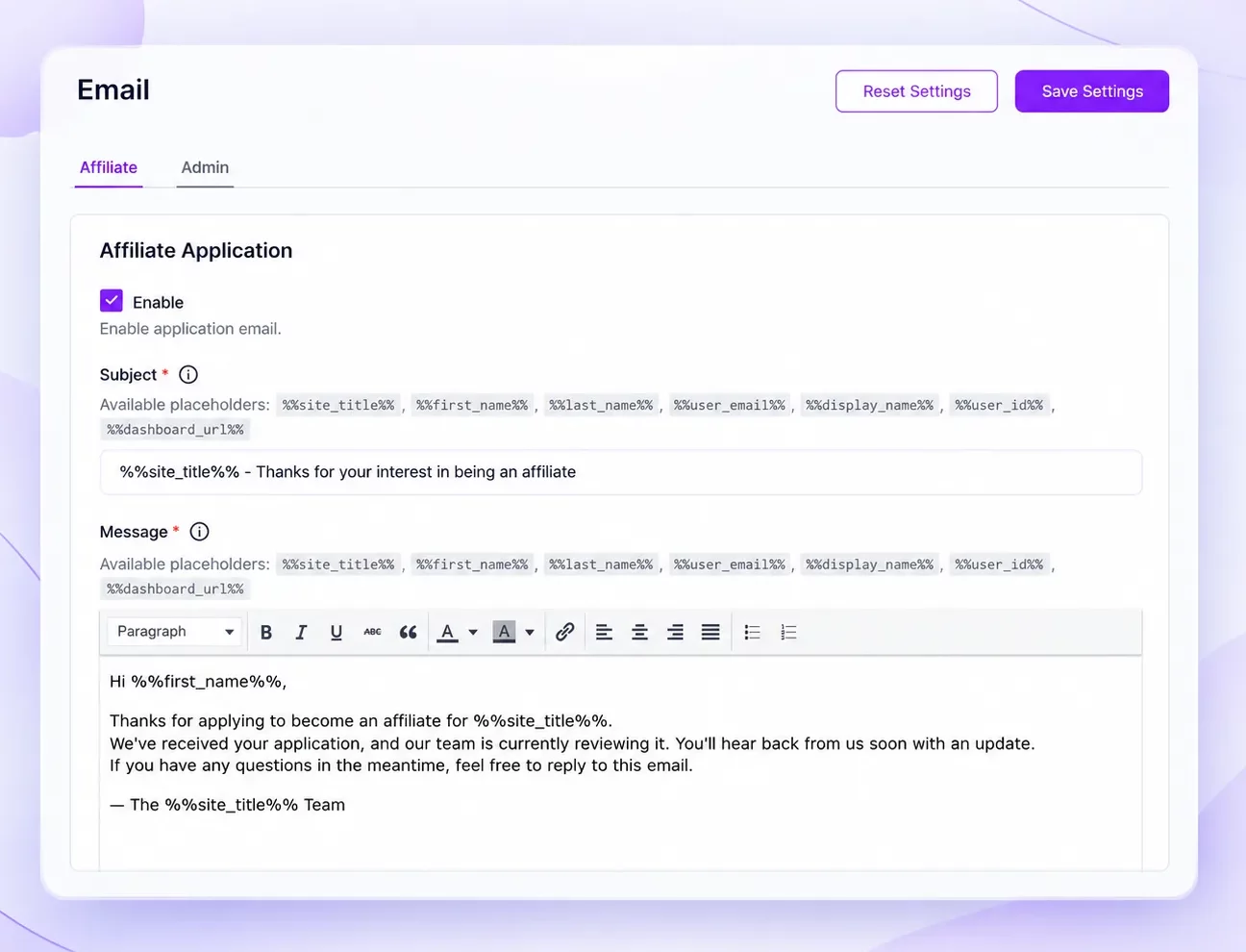
Click Finish to save the initial setup and open your WC Affiliate dashboard.
Step 3: Configure Affiliate Registration and Commission Rules
Go to WC Affiliate → Settings → Basic Settings.
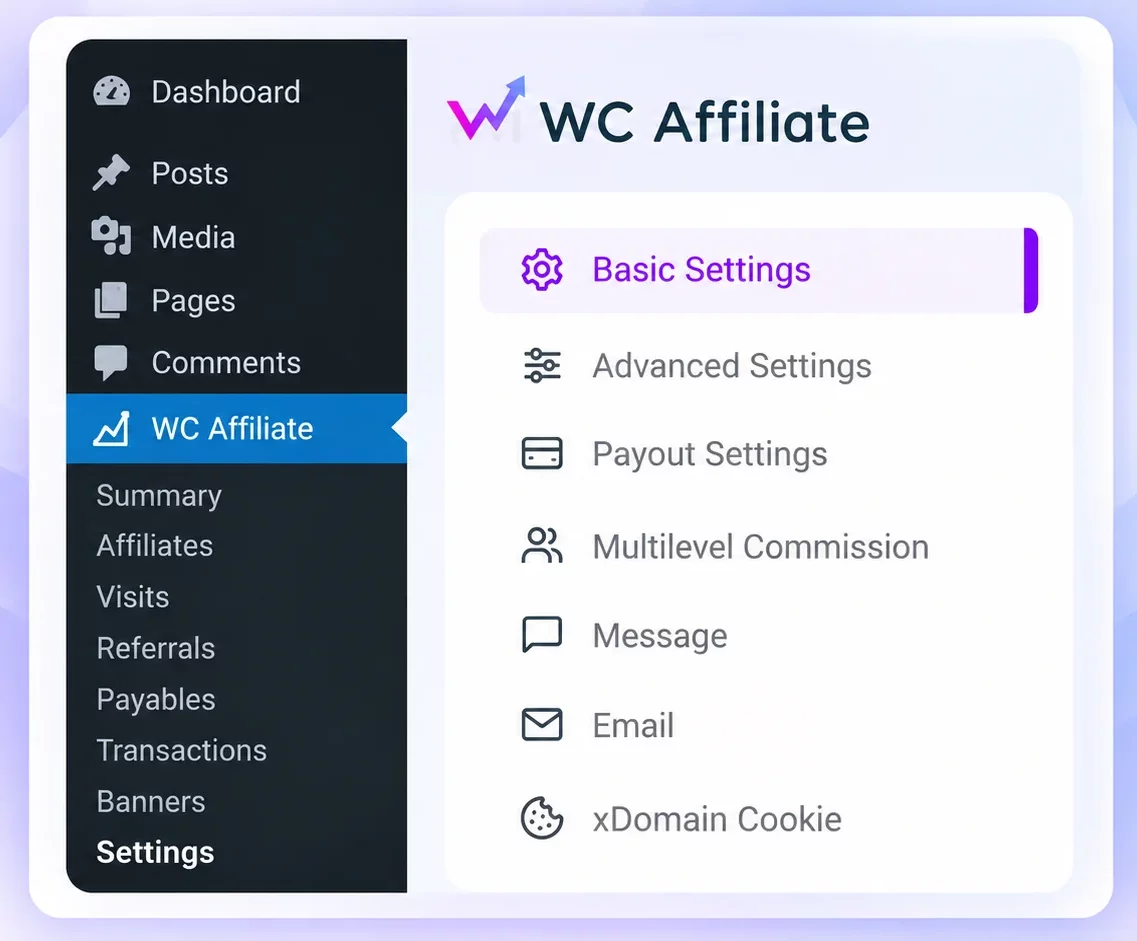
Select your affiliate registration and login pages. Then decide whether new affiliates should be approved automatically or reviewed manually.
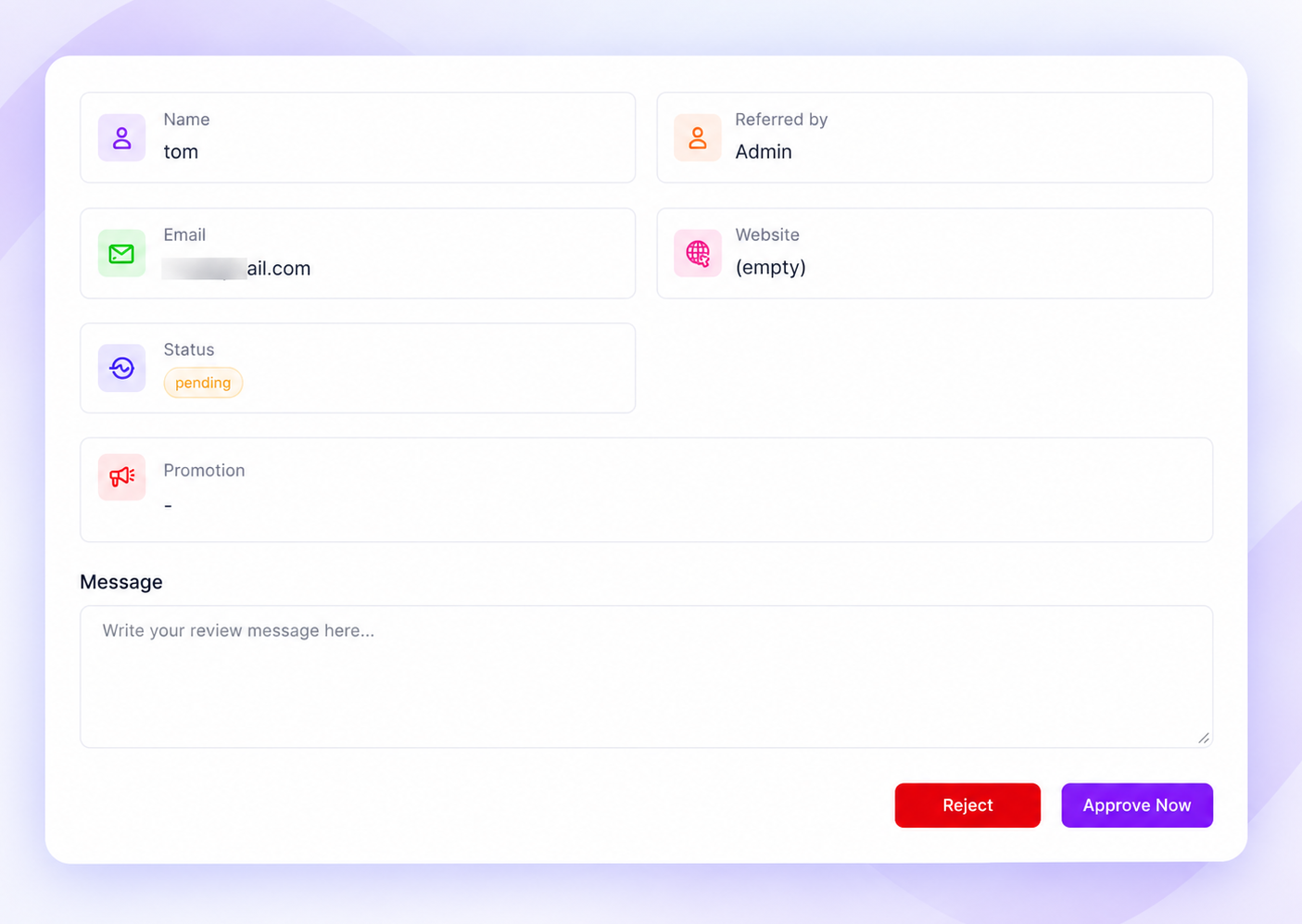
You can also refine the commission calculation by excluding shipping costs, taxes, or additional fees.
If you’re using Pro, configure product-specific commission rates or multi-level commissions as needed.
For tips on creating an effective application process, read our affiliate sign-up page guide.
Step 4: Set Up Referral Tracking and Payouts
Go to WC Affiliate → Settings → Advanced Settings to review your referral tracking options.
Configure your referral key, attribution rules, and other tracking preferences. For example, you can choose whether the first or most recent affiliate referral receives credit when customers click multiple links.
Next, open WC Affiliate → Settings → Payout Settings.
Set your minimum payout amount, enable your preferred payment methods, and connect any required payment accounts. Supported options include manual payments, PayPal, Stripe, Wise, and Payoneer.
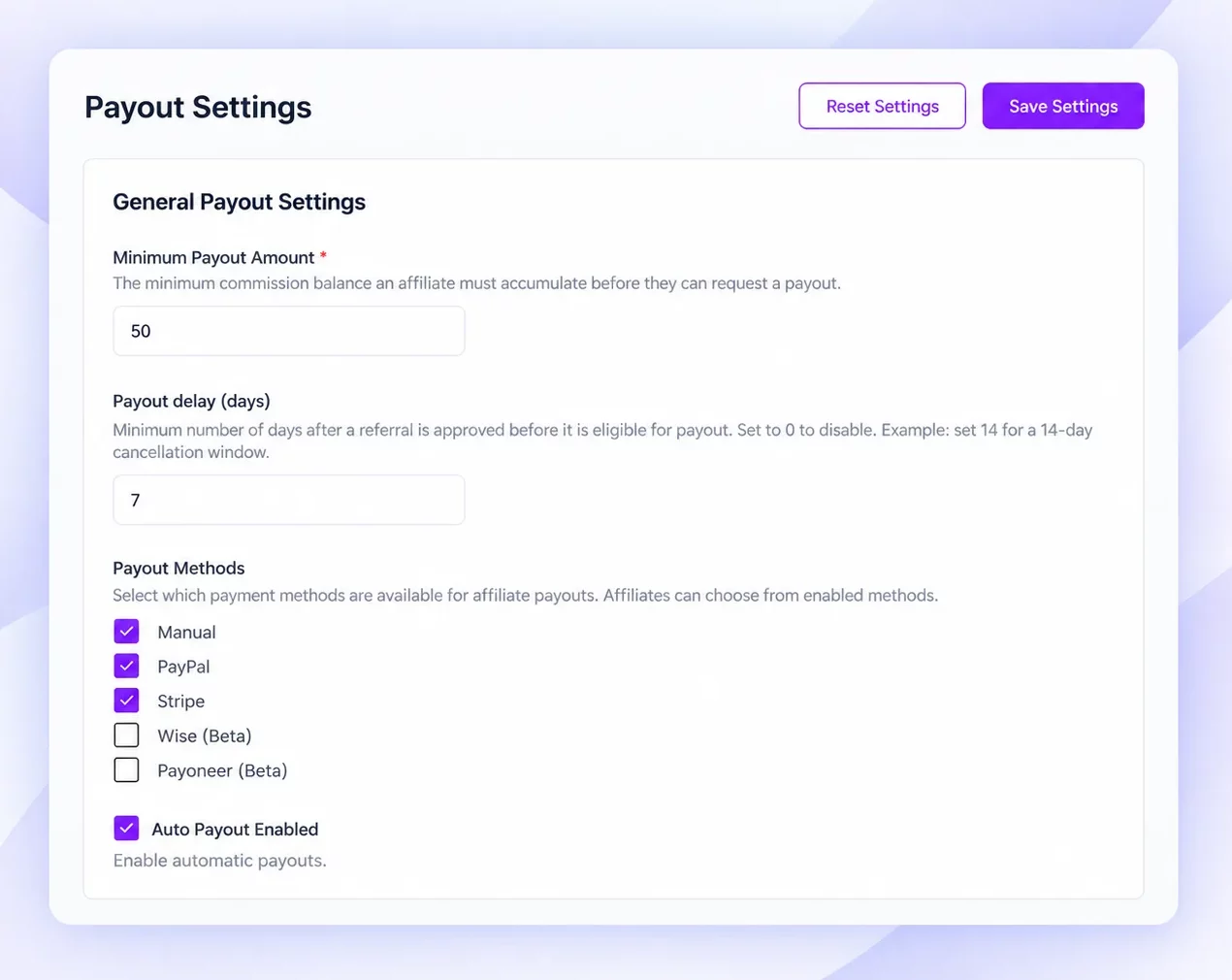
You can also enable automatic payouts for supported gateways.
Step 5: Test Your Affiliate Program
Before inviting affiliates, make sure everything works correctly.
Create a test affiliate account, approve it if manual approval is enabled, and log in to the affiliate dashboard.
Generate a referral link and open it in a separate browser session. Complete a test WooCommerce order using that link.
Then check WC Affiliate → Referrals to confirm that the referral was recorded and the commission was calculated correctly.
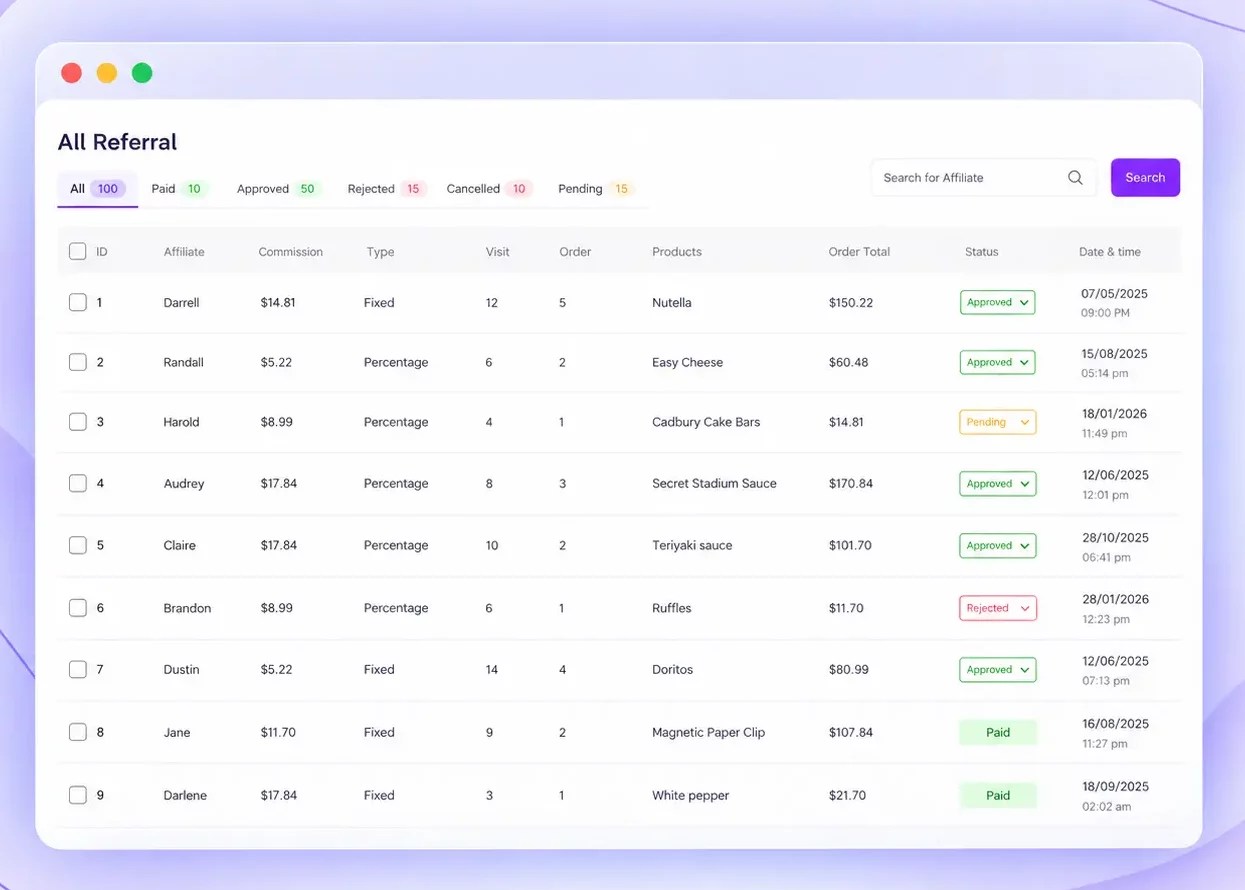
If everything works, your affiliate program is ready. For a more detailed walkthrough, follow our WooCommerce affiliate program setup guide.
Switching From YITH WooCommerce Affiliates?
Before switching, export and back up your existing affiliate accounts, referral records, commissions, and payment history. Reconcile outstanding commissions so affiliates don’t lose earnings during the transition.
WC Affiliate offers affiliate migration functionality, but you should confirm with support whether your YITH export format is compatible before attempting an import.
Finally, test your new referral links and notify existing affiliates about any changes to their dashboard, links, or payment process before disabling YITH.
Final Words
Both YITH WooCommerce Affiliates and WC Affiliate can help you manage an affiliate program within WooCommerce.
YITH is a sensible option if you already use its ecosystem and need established affiliate registration, commission management, and payout integrations.
WC Affiliate is worth considering if your program needs multi-level commissions, cross-domain tracking, branded promotional links, or a different approach to managing payouts.
The best plugin isn’t necessarily the one with the longest feature list. It’s the one that supports how your affiliates actually promote your products.
Try WC Affiliate free: install the plugin from WordPress.org or open the one-click demo, then check it against your own must-have list.
Frequently Asked Questions
WC Affiliate is a strong alternative for WooCommerce stores needing multi-level commissions, cross-domain tracking, branded shortlinks, and flexible payout management.
YITH WooCommerce Affiliates does not currently list native multi-level commissions among its published features. WC Affiliate Pro provides configurable multi-level commission functionality.
Yes. WC Affiliate offers a free version with essential features such as affiliate management, referral tracking, commissions, and performance reporting. You can install it from the WordPress plugin directory. Advanced features such as multi-level commissions and branded shortlinks require Pro.
Yes, you can replace YITH with WC Affiliate, but transferring existing data requires planning. Back up your affiliate accounts, commission records, and payment history first. Confirm import compatibility, recreate any unsupported settings, and test referral tracking before switching your live store.