


WC Affiliate enables sending automated emails to both admins and affiliates for key actions like new applications, approvals, rejections, payout requests, earned commissions, and paid referrals. You can fully customize each email template to match your and your affiliate’s needs.
You can access the email settings from WC Affiliate –> Settings –> Emails. Enable the particular email and keep everything automated.
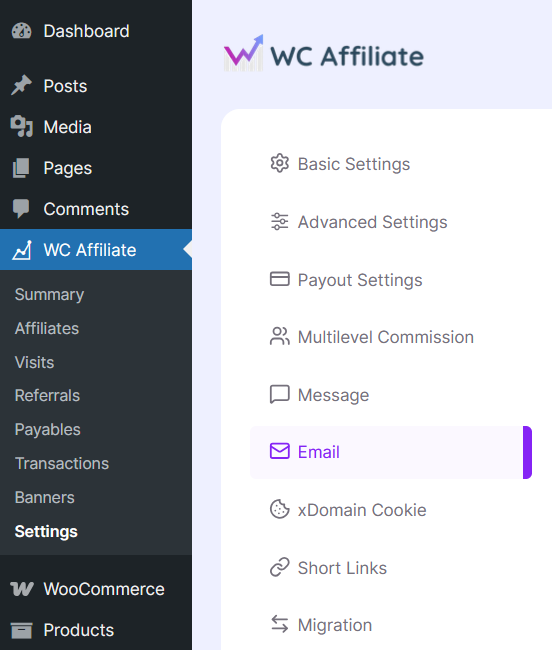
There are two types of emails:
- Affiliate – Emails received by the affiliates
- Admin – Emails received by the store admin
Affiliate Emails
Affiliate-designated emails are –
- Affiliate Application: Confirms the affiliate’s application was received.
- Application Approval: Notifies the affiliate that their application is approved.
- Application Rejection: Informs the affiliate that their application was declined.
- Payout Request: Confirms the affiliate has requested a payout.
- Commission Earned: Notifies the affiliate of a new commission.
- Paid Referral: Confirms a referral order is paid and commission is approved.
- Multi-Level Commission: Notifies the affiliate of commission from a sub-affiliate’s sale.
- Signup Bonus: Informs the affiliate that they received a joining bonus.
- Referral Bonus: Notifies the affiliate of a special referral bonus.
Admin Emails
Emails meant for the admin side –
- Application Emails: Notifies the admin when a new affiliate applies.
- Payout Request: Alerts the admin when an affiliate requests a payout.
- Payout Processed: Confirms that a payout has been processed.
- Commission Earned: Notifies the admin when an affiliate earns a commission.
- Transaction Created: Alerts the admin when a new affiliate transaction is recorded.
- Paid Referral: Notifies the admin when a referral order is marked as paid.
General Instructions on setting up admin and affiliate emails
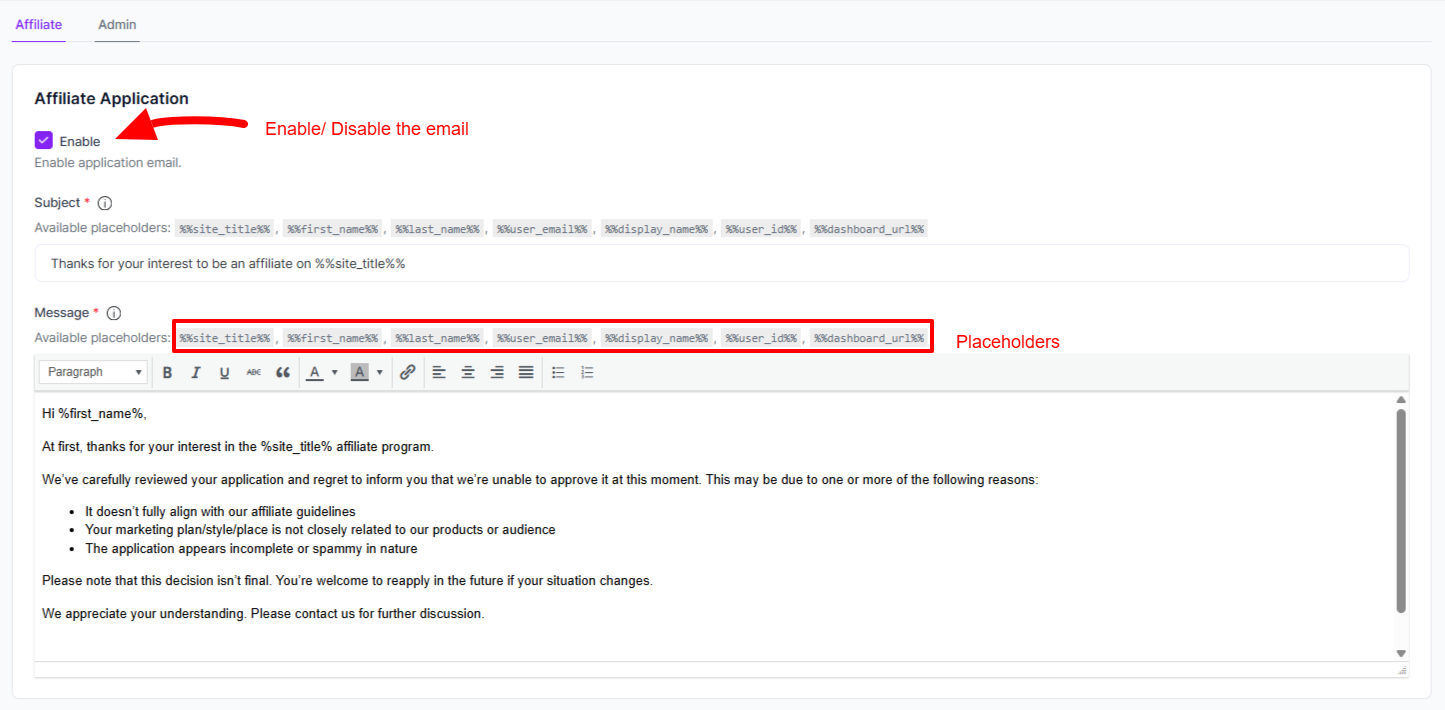
1. Each email requires separate enabling to get started.
2. The email subject and body texts are customizable by the admin in their own way.
3. The subject and body texts can contain pre-designated placeholders for personalized emails.
4. Tap ‘Save Settings‘ every time you make a change.
Please contact us through the support ticket if you have any questions regarding emails.
Was this doc helpful?