


Home » Admin Dashboard » Approve/Reject an Affiliate
When you are at a stage to Approve or Reject an affiliate, you will need to follow some steps.
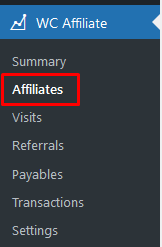
- First, go to the Affiliate tab located at WC Affiliate in your dashboard.
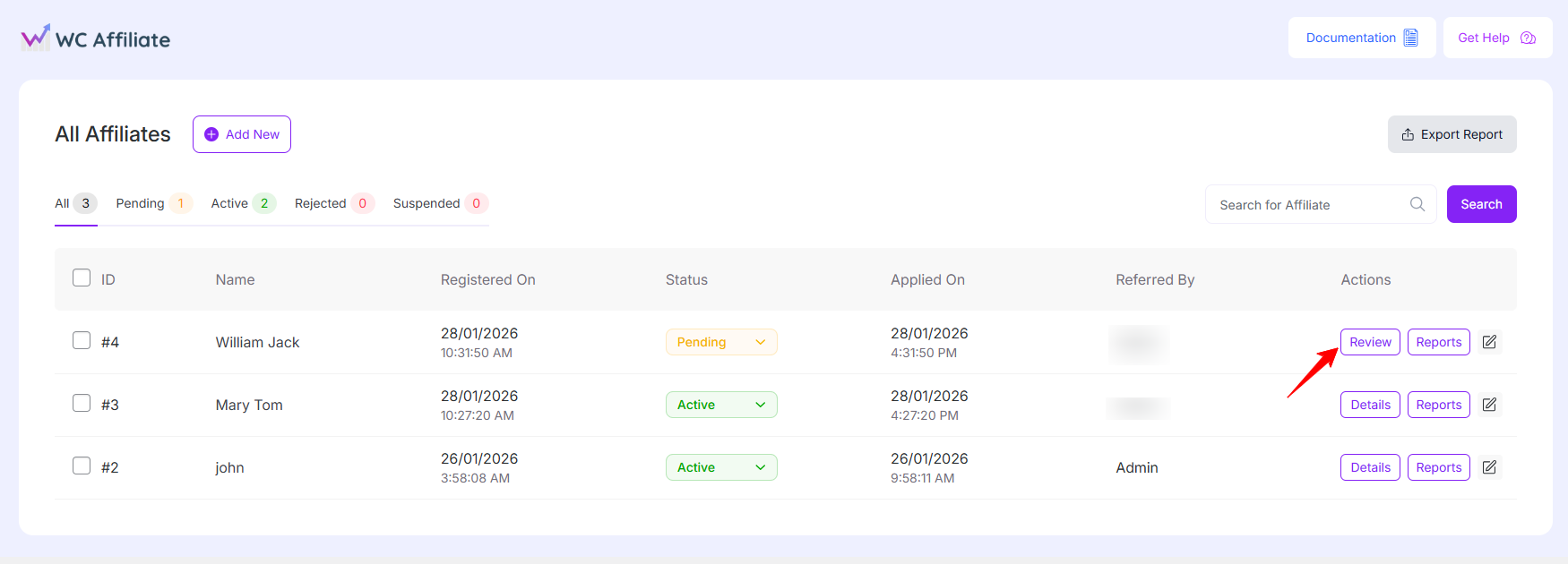
- After that, click on the review button.
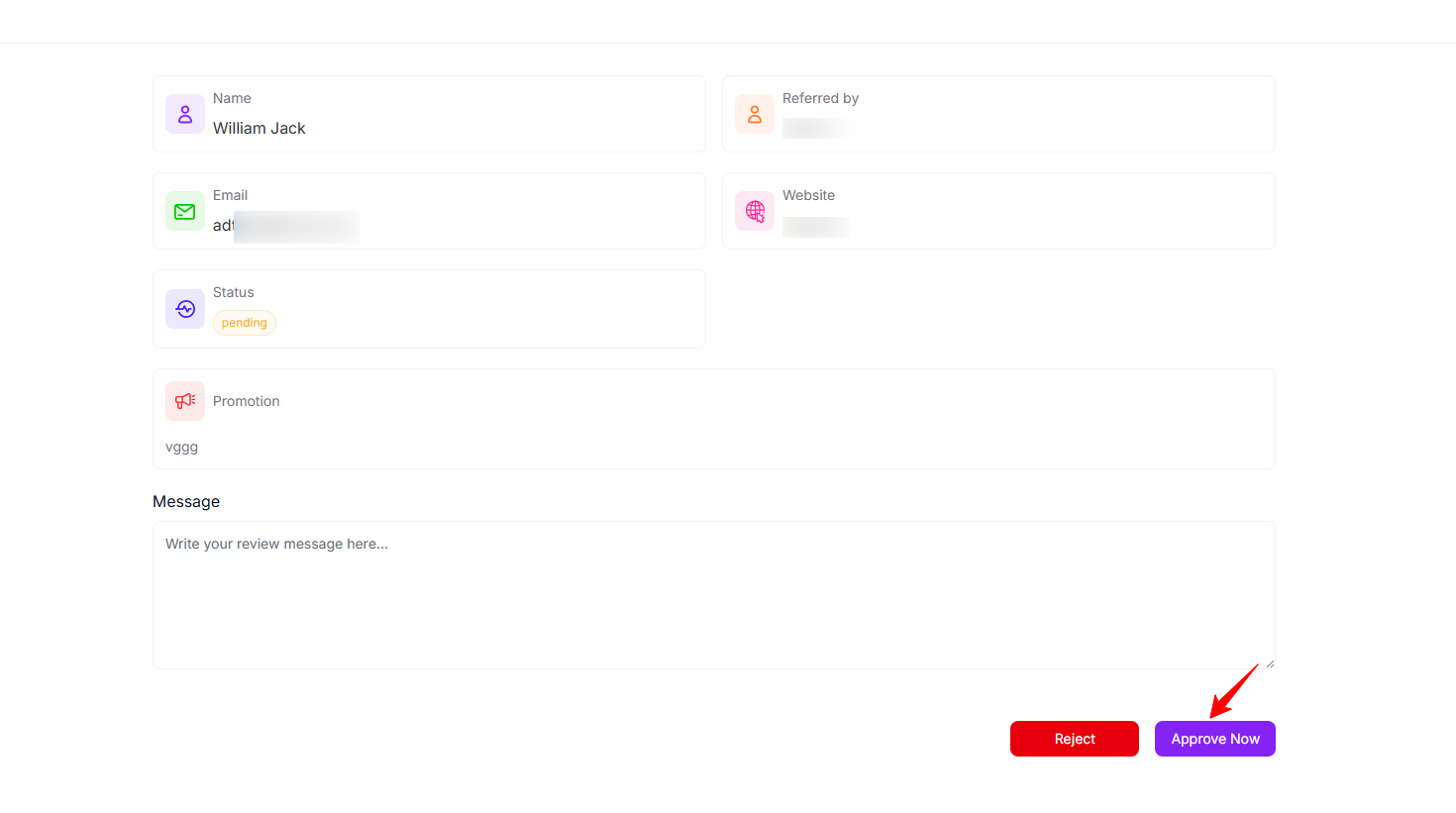
- Write down the message in the message box and hit the Approve/Reject button.
- And then you need to choose whether you want to approve the request or want to Reject the affiliate.
Was this doc helpful?