


Feature Overview
Cross-domain cookie sharing in WC Affiliate is a unique feature that tracks an affiliate’s referral cookie across two different websites and credits them correctly when the visitor buys on your main website.
So if someone clicks an affiliate link on one domain and completes the purchase on another domain, the system still records the referral cookie and gives the affiliate proper credit.
Why is it important?
Most affiliate plugins use first-party cookies (stored on your own domain) to remember which affiliate referred the visitor – usually for 30–90 days. These cookies normally cannot be read across completely different domains (e.g., blog.example.com → shop.yourbrand.com or completely separate sites like nicheblog.com → yourmainstore.com) due to browser security rules.
WC Affiliate makes it possible to connect other sites with your current sites so that the cookie travels through unrestricted.
Configuration xDomain Cookie Sharing
To make it work, you’ll need to –
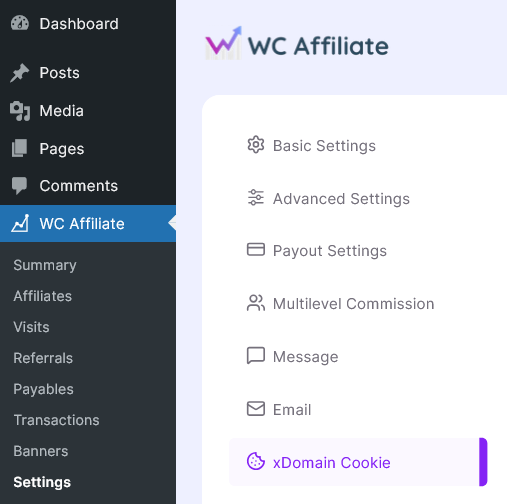
1. Access the control panel: Log in to your main WordPress website and navigate to the xDomain Cookie Sharing settings: WC Affiliate –> Settings –> xDomain Cookie tab.
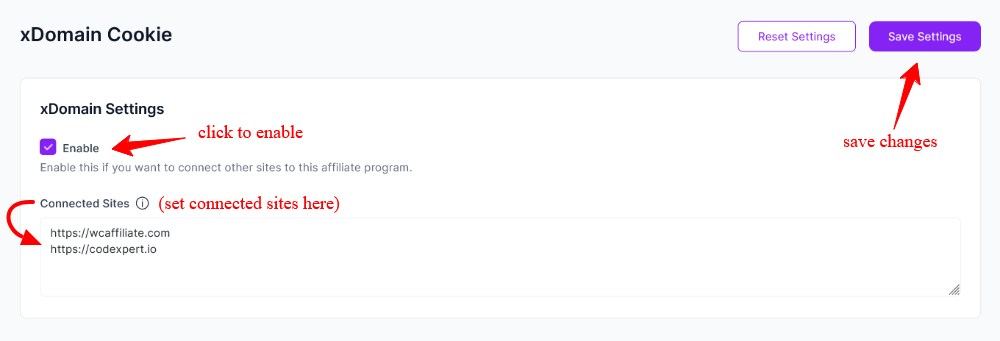
2. Enable the feature and input the websites: On the xDomain cookie settings page-
- Enable the checkbox with a tick mark.
- Put the links of the WordPress site you want to connect to.
- Finally, save all the changes you made by clicking the ‘Save Settings‘ button.
You can click Reset Settings to return everything to the original default configuration. All your current custom settings will be cleared.
How to Connect Subdomains #
xDomain Cookie is a WC Affiliate Pro feature. Before you begin, make sure WC Affiliate Pro is installed and activated on your website. Then follow these steps:
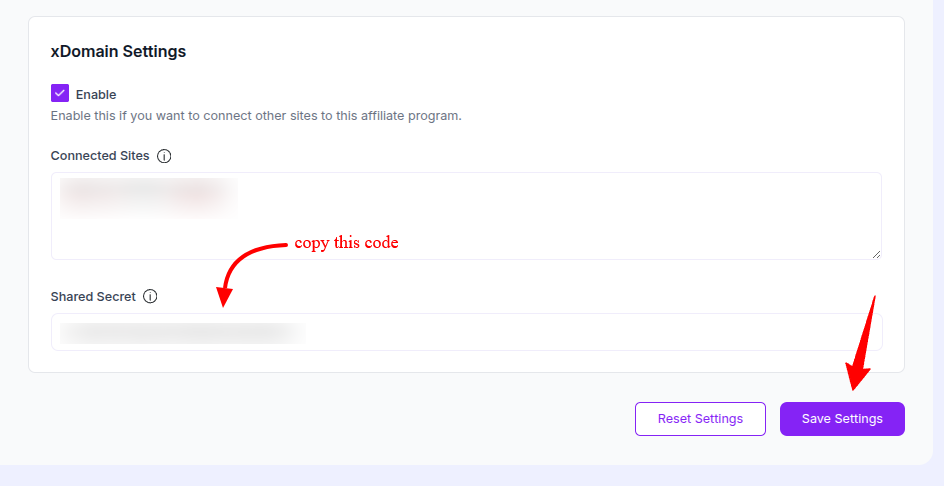
1. Go to WC Affiliate → Settings → xDomain Cookie. From this page, copy the Shared Secret Key and download the Connector Toolkit. Share both the toolkit and the secret key with your affiliate.
2. Now ask your affiliate to install and activate the Connector Toolkit on their WordPress site.
3. After activation, the affiliate should go to: Settings → WC Affiliate Pro xDomain. Paste the Secret Key into the Shared Secret field, then click Save Changes.
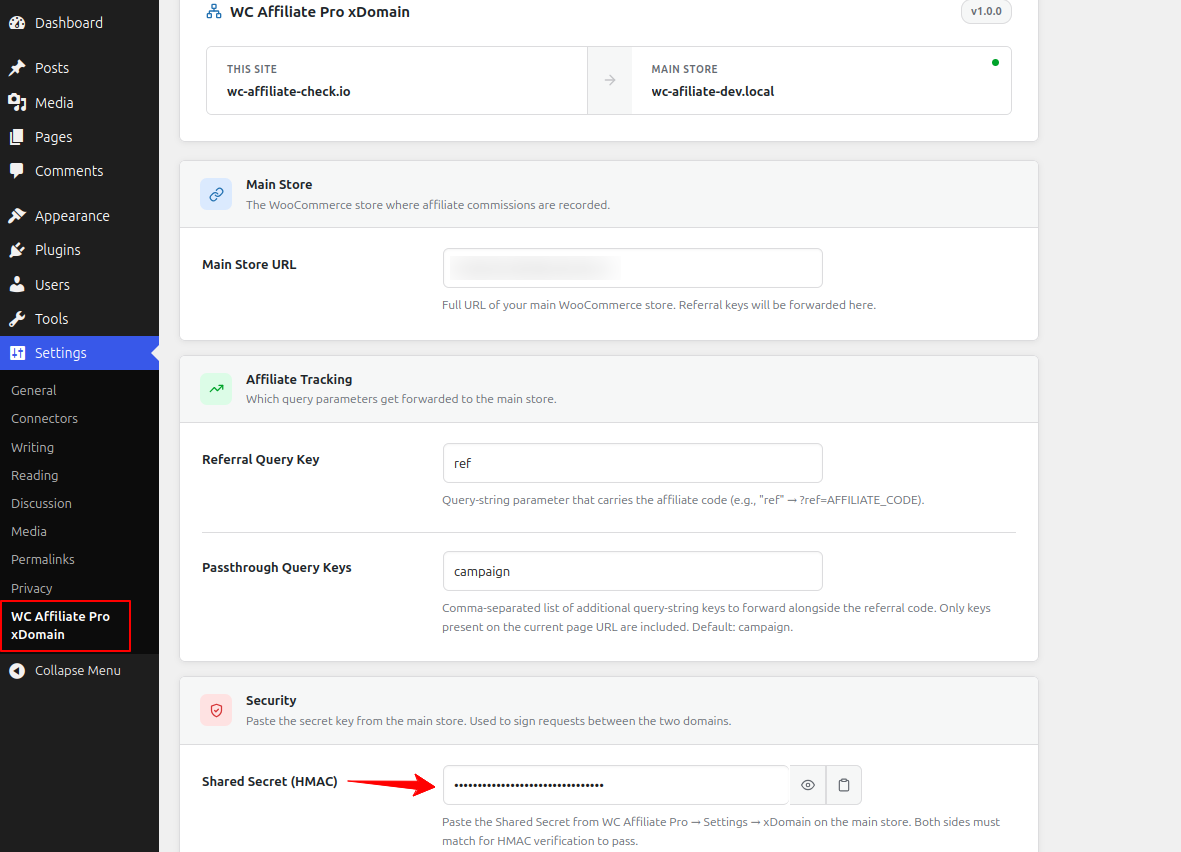
Once completed, the subdomain connection is established, and cross-domain affiliate tracking will work correctly.
Was this doc helpful?