


If you need assistance with any of our products or want to get in touch with us, follow these simple steps to create a support ticket:
Step 1: Access the Website
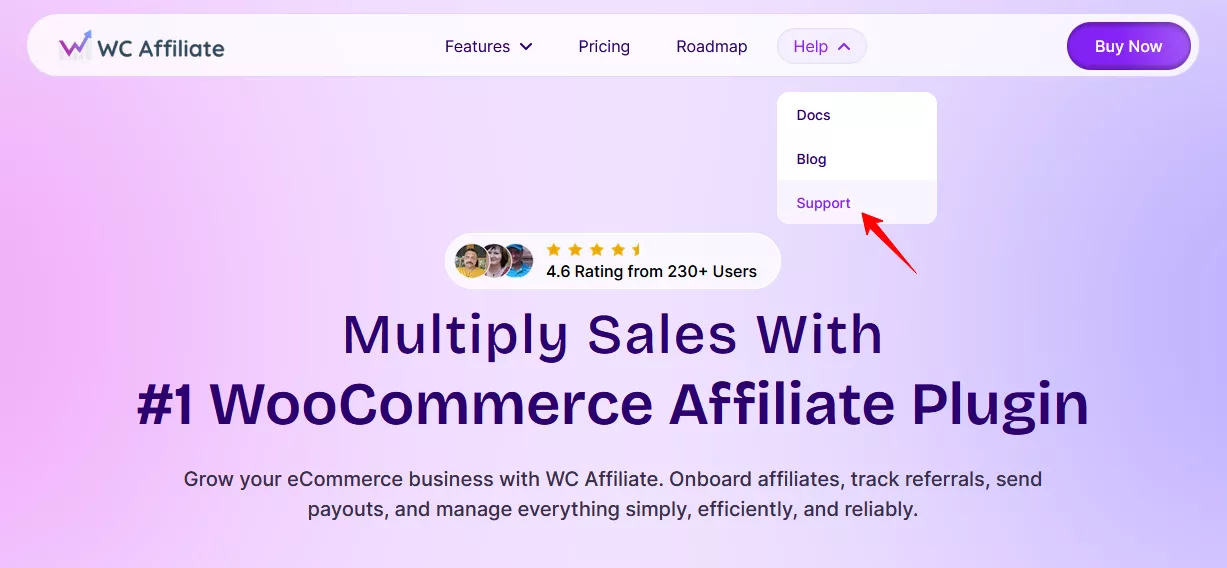
Visit https://wcaffiliate.com and click on the Support section. Hover over Help & Support and select the Get Support option from the drop-down. Click on Get Support. This will open a new tab, redirecting you to https://help.pluggable.io/new-ticket/.
Step 2: Log In to Your Account
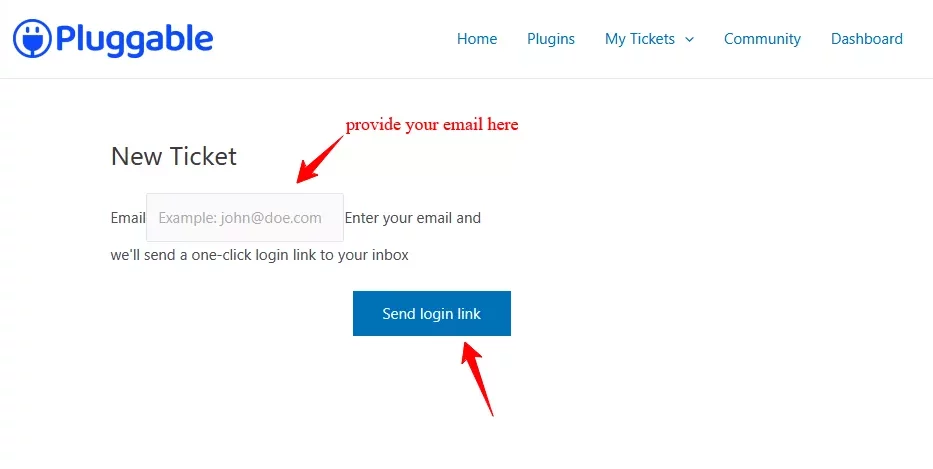
Enter your email address and click Next to initiate the ticket creation process. A link will be sent to your email.
Step 3: Fill Out the Support Form
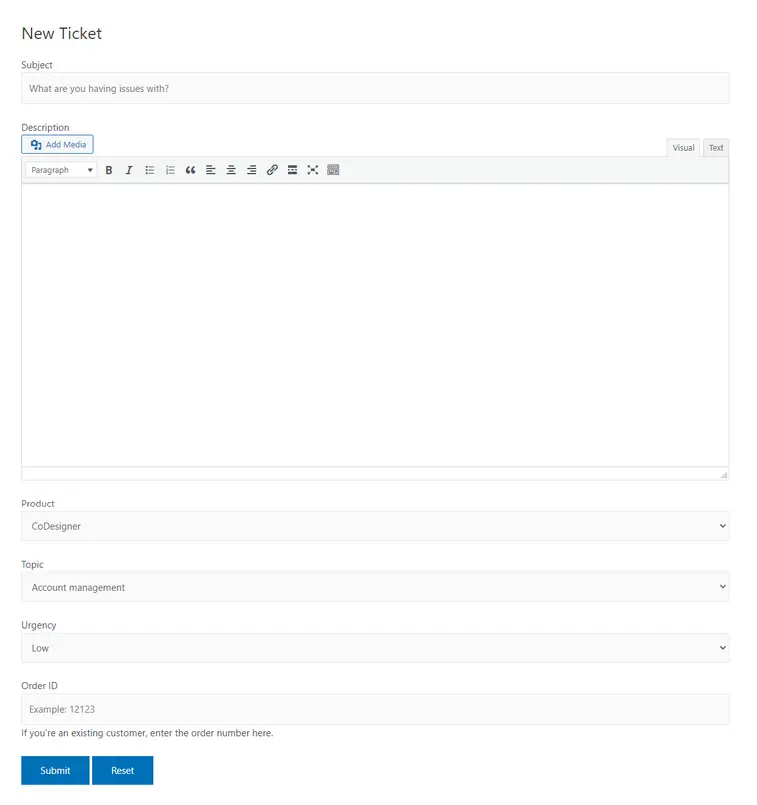
After logging in, you’ll see a form where you can provide details about your issue. Fill out all required fields, including the subject, description, product, urgency level, and any other relevant information. Once completed, Submit the form to raise your support ticket.
Step 4: Receive a Response
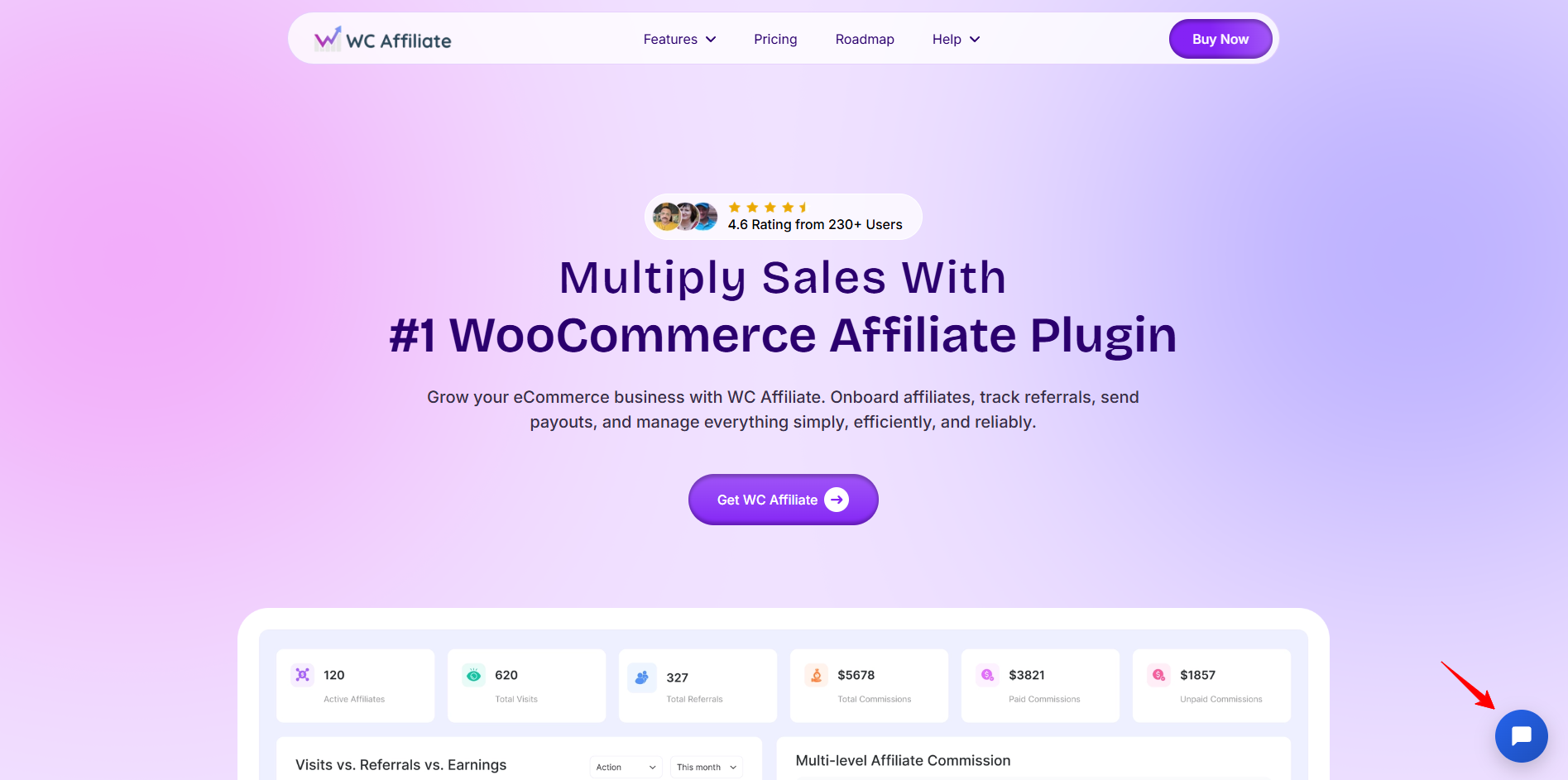
You’ll receive a notification via email when the support agent replies to your ticket. Or you can visit the support link to see your tickets reply. If you have any further questions or need additional assistance, you can respond directly to the live support.
Was this doc helpful?