


To set up Coupon-Based Tracking using the WooCommerce Affiliate Plugin, follow these steps:
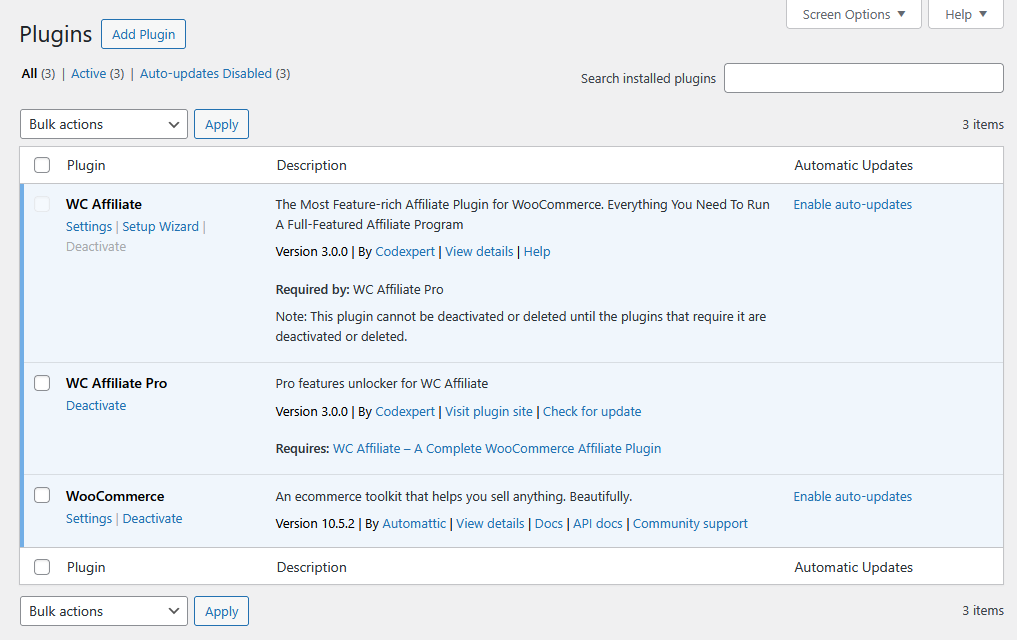
1. First, make sure you have installed and activated the following plugins on your site-
- WC Affiliate
- WC Affiliate Pro
- WooCommerce
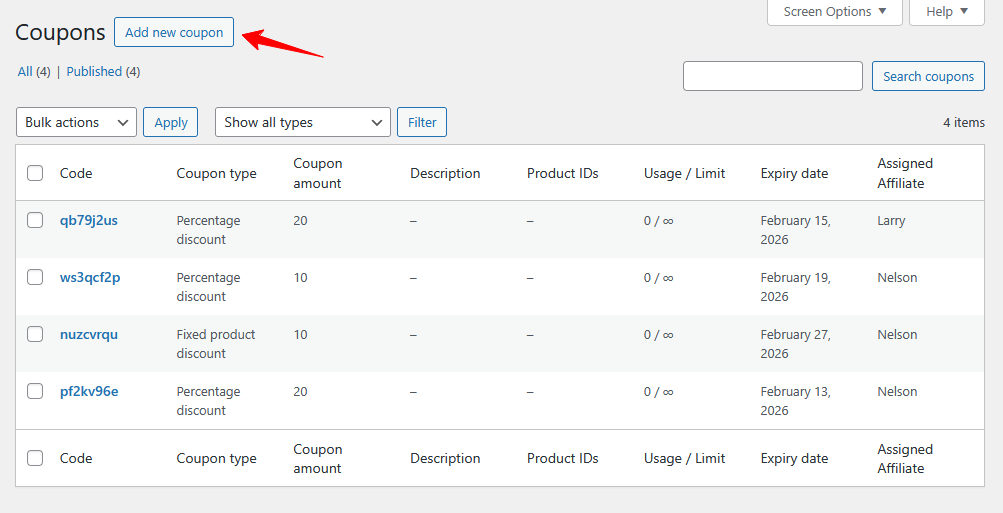
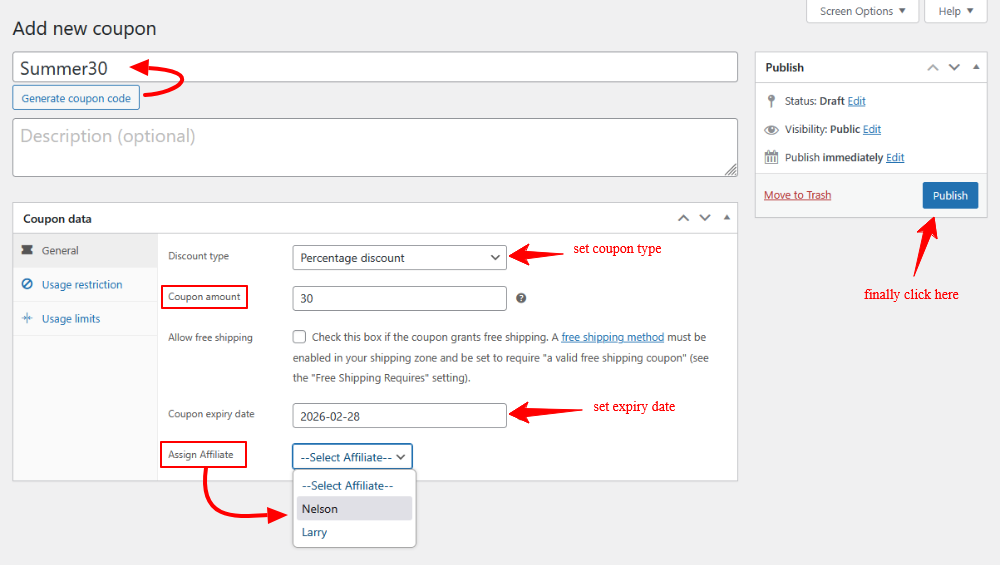
2. Go to WooCommerce > Coupon in your WordPress dashboard. Create a New Coupon to assign a coupon to an affiliate for tracking purposes. For this, you need to click on Add Coupon button. Set a unique Coupon Code (e.g., Summer30), which the affiliate will share with their audience.
3. Choose the type of discount you want to offer: percentage discount, Fixed cart discount, or fixed product discount. Set the expiration date for the coupon, and from the Affiliate section, select the specific affiliate. Fianlly click on Publish.
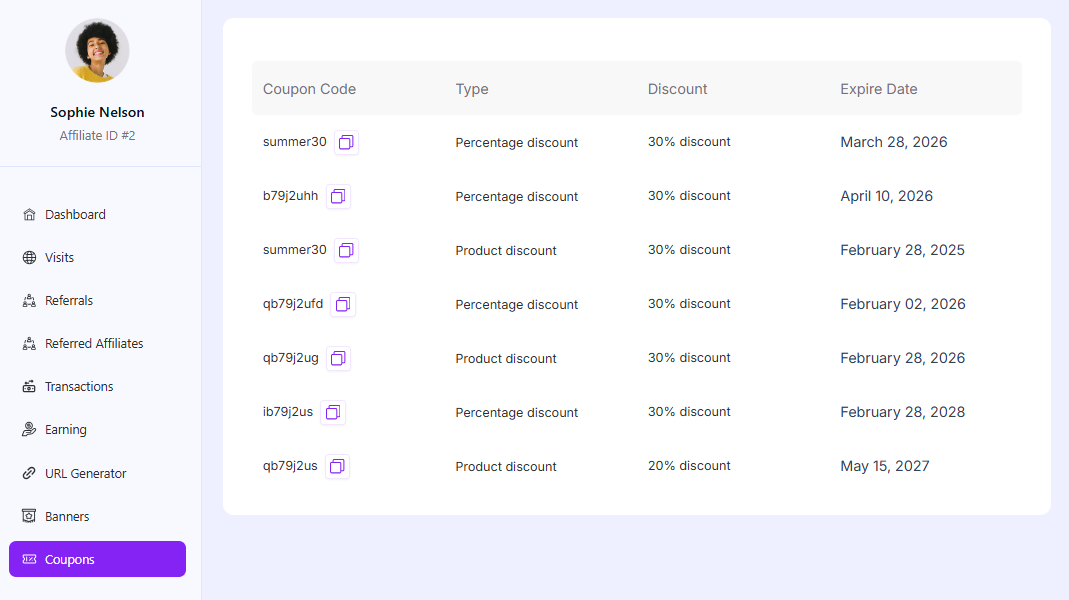
4. Your affiliate will find this coupon in their Affiliate dashboard, Coupons tab.
Was this doc helpful?