


WC Affiliate allows site administrators to create affiliate accounts from the WordPress dashboard manually. This is useful when you want to onboard affiliates yourself, approve selected users, or convert existing users into affiliates without requiring them to apply.
Affiliate Creation
1. Log in to your WordPress Admin Dashboard. Navigate to WC Affiliate → Affiliates. Click the Add New button.
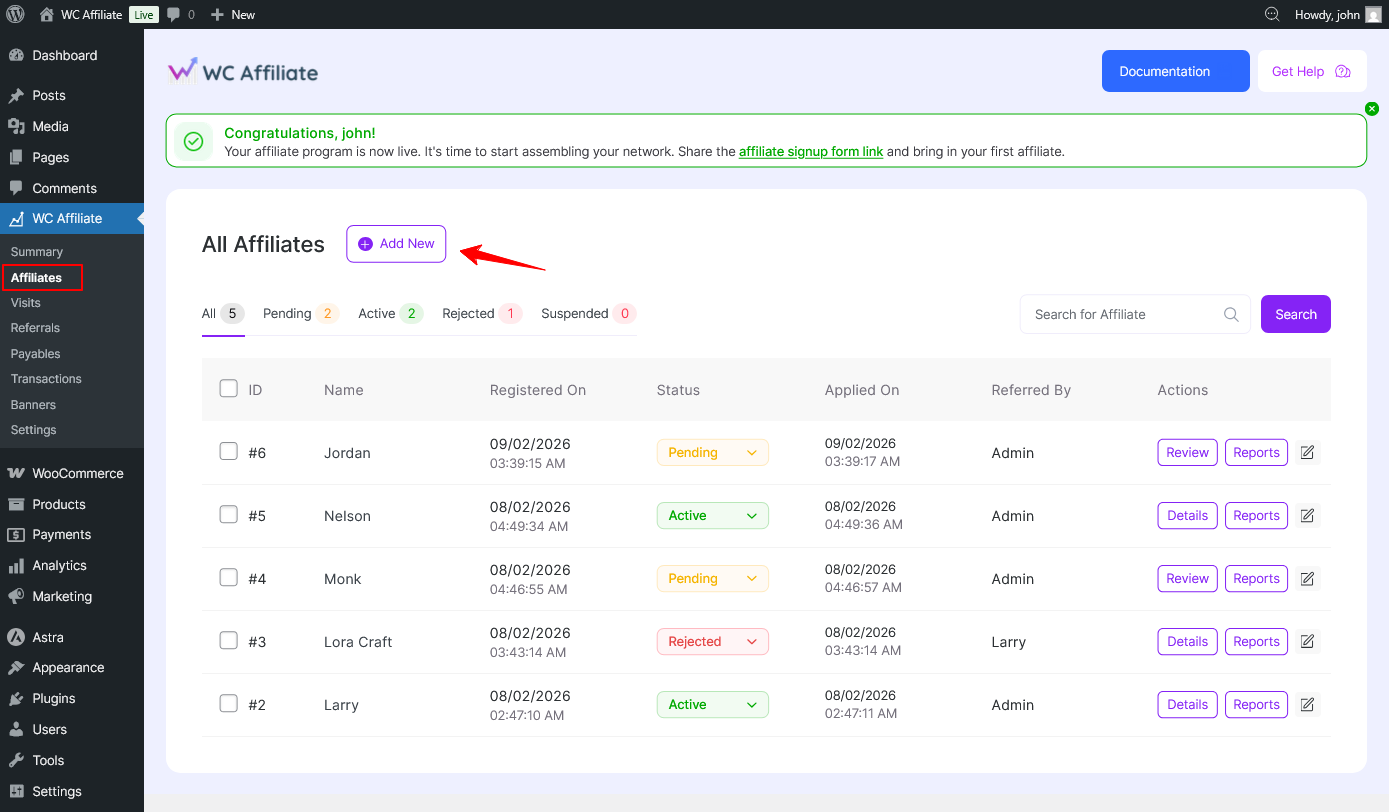
2. You will see two options- Existing User and New User
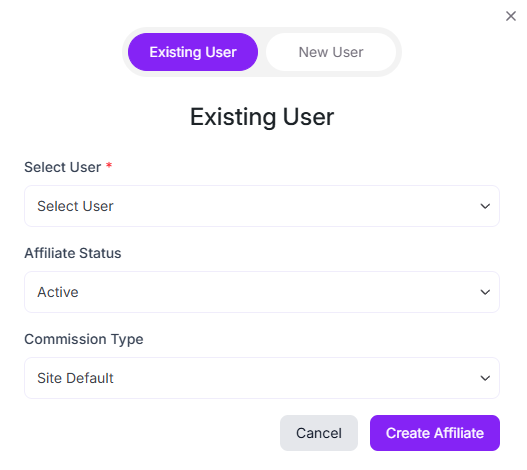
i) Create an Affiliate from an Existing User
Use this option if the user already has an account on your WordPress site. For example, if someone has purchased from your store before, they already have an account. That means they are an existing user, and you can assign them the affiliate role.
Follow the step-by-step instructions below to set it up.
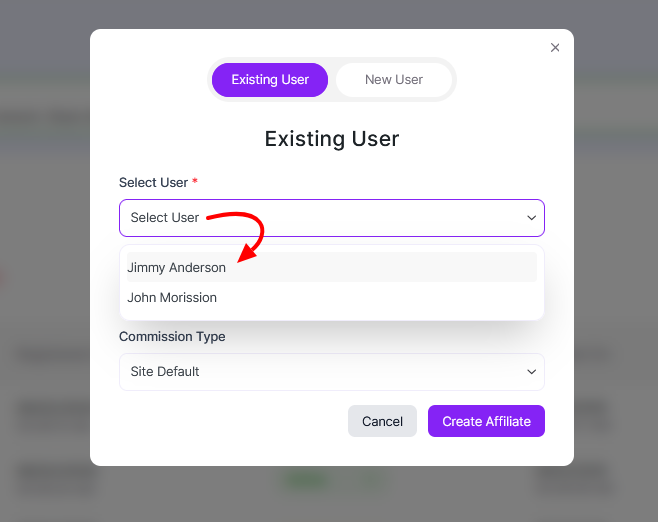
1. Select the Existing User tab. From the Select User dropdown, choose the WordPress user you want to convert into an affiliate.
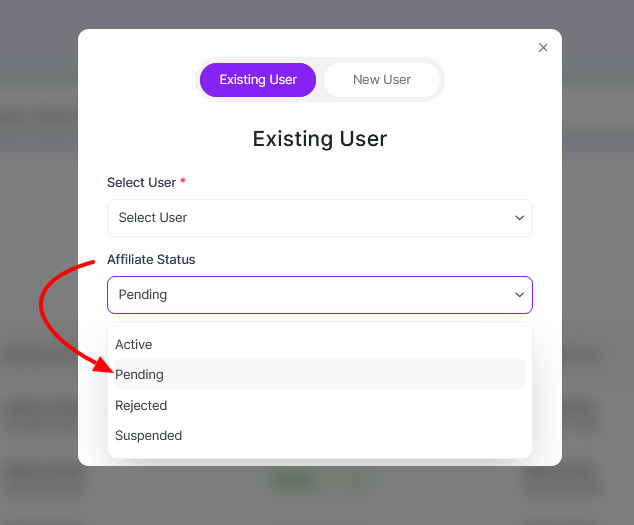
2. Set the Affiliate Status. You can set multiple statuses like Active, Pending, Rejected, Suspended
3. In the same way, choose your desired Commission Type- Site Default, Percentage, or Fixed Amount.
Commission Type: Site Default means the standard commission rate set for all affiliates will apply to the newly onboarded affiliate.
4. When you are done, click Create Affiliate to finish.
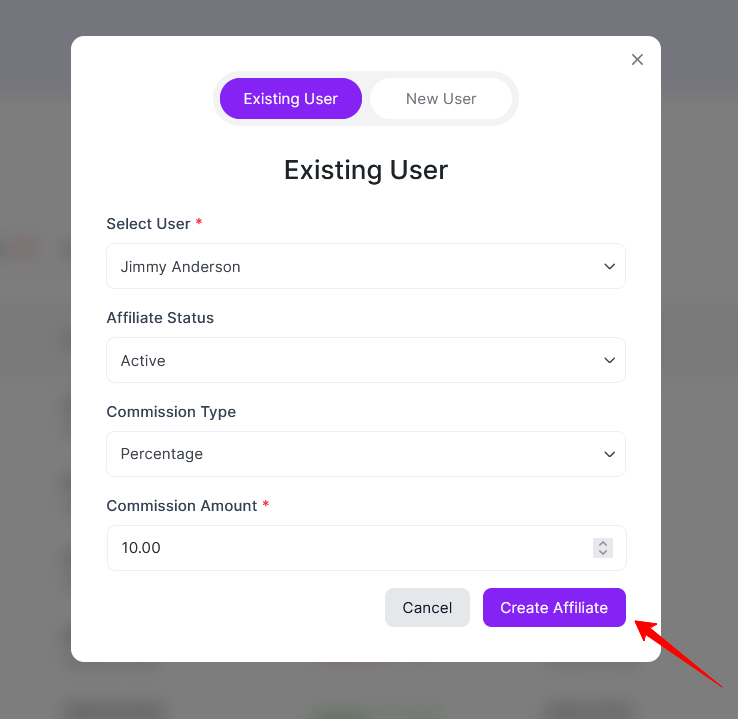
Once created, the user will instantly become an affiliate and can access the affiliate dashboard based on the assigned status.
Create a New Affiliate from Scratch
Use this option when the affiliate does not already have any prior account with your website. The WC Affiliate will create a new user account and assign the affiliate role automatically.
Follow the step-by-step instructions below to create a new affiliate user.
1. Click the Add New button. From the pop-up, select the New User tab.
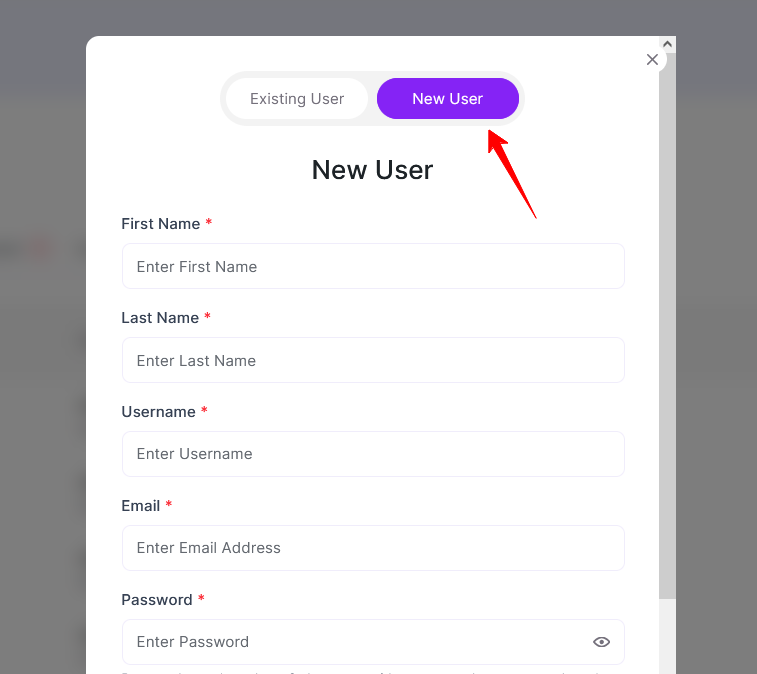
2. Fill in the required user details: First Name, Last Name, Affiliate Status, Password, and Commission Type
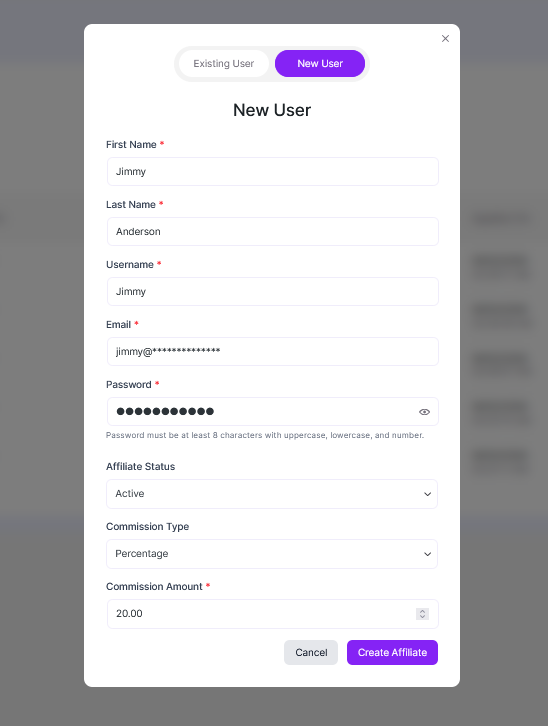
P.S. Password must be at least 8 characters and include uppercase, lowercase, and a number for safety reasons.
Finally, click Create Affiliate to complete the process. Once completed, WC Affiliate will automatically create a WordPress user account and register the user as an affiliate based on the selected settings.
Was this doc helpful?