


Home » Admin Dashboard » Edit Affiliate
The Edit Affiliate feature allows administrators to update an affiliate’s profile, account status and commission settings.
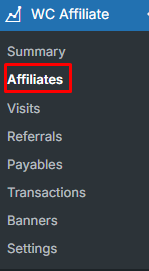
To edit affiliate, at first go to WC Affiliate → Affiliates:
And then select an Affiliate → Edit Icon
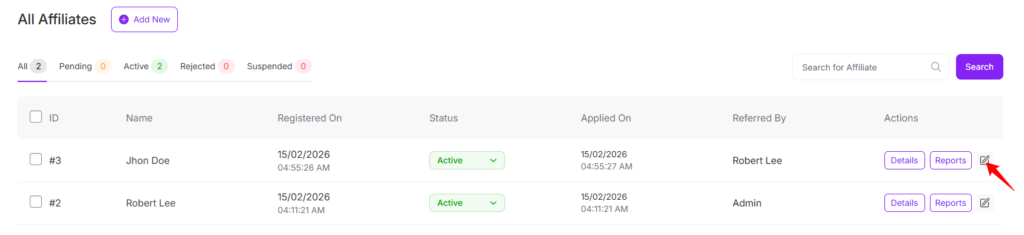
After clicking the edit icon, it will open the Edit Affiliate modal.
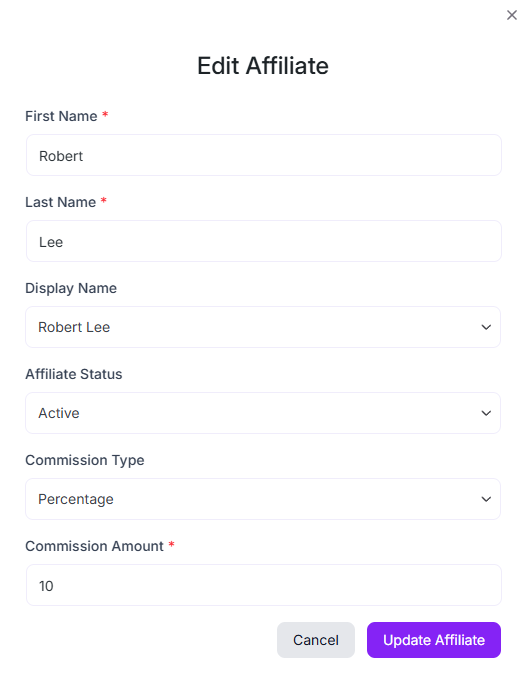
Here you can update affiliate’s First Name, Last Name, Affiliate Status, Password, Commission Type, and Commission Amount
Display Name
Controls how the affiliate’s name appears across the plugin, including listings and reports.
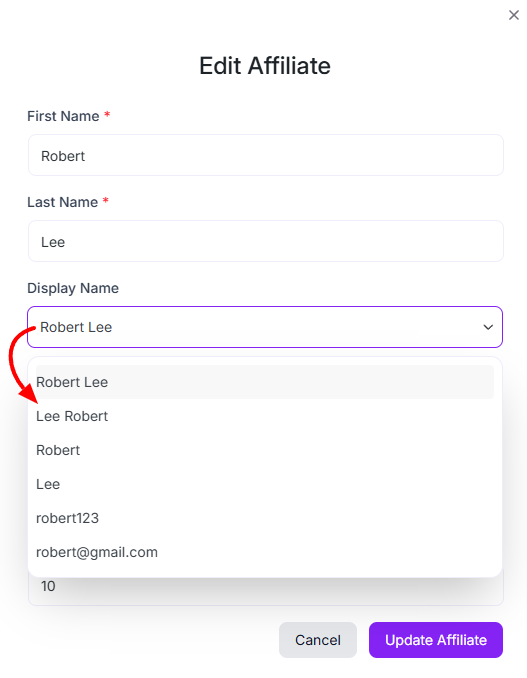
After updating affiliate information, please click on Update Affiliate to apply changes or click Cancel to discard changes.
Was this doc helpful?