


The Visits section in WC Affiliate allows the admin to monitor all traffic generated through affiliate referral links. Every time someone clicks an affiliate’s referral link and lands on your website, the system records it as a visit.
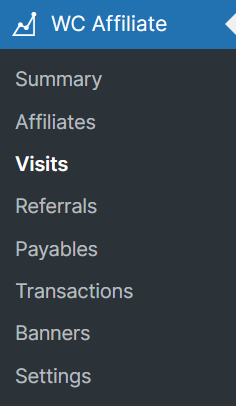
To check this, go to WC Affiliate → Visits
What is a Visit?
A visit simply means someone clicked an affiliate link and opened your website.
For example, if an affiliate shares this link:
https://yourdomain.com/?ref=3
When a user clicks that link, a visit will be added to the Visits page. It does not mean a sale happened. It only means someone visited the site using that affiliate’s link.
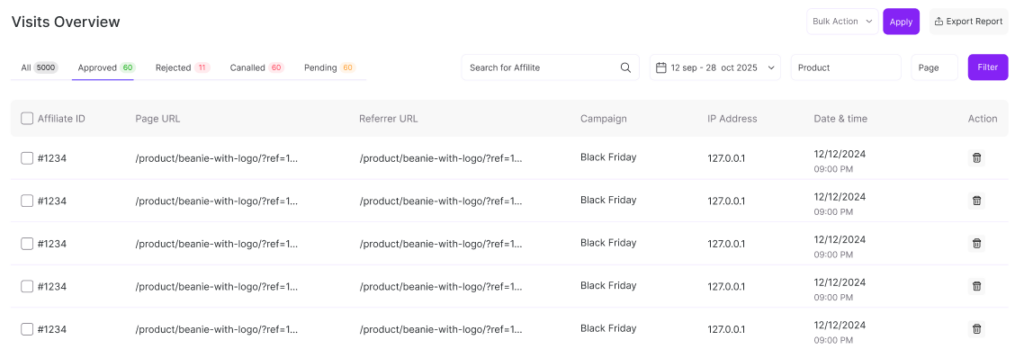
On the Visits page, you will see a table with several columns such as ID, Affiliate, Page URL, Referrer URL, Campaign, IP Address, etc.
Page URL
The exact page the visitor landed on. It could be the homepage, a product page, or any other page.
Referrer URL
This shows where the traffic came from. If it says “Direct,” it means the link was clicked directly (for example, from a message or copied link).
Campaign
If the affiliate added a campaign name to the link, it will appear here.
Example:
http://yourdomain.com/product/breathable-mesh-cap/?ref=3&campaign=summer15
In this case, the campaign name is summer15.
This helps track specific promotions.
To create a campaign, you can know more details from the Affiliate’s URL Generator
IP Address
Shows the visitor’s IP address. This is useful if you want to check repeated or suspicious clicks.
Important to Understand
A visit is not a commission.
Here’s how it works step by step:
- Someone clicks an affiliate link → Visit is recorded
- The visitor places an order → Referral is created
- The referral is approved → Commission is earned
If you want to see sales and commissions, go to:
WC Affiliate → Referrals
Simple Example
Let’s say an affiliate shares a product link and:
- After approval → Commission will be added
- 50 people click the link → 50 visits will show
- 3 people purchase → 3 referrals will be created
Was this doc helpful?