


The Affiliate Dashboard gives your affiliates a complete, real-time snapshot of their performance. This section will help your affiliates monitor their visits, referrals, and commissions, whether paid or unpaid, in one place.
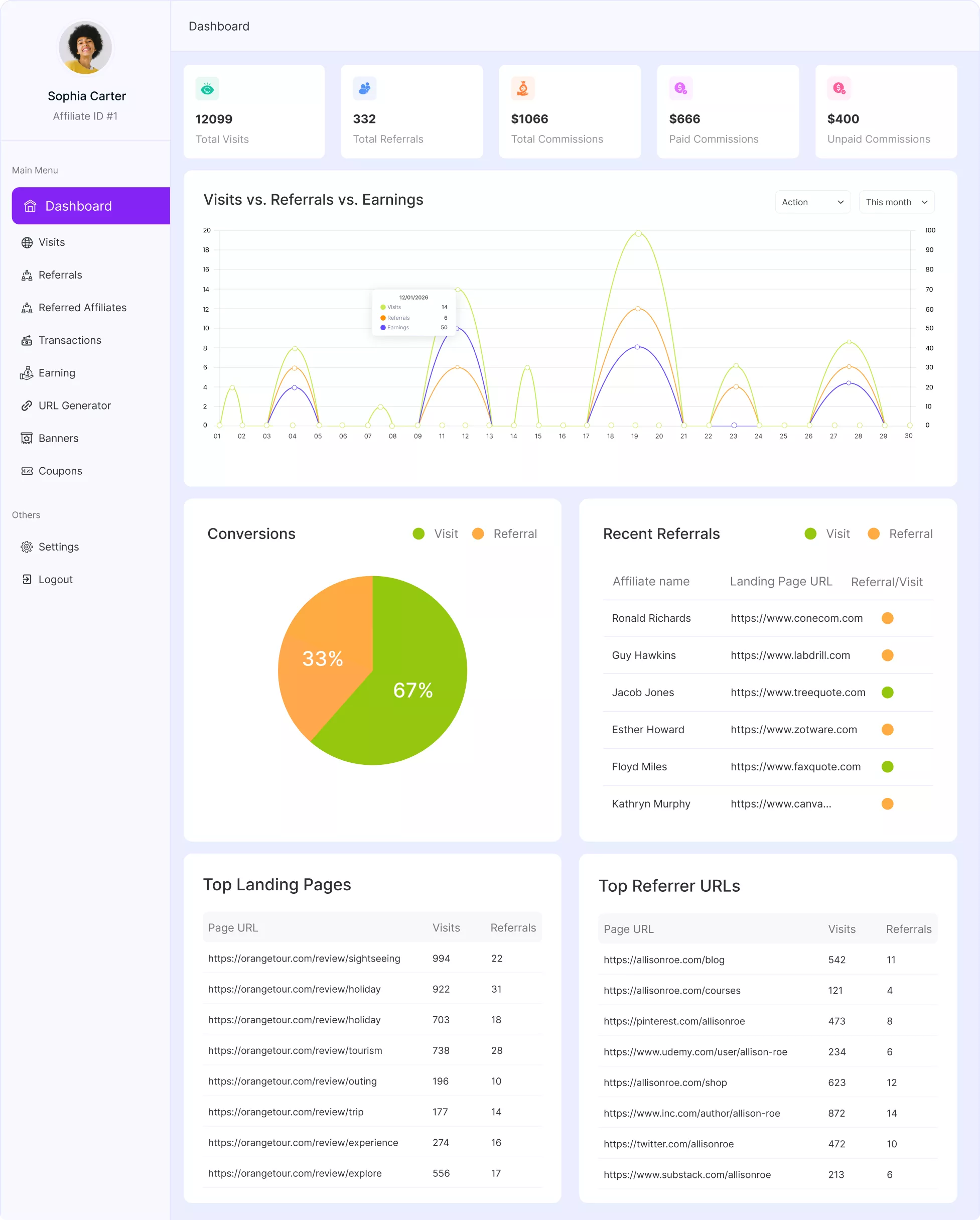
We will walk you through each section of the Affiliate Dashboard and explain what your affiliates can see and how to use it effectively. To access the affiliate dashboard, you have to log in to your affiliate account.

Summary Cards
At the top of the dashboard, affiliates will find a quick performance summary displayed in five key metrics:

Total Visits: Shows the total number of visits generated through the affiliate’s unique tracking links within the selected date range.
Total Referrals: Displays the number of successful referrals (qualified conversions) attributed to the affiliate.
Total Commissions: Indicates the total commission amount earned from all approved referrals.
Paid Commissions: Shows how much commission has already been paid out to the affiliate.
Unpaid Commissions: Displays the commission amount that is approved but not yet paid.
These cards update automatically based on the affiliate activities.
Visits vs. Referrals vs. Earnings (Performance Graph)
This section provides a visual breakdown of performance trends over time.
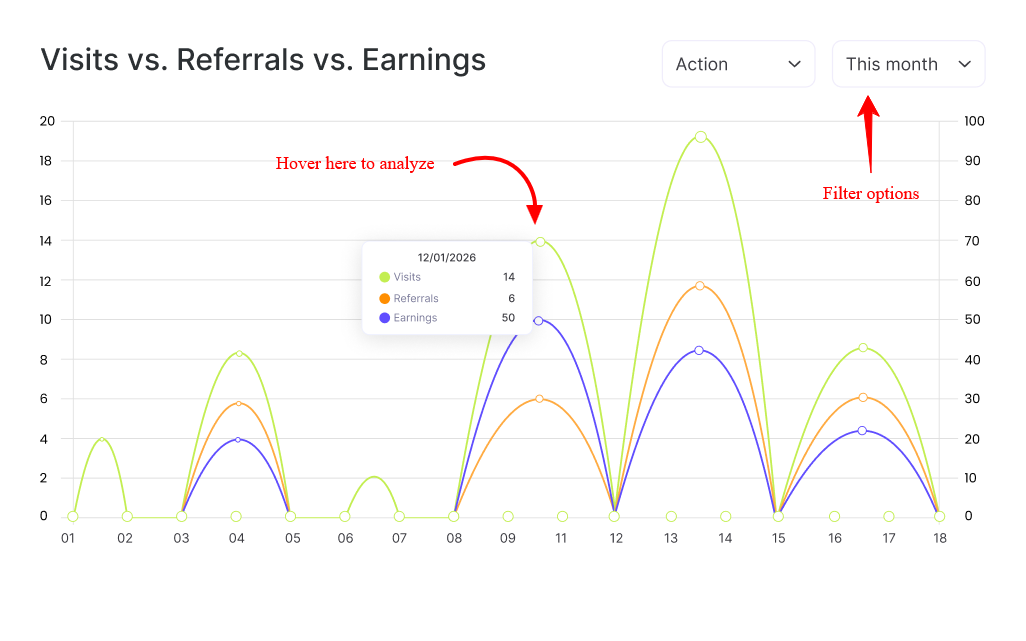
The graph compares:
- Visits generated
- Referrals recorded
- Earnings (commissions)
Affiliates can:
- Filter the data by time range (e.g., This Month)
- Select specific metrics to display on the chart
This makes it easy to identify spikes in traffic, conversion patterns, and revenue trends. For example, a surge in visits without referrals may indicate low conversion performance, while aligned spikes suggest strong campaign effectiveness.
Conversions Overview, Recent Referrals
| Conversions Overview | Recent Referrals |
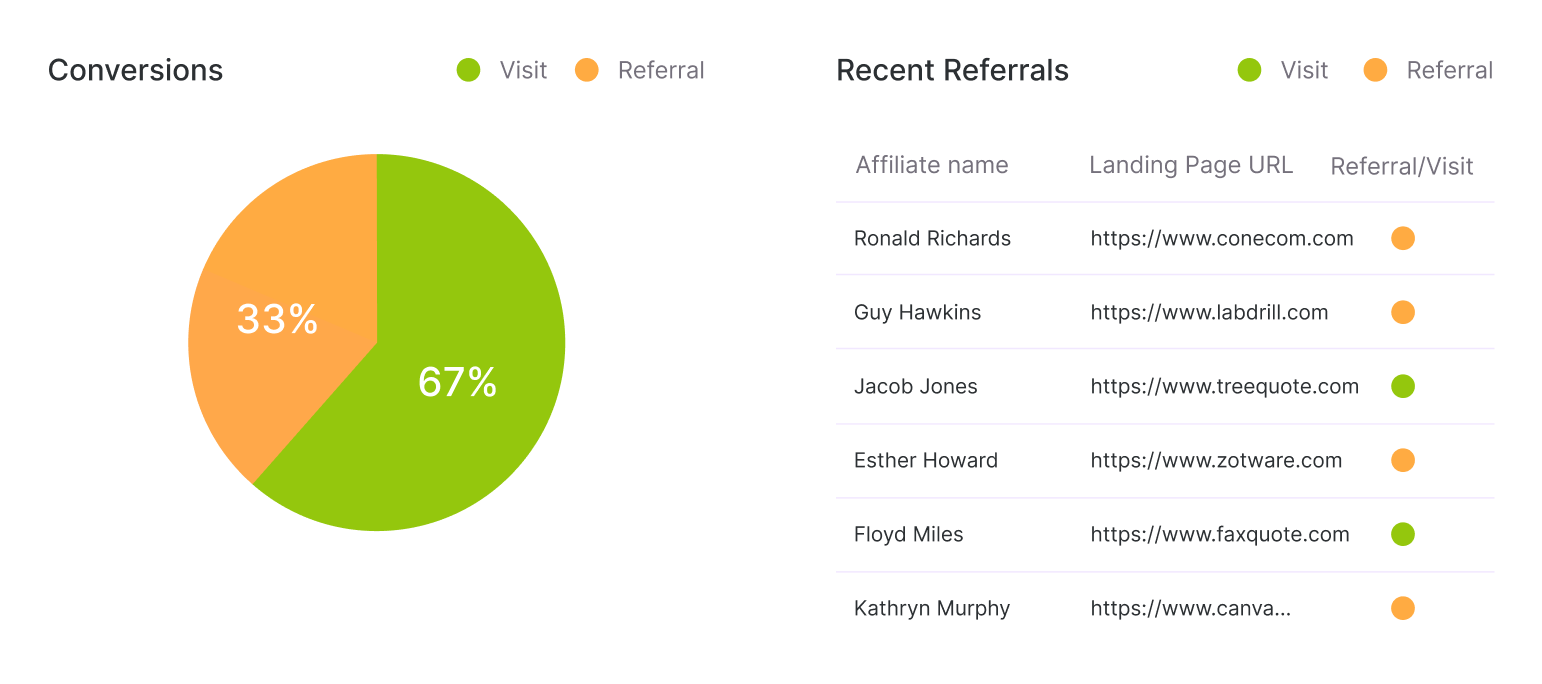
| The Conversions panel presents a visual comparison between Visits and Referrals. This helps affiliates quickly understand how much of their traffic is converting into actual referrals. A higher referral-to-visit ratio indicates better traffic quality and optimized campaigns. | The Recent Referrals section lists the latest successful referral activities. Each entry of this section includes Affiliate Name, Landing URL, and Referral/Visit indicator. This allows affiliates to quickly see which pages are converting, which campaigns are currently generating commissions, and real-time referral activity. |
Top Landing Pages & Top Referrer URLs
| Top Landing Pages | Top Referrer URLs |
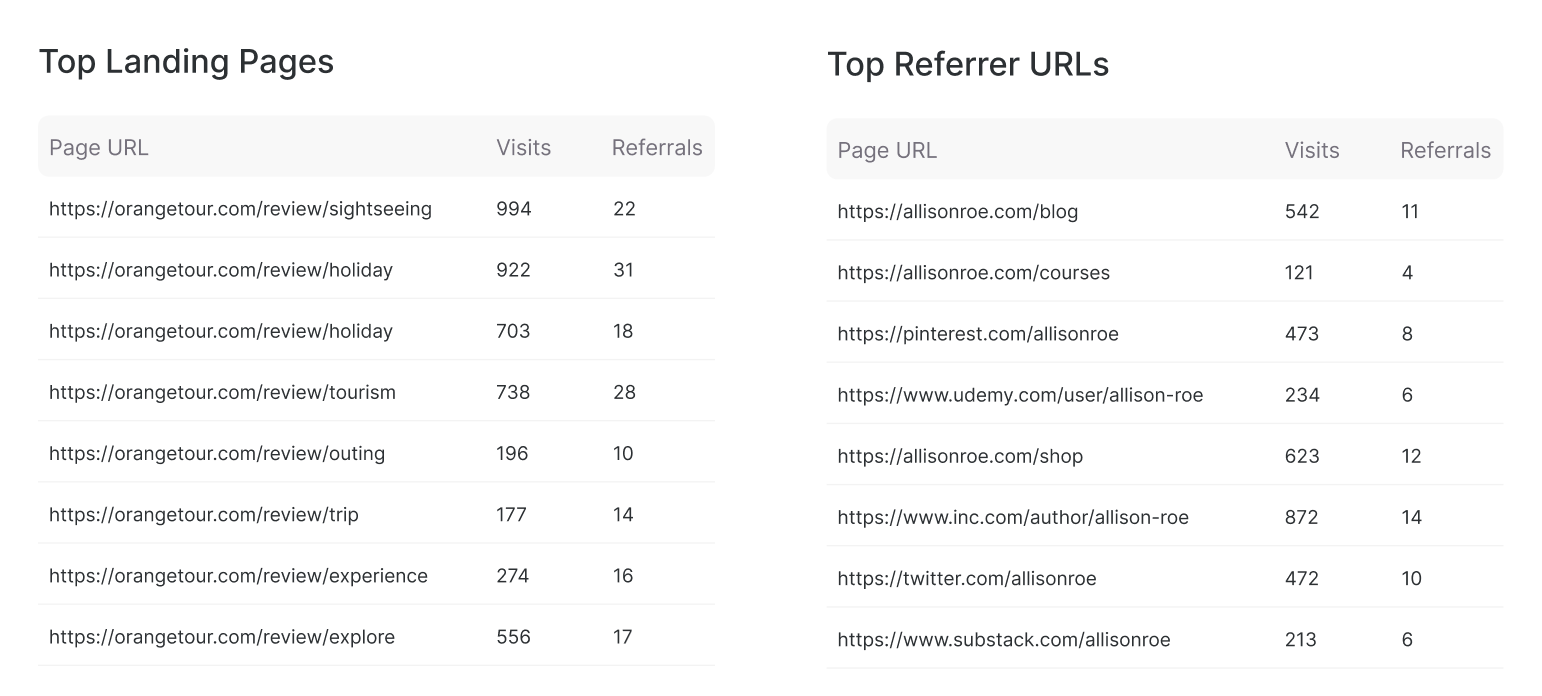
| This section highlights the most visited landing pages driven by the affiliate. For each page, affiliates can see Page URL, Total Visits, and Total Referrals. This helps affiliates identify which content or product pages perform best and where to focus promotional efforts. | The Top Referrer URLs section shows where traffic is coming from. For each source, affiliates can see Referrer Page URL, Visits generated, and Referrals recorded. This allows affiliates to analyze which traffic sources (blog posts, social media pages, campaigns, etc.) generate the most engagement and conversions. |
Was this doc helpful?