


Home » Admin Dashboard » Referrals Overview
The Referrals section in WC Affiliate allows the admin to view, manage and track all affiliate-generated commissions. Each time a customer makes a purchase using an affiliate link, a referral record is created here.
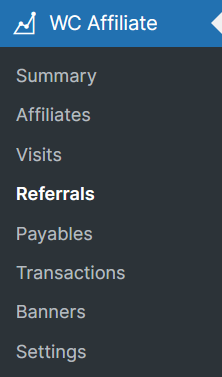
To access the WC Affiliate referrals page, please go to WordPress Dashboard → WC Affiliate → Referrals
What is a Referral?
A Referral is a commission record created when:
- A visitor clicks an affiliate’s referral link.
- The visitor completes a purchase.
- The system calculates commission based on your settings.
Each referral is linked to:
- An Affiliate
- A Visit (click)
- A WooCommerce Order
- A Commission amount
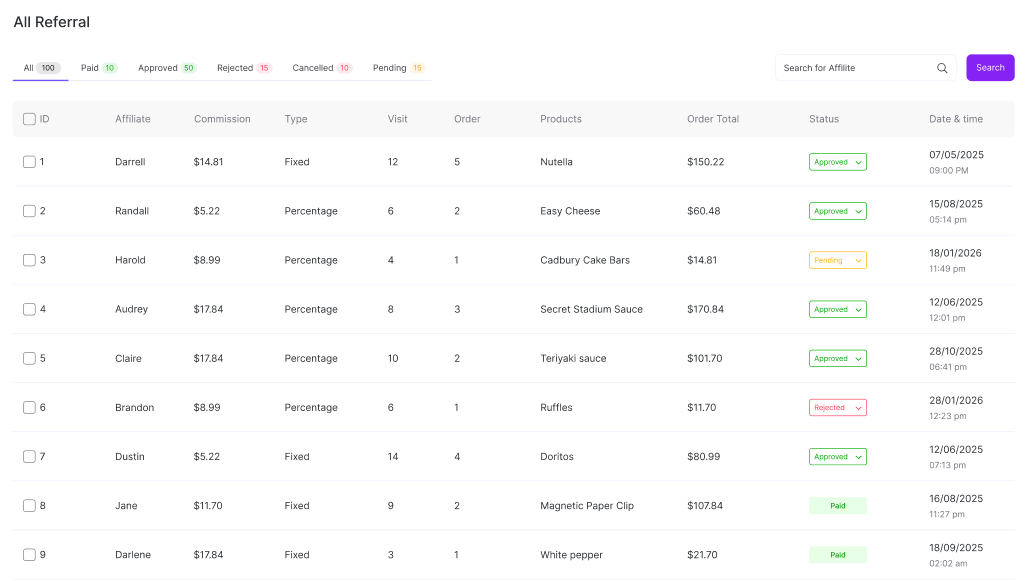
On the Referral page, you will see a table with several columns such as ID, Affiliate, Commission, Type, Visits, Order, Products, Order Total, Status, etc.
Commission
The commission amount earned from the order.
Example:
- Order Total: $75
- Commission Rate: 10%
- Commission: $7.50
How Referral Tracking Works
Example Scenario
- Affiliate Robert Lee shares his referral link:
https://example.com/?ref=3 - A customer clicks the link.
- The system records a Visit.
- Customer purchases a product worth $75.
- Commission rate is 10%.
- The system creates a referral
Was this doc helpful?